
What do I do if I can't log in?
Reset your password via the login page link when you see invalid email or password errors in your recruiter account.
You want to log in to your business account, but it's not working?
No worries, here's a step-by-step guide to help you out.
You can log in or reset your password using this link: https://app.instaffo.com/login
Check your login details
If you see the error message "Invalid email or password", check your email address:
👉 Watch out for typos or spaces
👉 Make sure you're using the exact email registered with your business account
You're landing in your talent profile instead of the recruiter area?
This happens when you log in with the wrong email address or a personal one:
- Already registered as a talent? -> You'll be logged directly into your talent profile
- Not registered yet? -> A new talent profile will be created automatically
Reset your password
You can reset your password using this link: https://app.instaffo.com/password
Click Reset password below the password field.
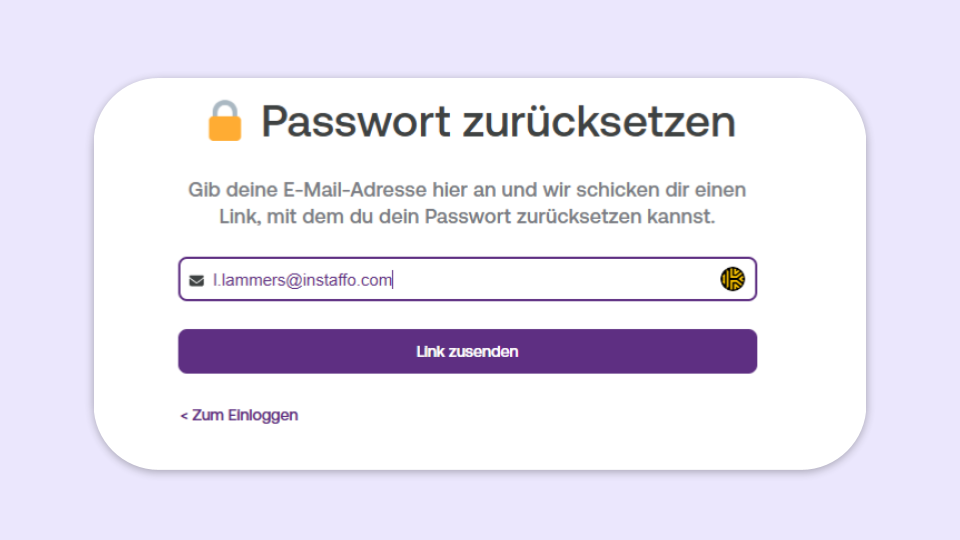
- Enter your email address
- Click on "Send link"
- You'll receive an email with a link to set a new password
No email received?
Click on "Resend" and also check your spam folder.
Log in with your new password
- Click on the link in the email
- Set a new password
- Then click on "Go to login" and sign in as usual
 Powered by happysupport.ai