
How do I set up an out-of-office notice?
Set up an out-of-office notice from your profile dropdown to automatically notify candidates you're unavailable during your absence dates
Going on vacation soon or unreachable for a few days? No problem!
With the out-of-office notice, you'll automatically let candidates know. That way they'll see right away that you're not available.

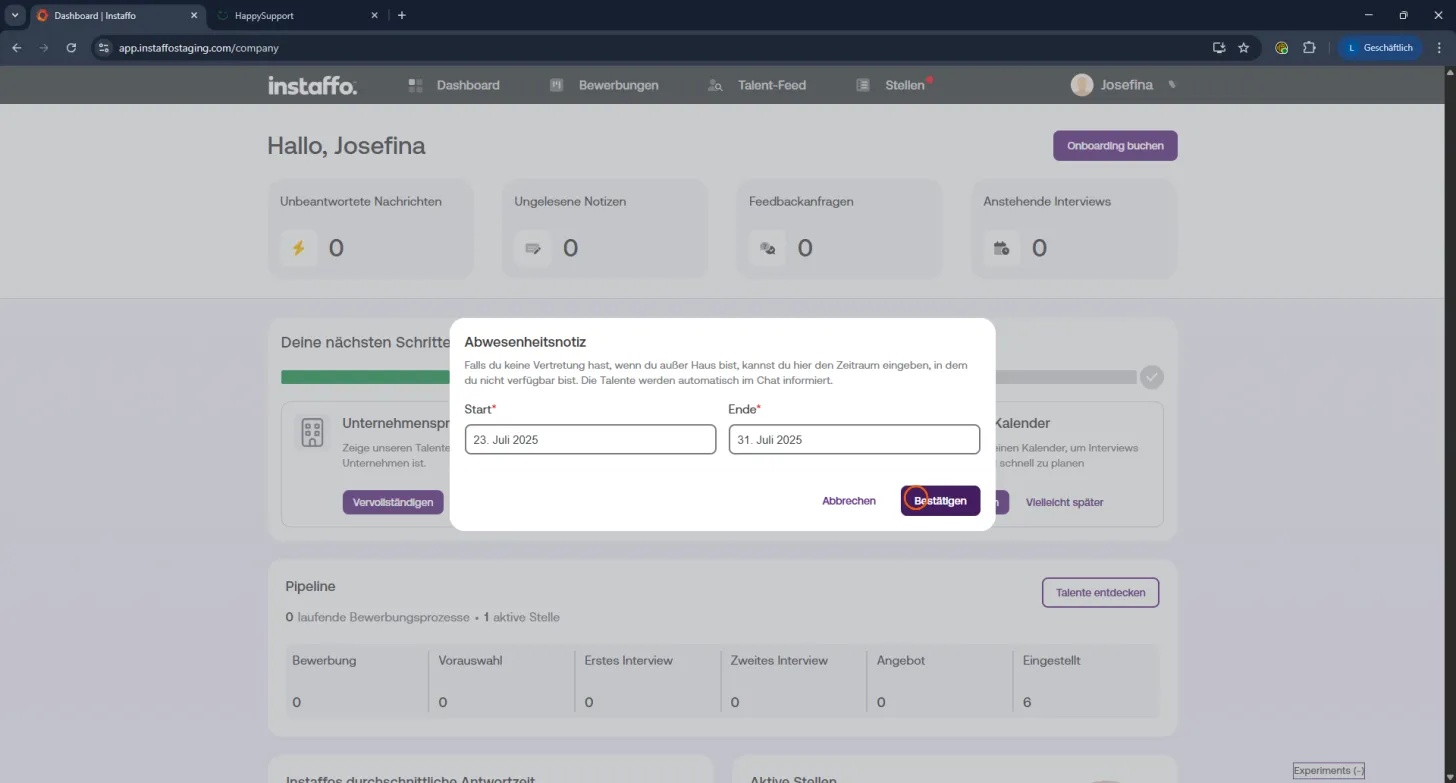
✅ Setting up your out-of-office notice - here's how
It only takes a few clicks to set your absence:
-
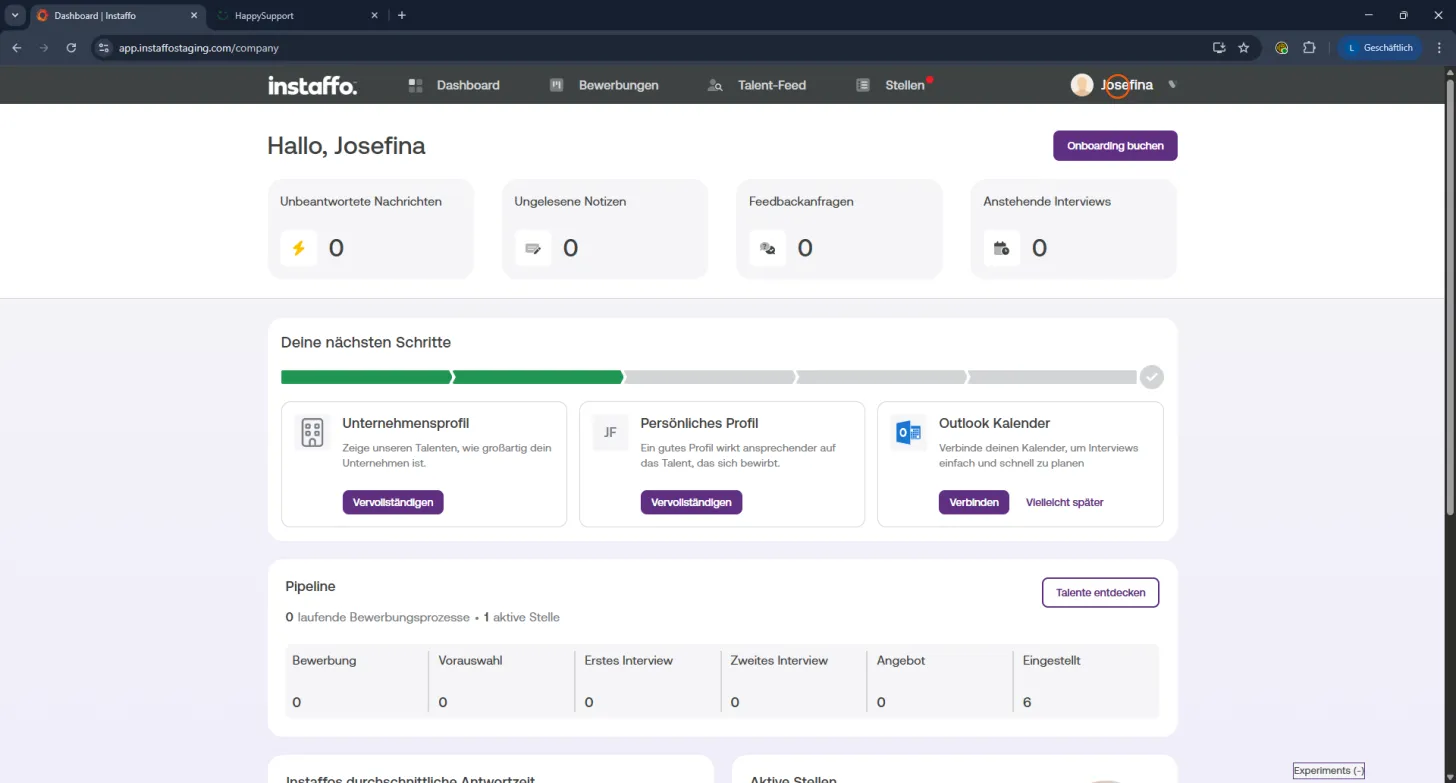
Open your profile:
Click on your name in the top right to open the dropdown menu. -
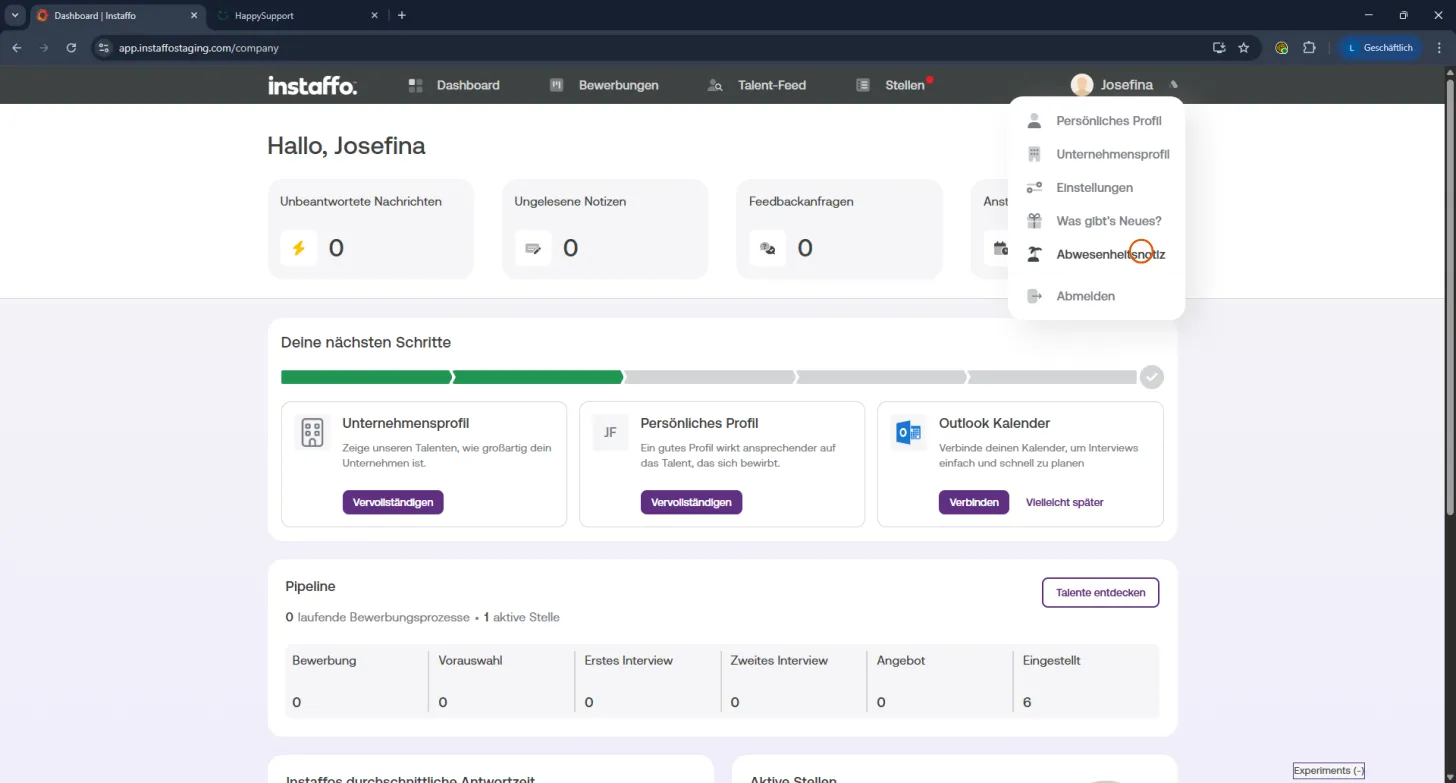
Select out-of-office notice:
Choose the "Out-of-office notice" option. -
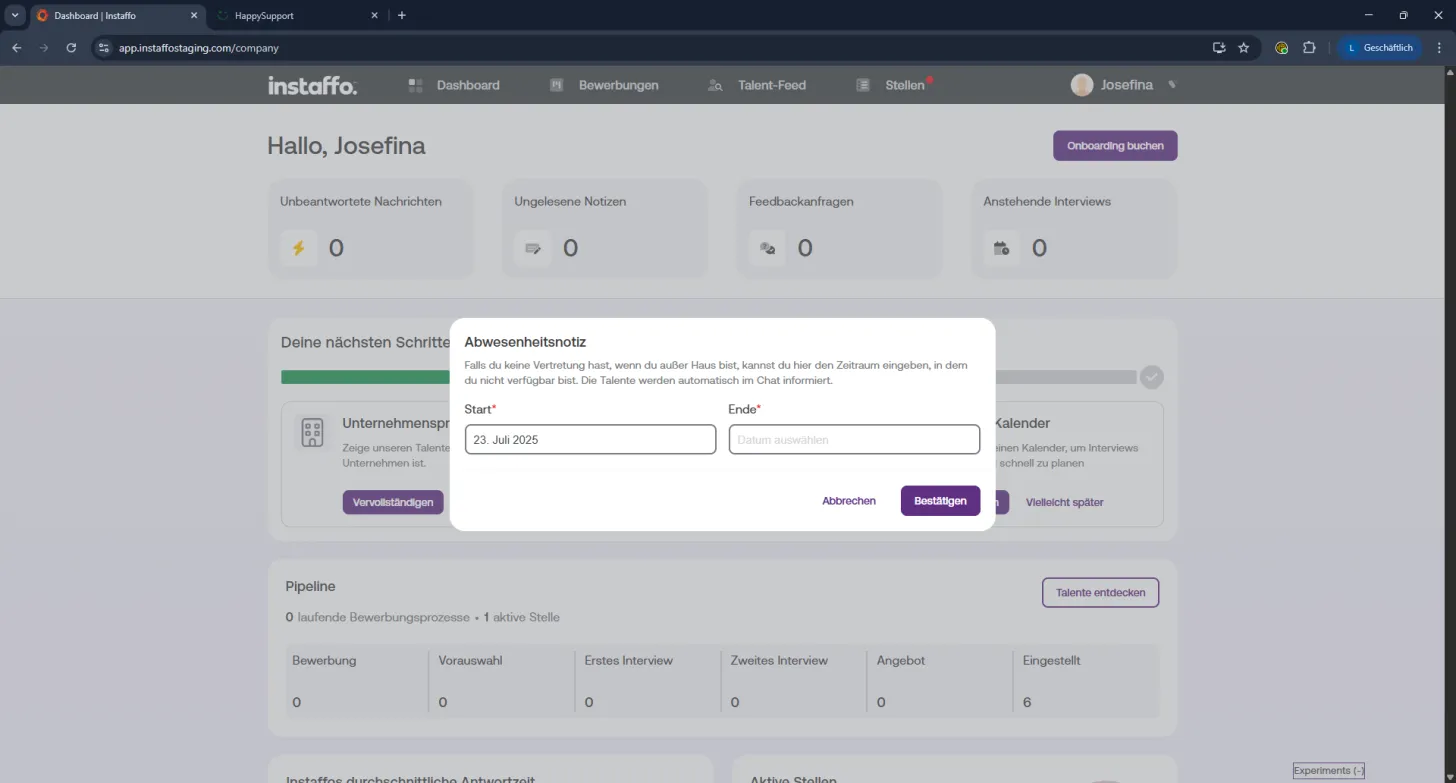
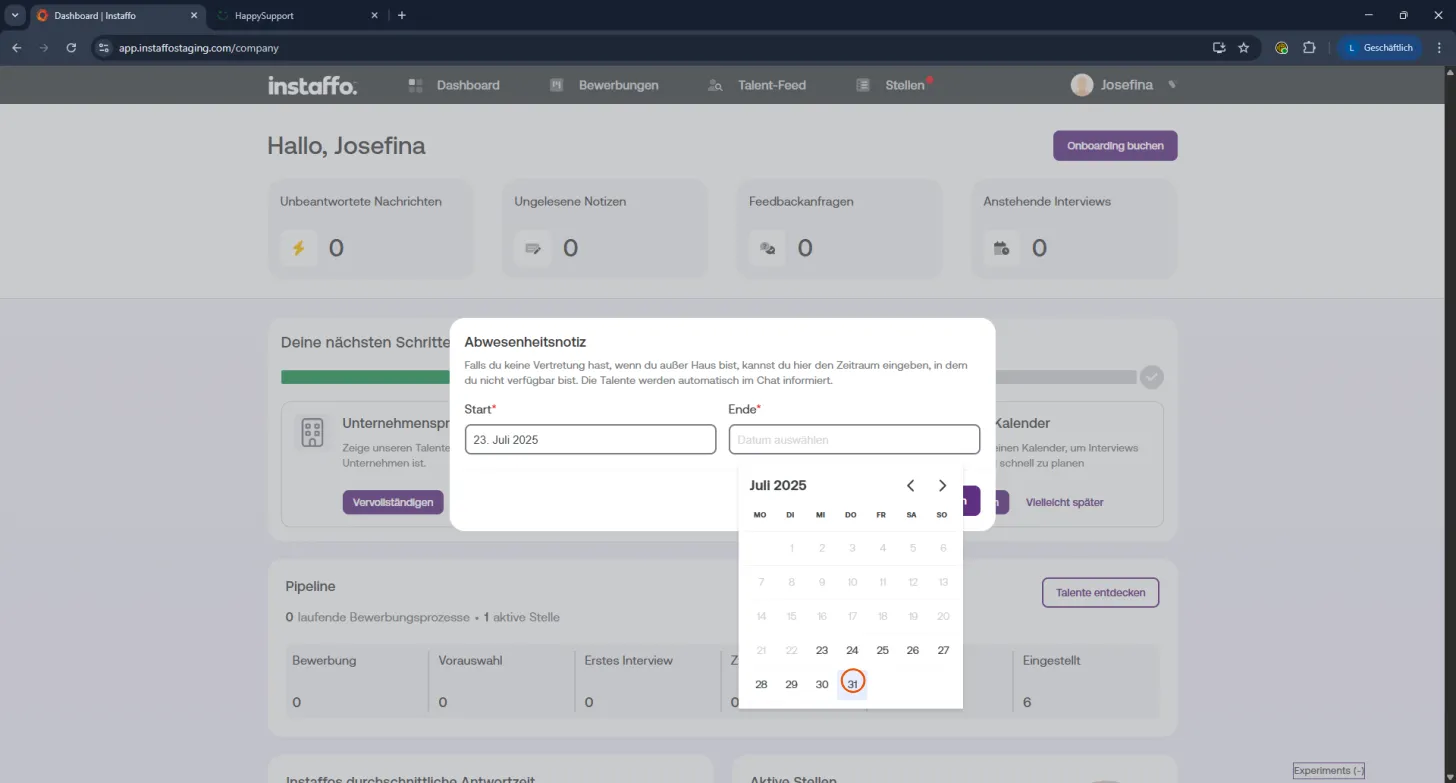
Set your dates:
Enter when you won't be available:- Start date - when your absence begins
- End date - when you're expected to return
-
Save:
Click "Confirm" - and you're done! 🙌
💬 What happens next?
While you're away, a notice will automatically appear in the chat. That way candidates can see at a glance that you're not available right now - no need for them to message you first.
Enjoy your time off - your recruiting keeps going anyway! ✨
You can also pause your job postings for the duration of your vacation. Find out how here
 Powered by happysupport.ai