
How do I disable email notifications?
Disable Instaffo email notifications by unsubscribing from general updates or managing transactional emails through notification settings for job postings.
Want to receive fewer emails from Instaffo? Here's what you need to know about which emails you can unsubscribe from and which ones you can't. We'll also show you how to adjust the settings in your team. 👇
What emails does Instaffo send?
We distinguish between two types of emails:
-
General Instaffo updates
These include things like notifications about new features, platform updates, or tips on how to use the service.
👉 You can unsubscribe from these emails yourself. -
Transactional emails
For example, notifications about new chat messages, applications, or process updates for your job postings.
👉 You can't disable these emails because they're part of your recruiting process.
Unsubscribe from general updates
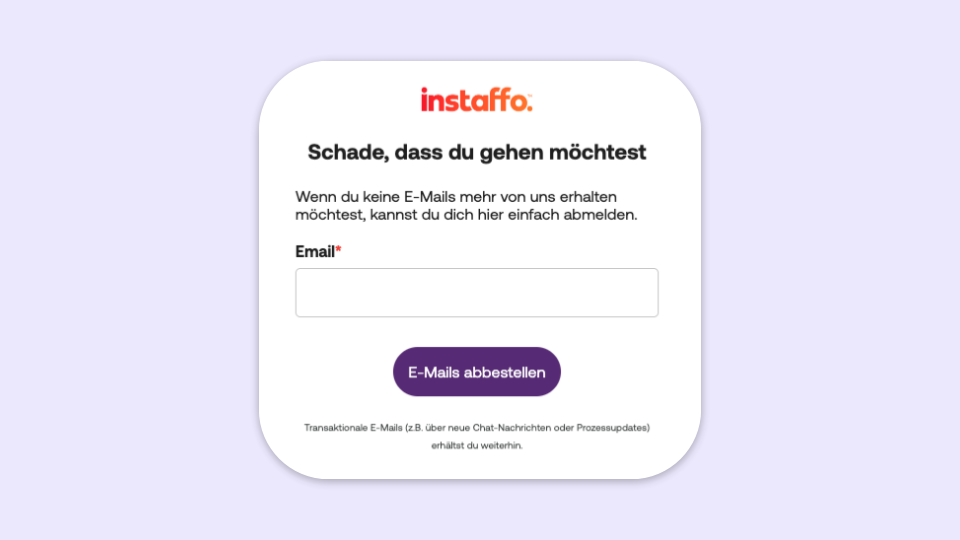
Here's how to unsubscribe from general Instaffo updates:
- Open an email you want to unsubscribe from
- Scroll all the way to the bottom
- Click on "Unsubscribe from emails"
📌 Note:
This setting only applies to the email address specified and doesn't affect other team members.
Manage transactional emails
You can't completely unsubscribe from these emails, but you can decide who should receive them.
Adjust responsibility for the job posting

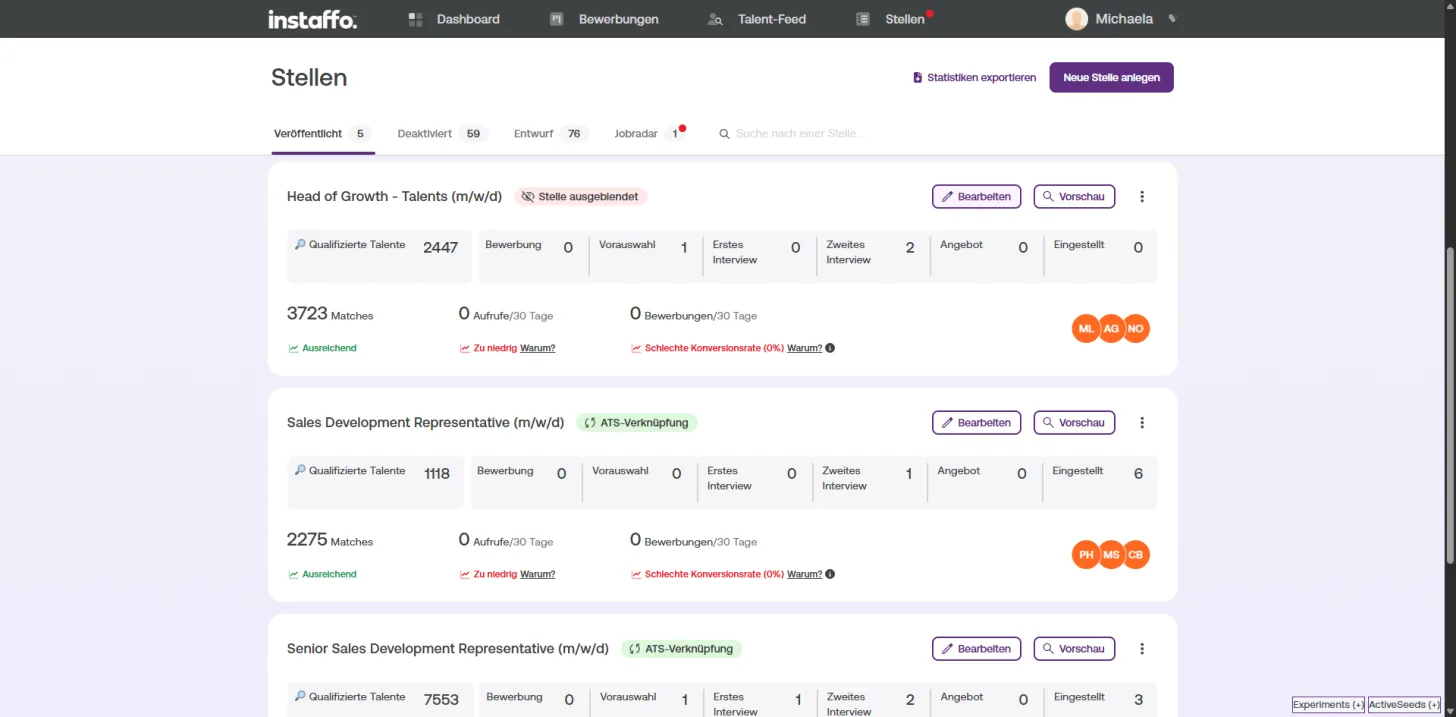
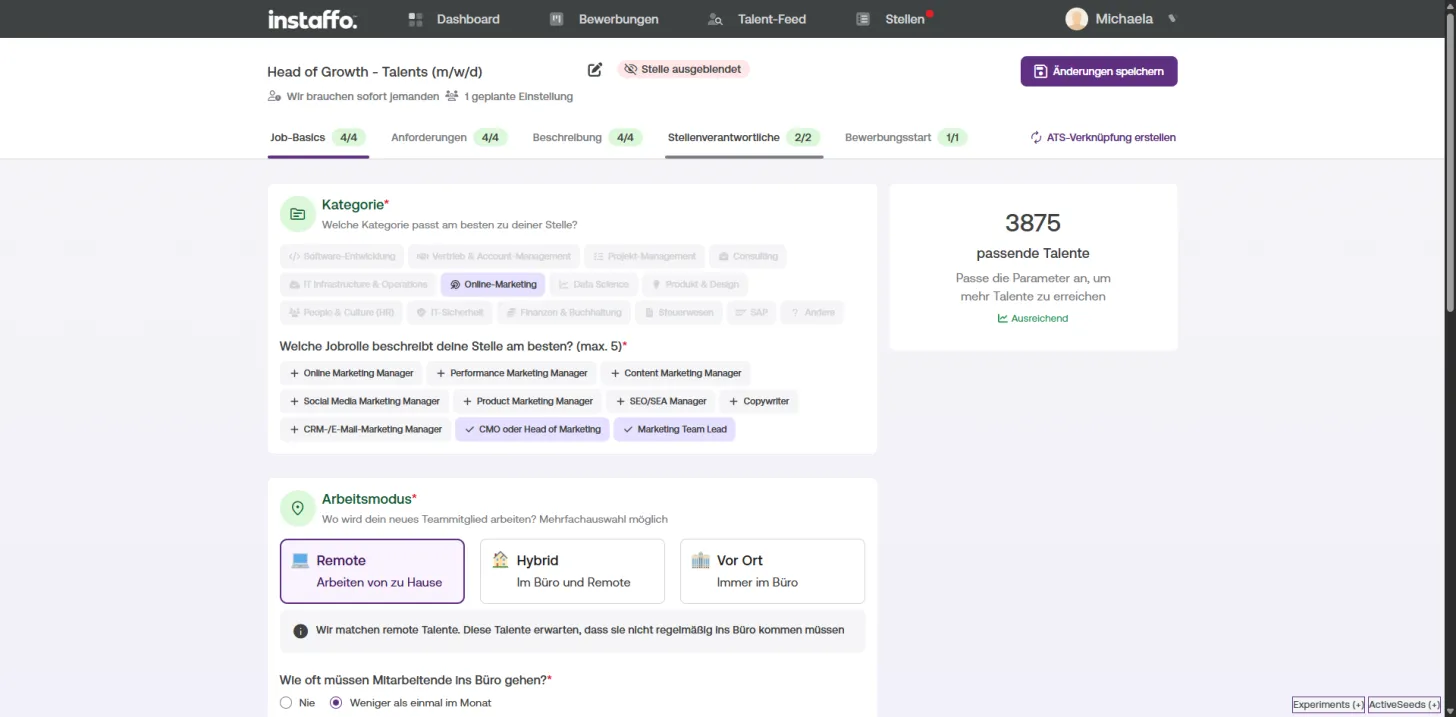
- Go to your job postings overview
- Click "Edit" for the job posting you want to change
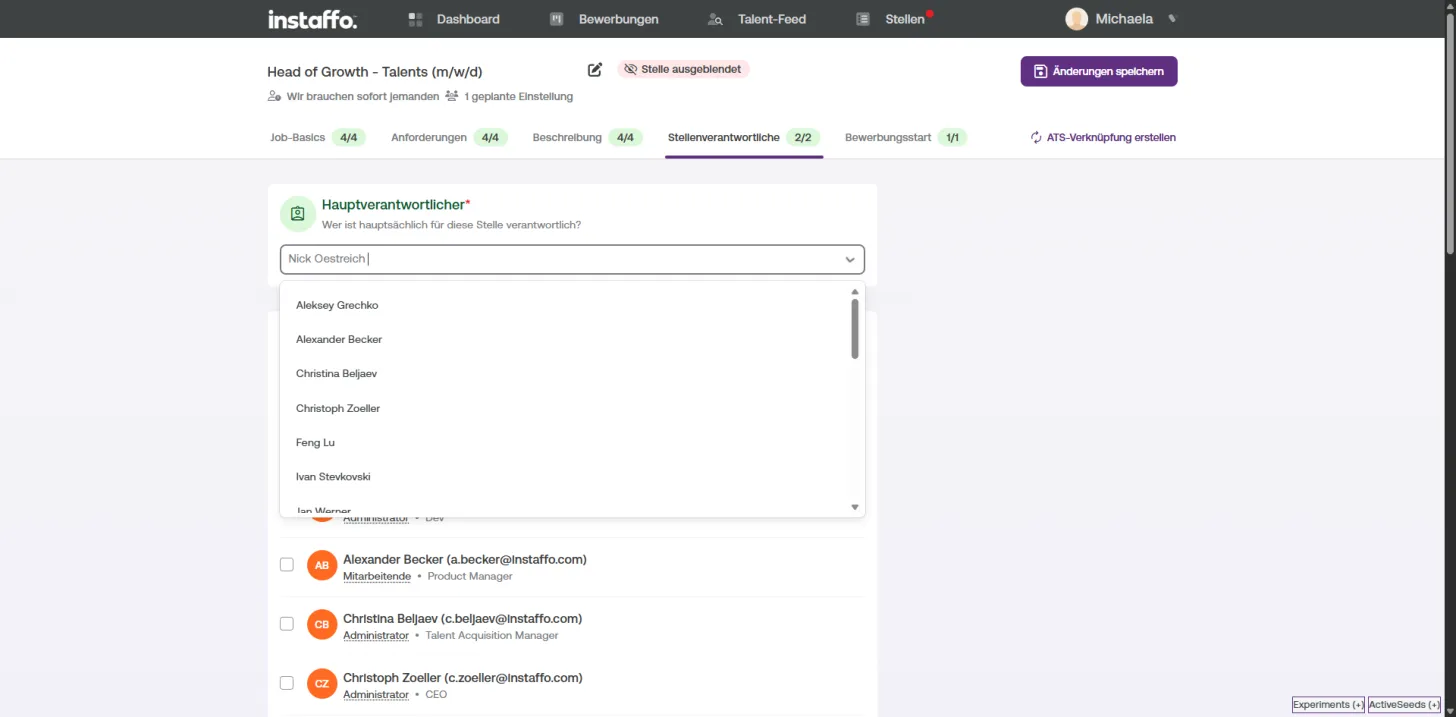
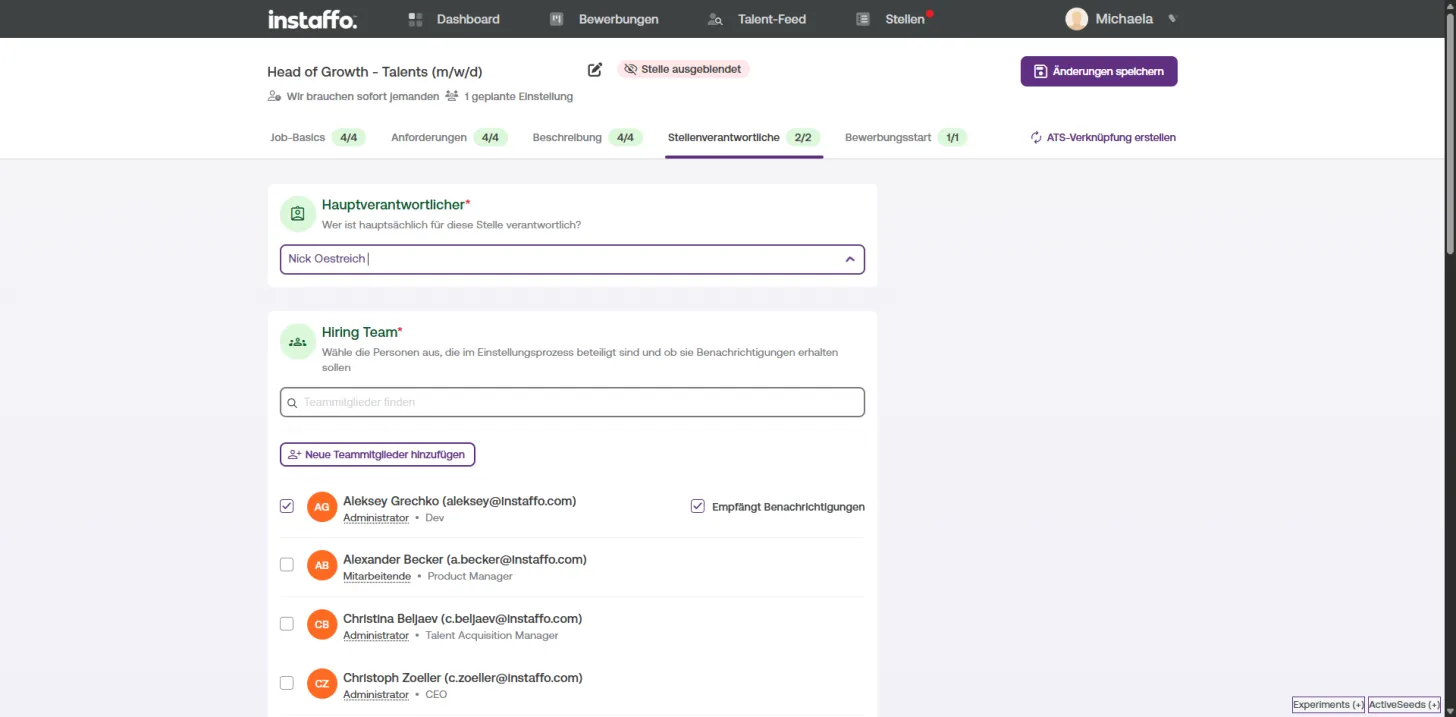
- Open the "Responsible parties" tab
✉️ Who gets notifications?
-
Primary contact
- Always receives all notifications for the job posting
- You can change the person using the dropdown field
-
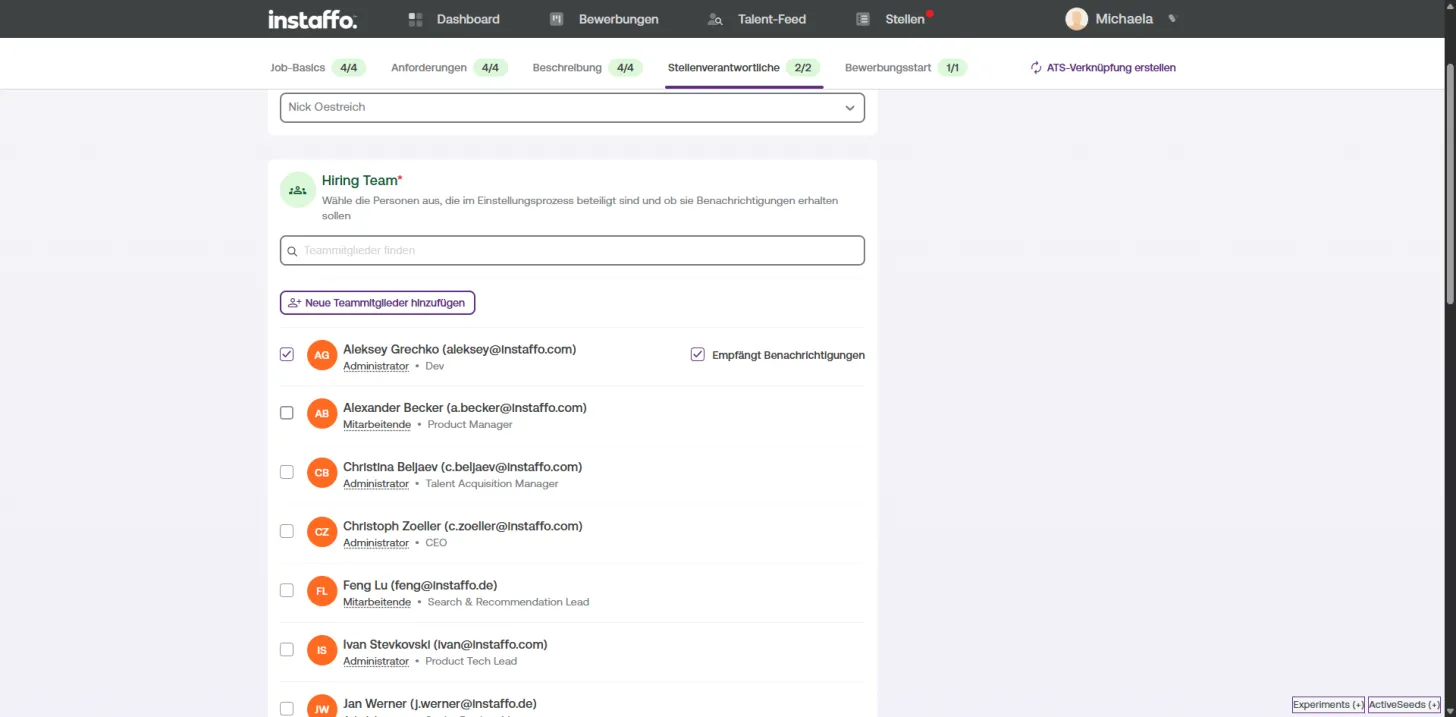
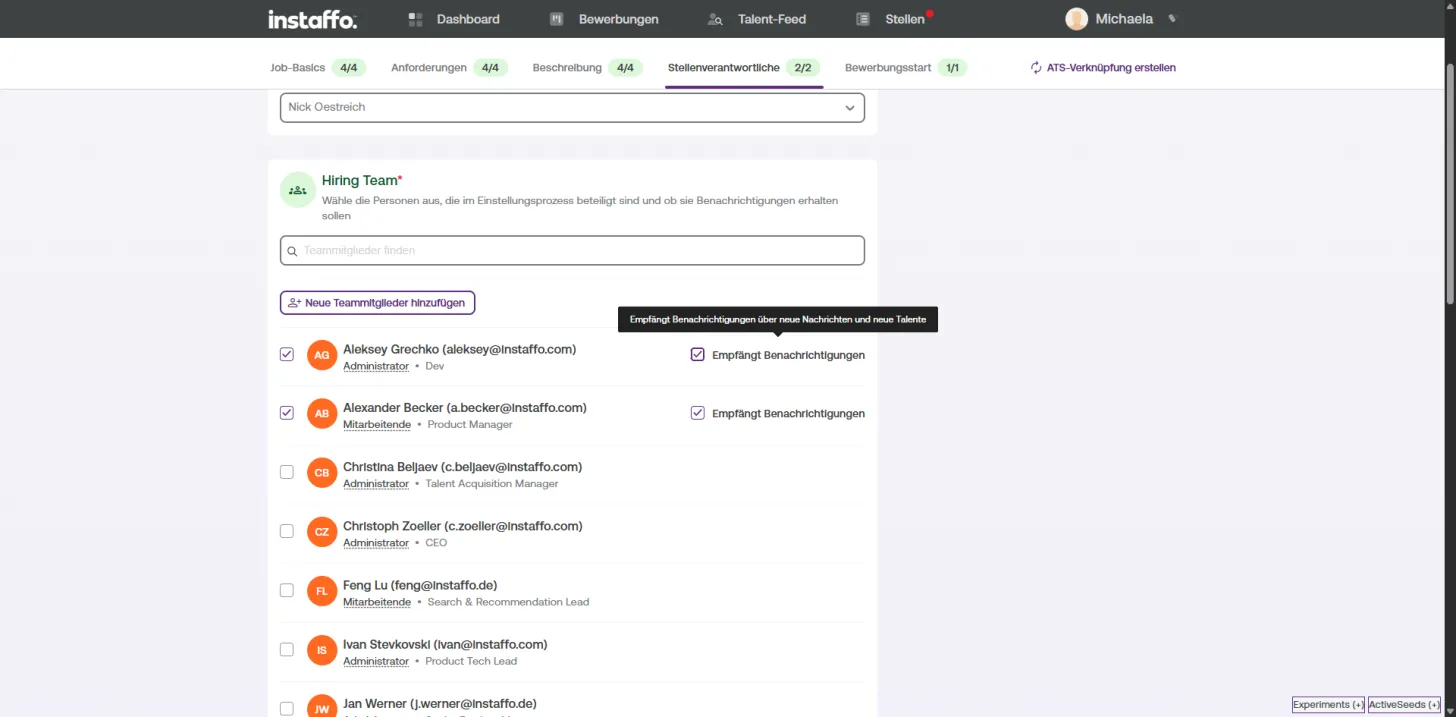
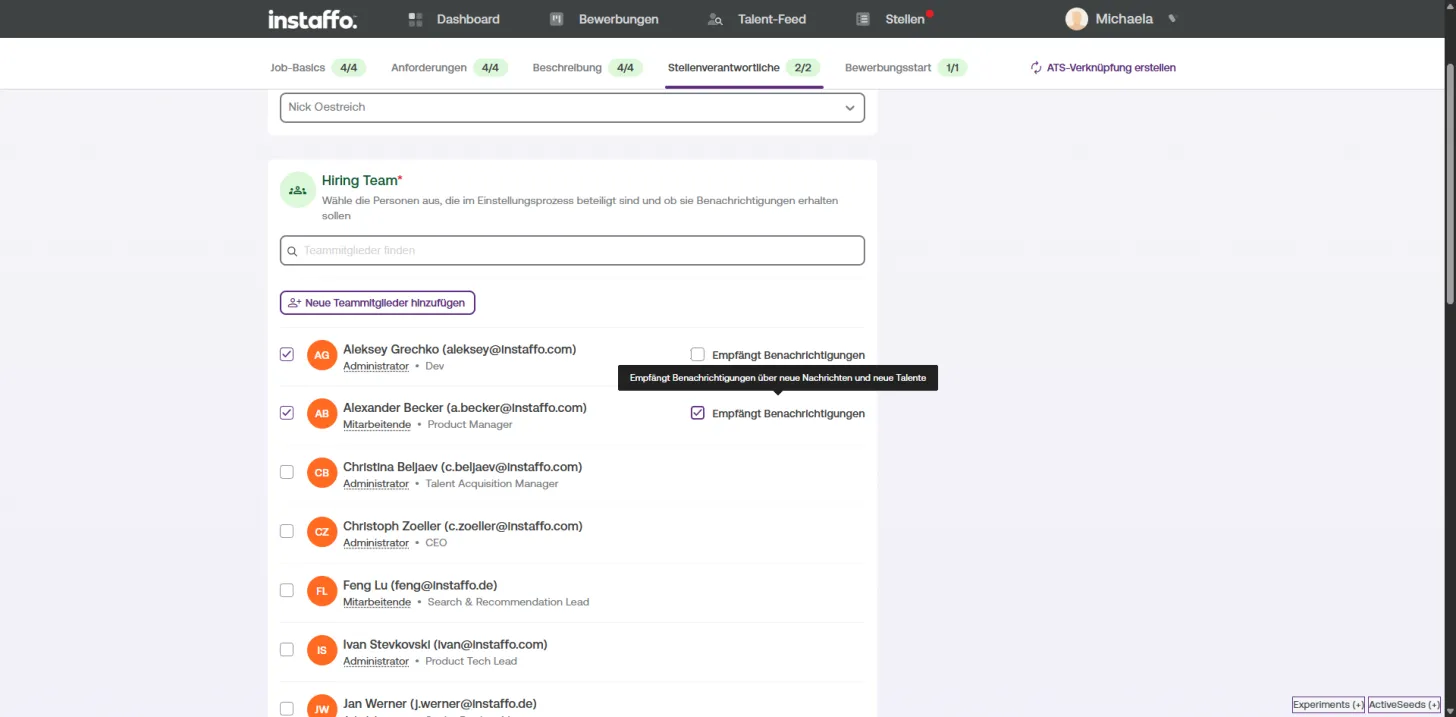
Hiring team
- Here you can manage other team members involved
- Use the "Receives notifications" checkbox to control who gets emails
- You can add new team members anytime
Summary
Email Type | Can be unsubscribed? | Who can control it?
- | - | -
General Instaffo updates | ✅ Yes | You via the link in the email
Transactional emails | ❌ No | Only through responsible parties in job postings
Still have questions?
If you're unsure which emails you're receiving or something isn't working as expected, feel free to reach out to us at kunde@instaffo.com. We're happy to help. 💬
 Powered by happysupport.ai