
Everything you need to know about Instaffo Chat with talents
Use Instaffo Chat to message talents, track read status with checkmarks, and send follow-ups to reconnect with unresponsive candidates.
What do I do if a talent doesn't respond to my message?
You've messaged a talent on Instaffo Chat but aren't getting a reply?
No need to worry - sometimes you just need the right nudge.
Here's how you can move forward in a meaningful way.
🧩 Your action options
1. Was your message read?
In the chat, you can see via the checkmarks whether the talent has seen your message:
- Two grey checkmarks → not yet read
- Two green checkmarks → read
This gives you a good sense of how to proceed.
2. Follow up briefly
Sometimes a message gets lost in the shuffle of daily life - that's completely normal.
Just send a quick and friendly follow-up.
Often a little reminder is all it takes to get the conversation rolling again. 😊
3. Use contact information outside of Instaffo
If the talent has provided contact details like email, phone number, or LinkedIn, you can reach out to them directly.
Especially for interesting profiles, the extra step is worth it! 🚀
👻 How to avoid ghosting from the start
To keep talents from dropping off in the first place, here are a few simple tips:
-
⏱️ Respond quickly - ideally the same day.
Particularly successful teams respond within 3 days. -
🙋 Address them personally - reference their background and tell them why you find them interesting.
-
🔍 Be specific - explain clearly and transparently what happens next.
💡 Tip: The more personal and clear you write, the more likely talents will stick around. And if it doesn't work out right away - it's worth persisting! 💪
Can people see who's writing in the chat?
Yes - talents always see the name of the person from whose profile the message was sent. So the sender name matches exactly the account you're logged into.
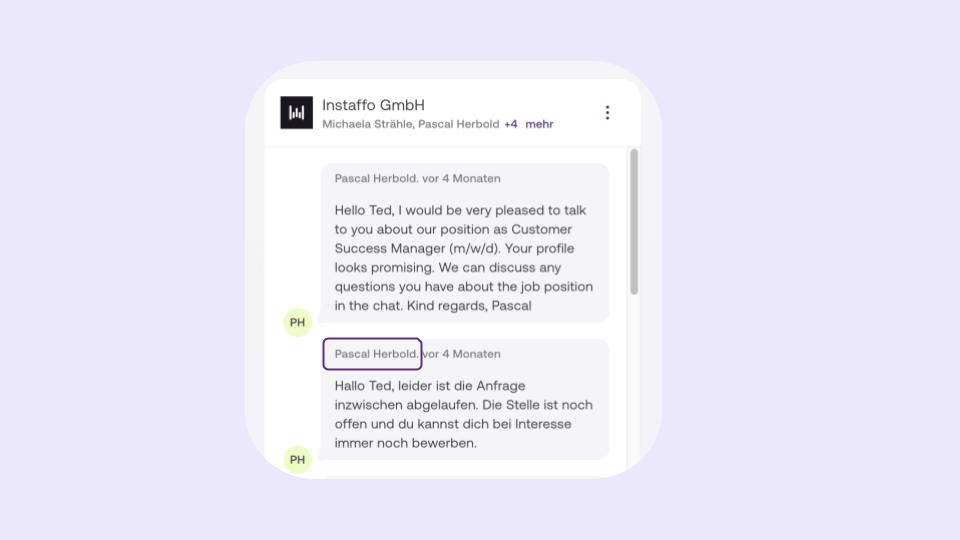
Can you send messages on behalf of someone else?
No - it's not possible to send messages from your account on behalf of someone else.
So if, for example, a rejection should officially come from a colleague, they need to send it from their own Instaffo profile.
💡 Tip: To ensure clear and transparent communication, it's a good idea to coordinate internally about who will take over the conversation or to invite colleagues directly into the chat.
✏️ Can you edit messages after sending them?
Yes - both talents and companies can edit chat messages that have already been sent.
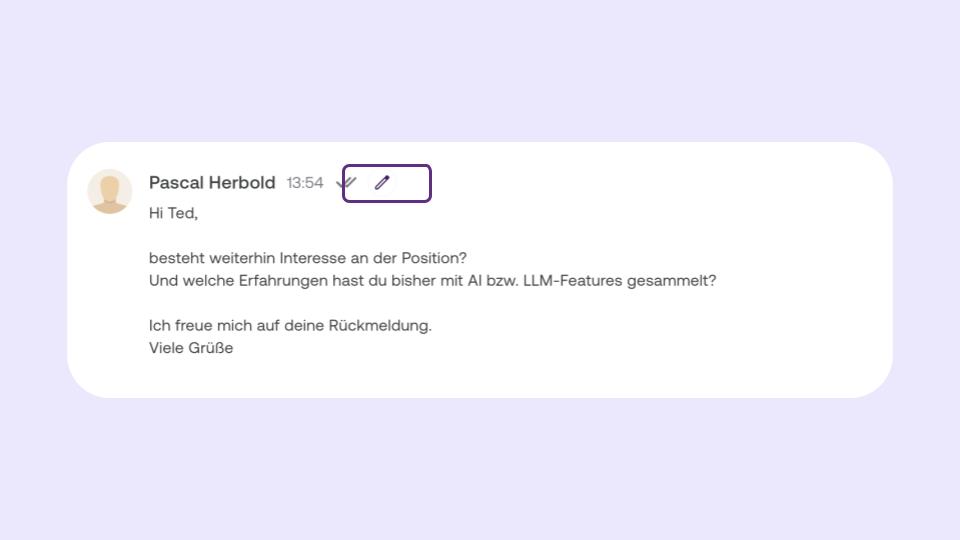
When you hover over your message, a small pencil icon appears next to the two checkmarks.
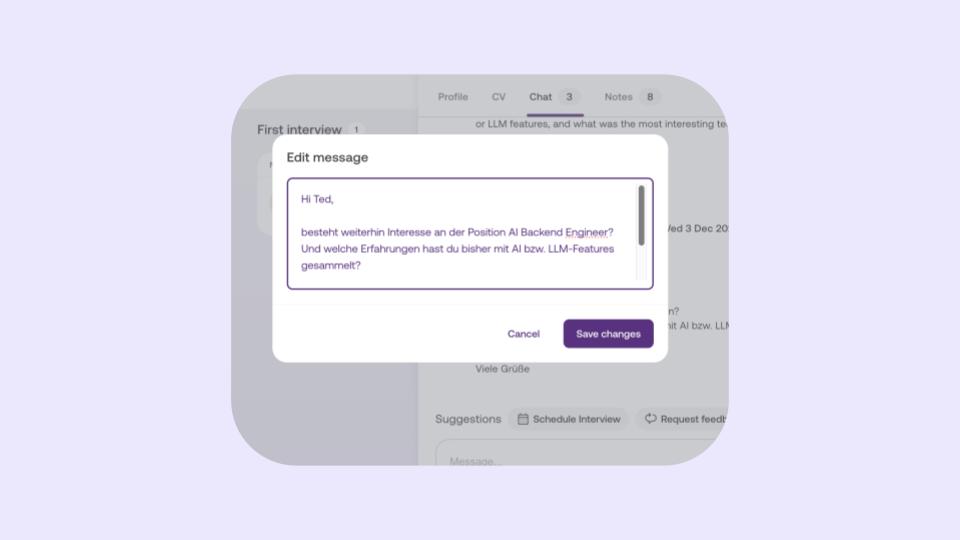
Just click on it, and a window opens where you can easily edit the message.
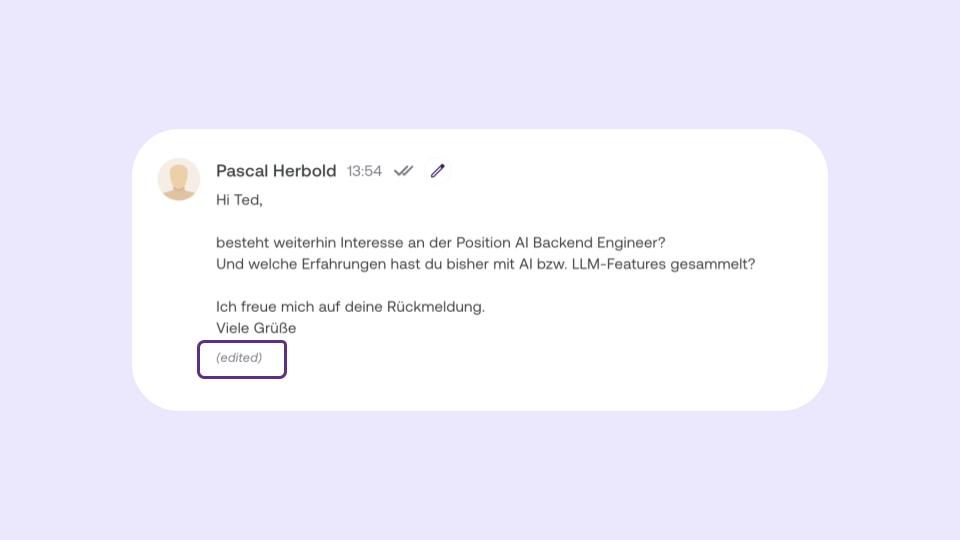
The chat will then show that the message has been edited.
Super helpful if you spot a typo or want to phrase something more clearly. 🙌 This way your communication stays clean, understandable, and professional.
 Powered by happysupport.ai