
How do I connect my calendar to Instaffo?
Connect your Outlook calendar to Instaffo through Settings to schedule and manage interviews directly in the platform without external messaging.
Want to schedule interviews directly through Instaffo without all the back-and-forth messaging?
With Outlook integration, it's super easy! Here's how to connect your calendar in just a few steps.

🔧 Setting up calendar integration
-
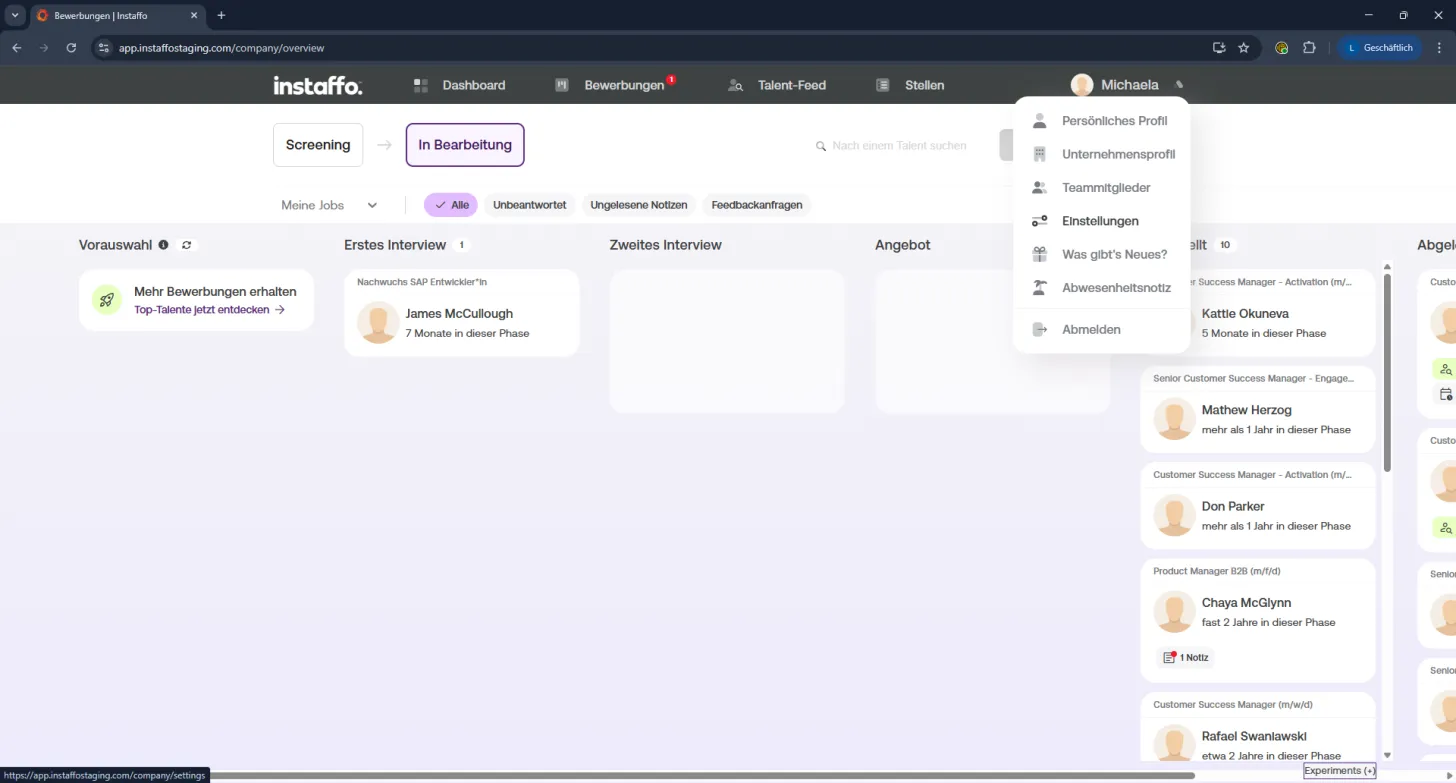
Open Settings:
Click your profile picture in the top right and select "Settings" from the dropdown menu. -
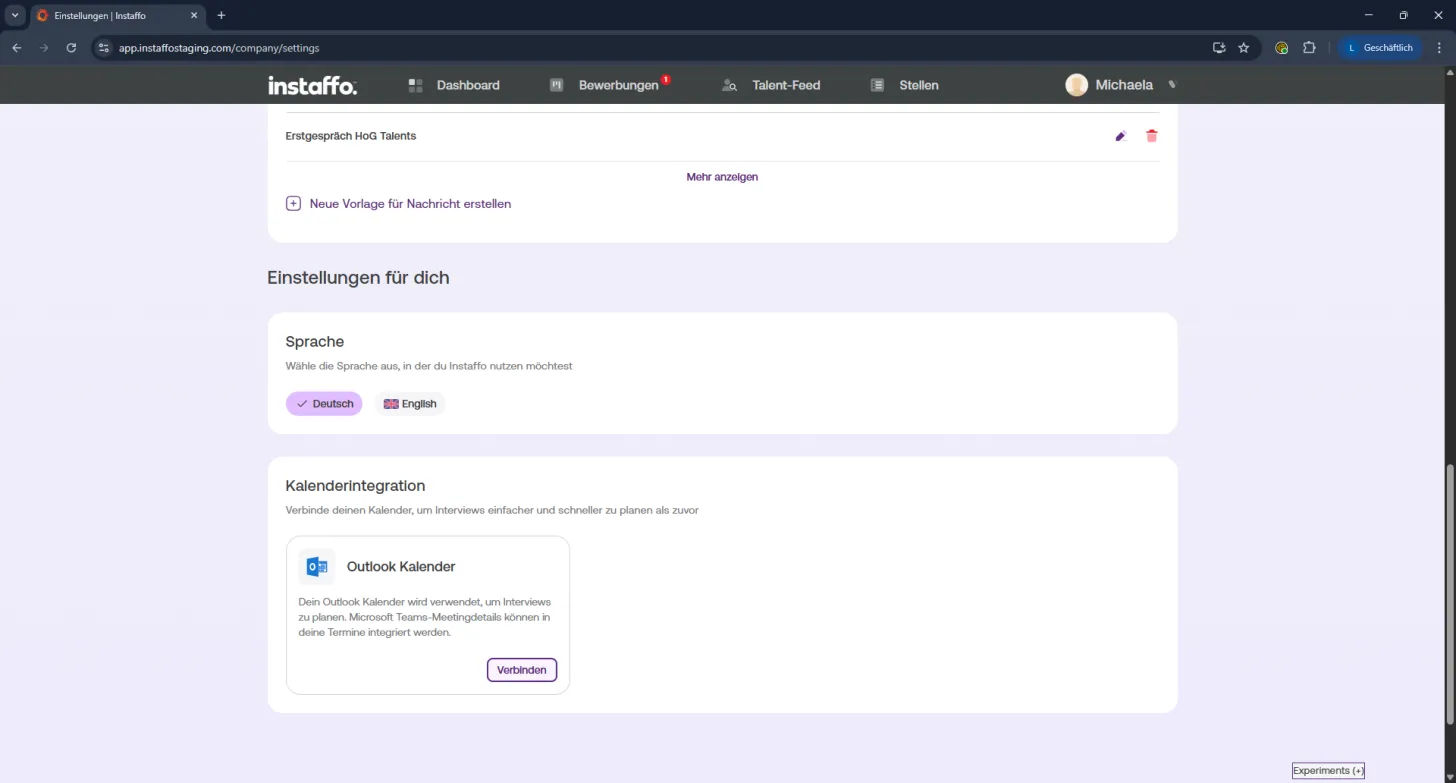
Scroll to "Calendar Integration":
In the Settings menu, scroll down to find the "Calendar Integration" section. -
Connect your Outlook calendar:
Click "Connect" to start the integration. -
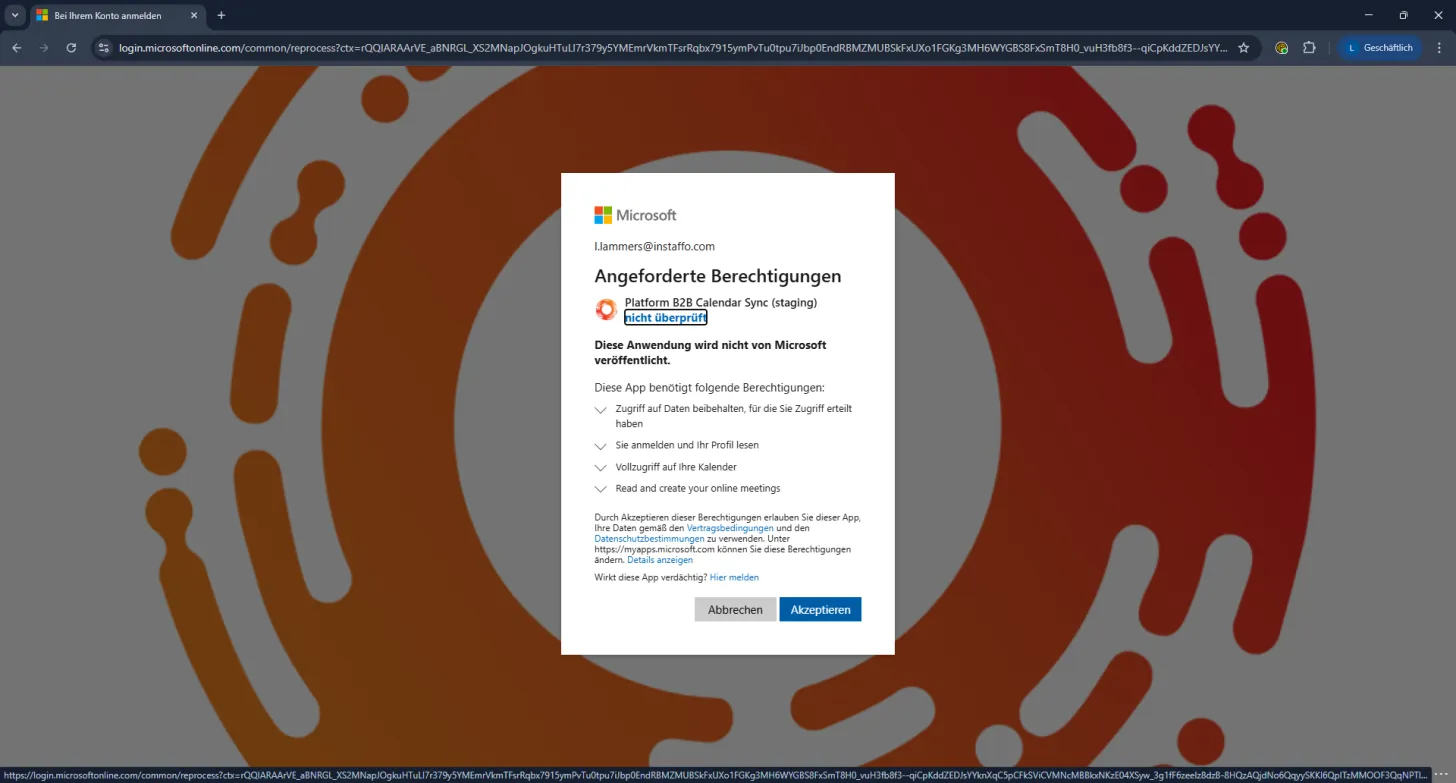
Confirm access:
A Microsoft window will pop up titled "Permissions Requested".
Instaffo needs access to your profile and calendar. Click "Accept" to complete the connection.
✅ All set!
Your Outlook calendar is now linked to Instaffo. From now on, you can schedule and manage interviews directly through the platform - no more calendar chaos. 🎯
 Powered by happysupport.ai