
How do you reassign applications to another position?
Reassign applications to another open position using the swap symbol in the talent profile, available with Instaffo Professional.
This feature is part of Instaffo Professional
Want to consider a talent for a different open position in your company instead?
Here's how you get talents exactly where they fit best. 💼✨

🚀 Moving an application - here's how
Note: This feature is exclusively available in the Instaffo Professional package.
-
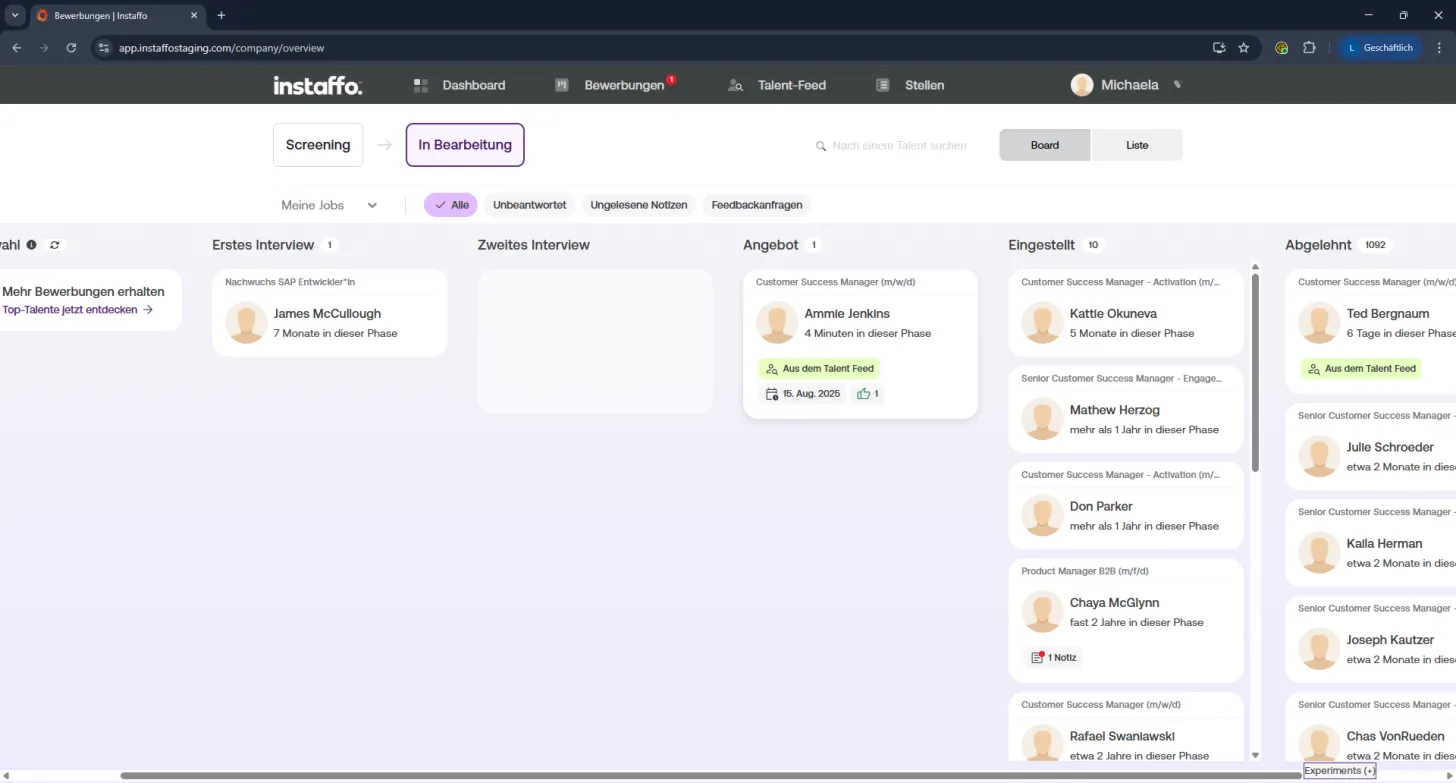
Select the application
Go to your applications overview and click on the card of the talent you want to move. -
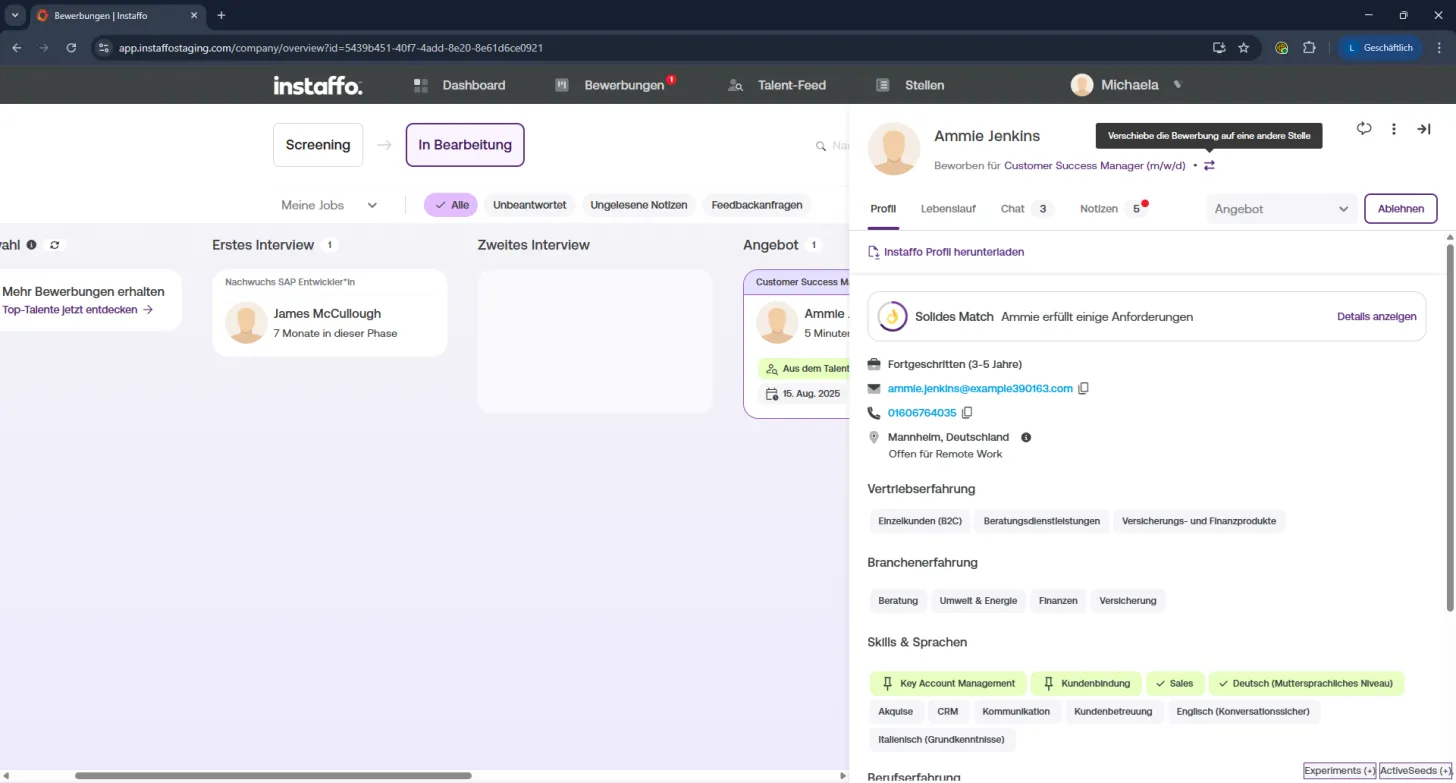
Open the move option
In the profile, you'll find a swap symbol to the right of the position title.
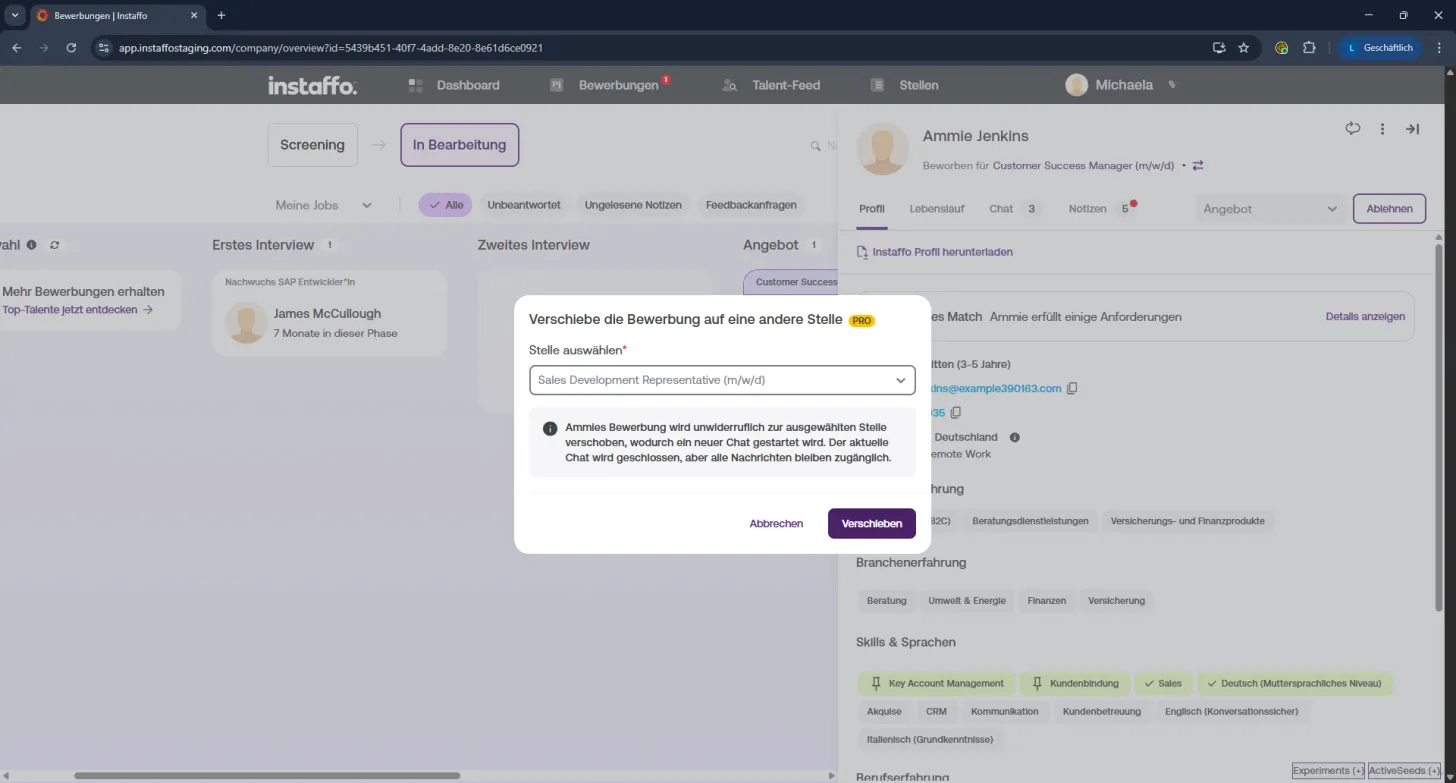
Click on it and select "Move to another position". -
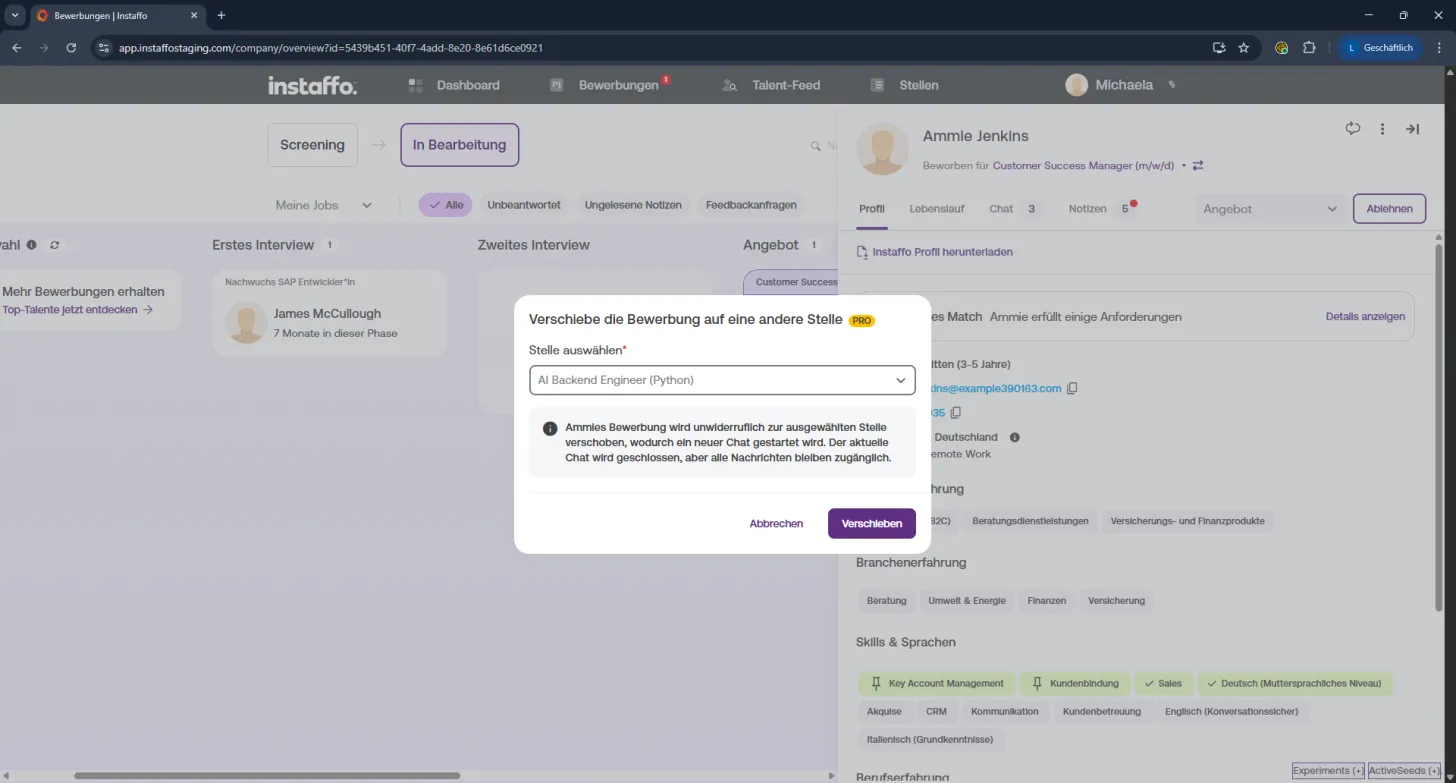
Choose your target position
A dropdown will open in the "Move application to another position" window.
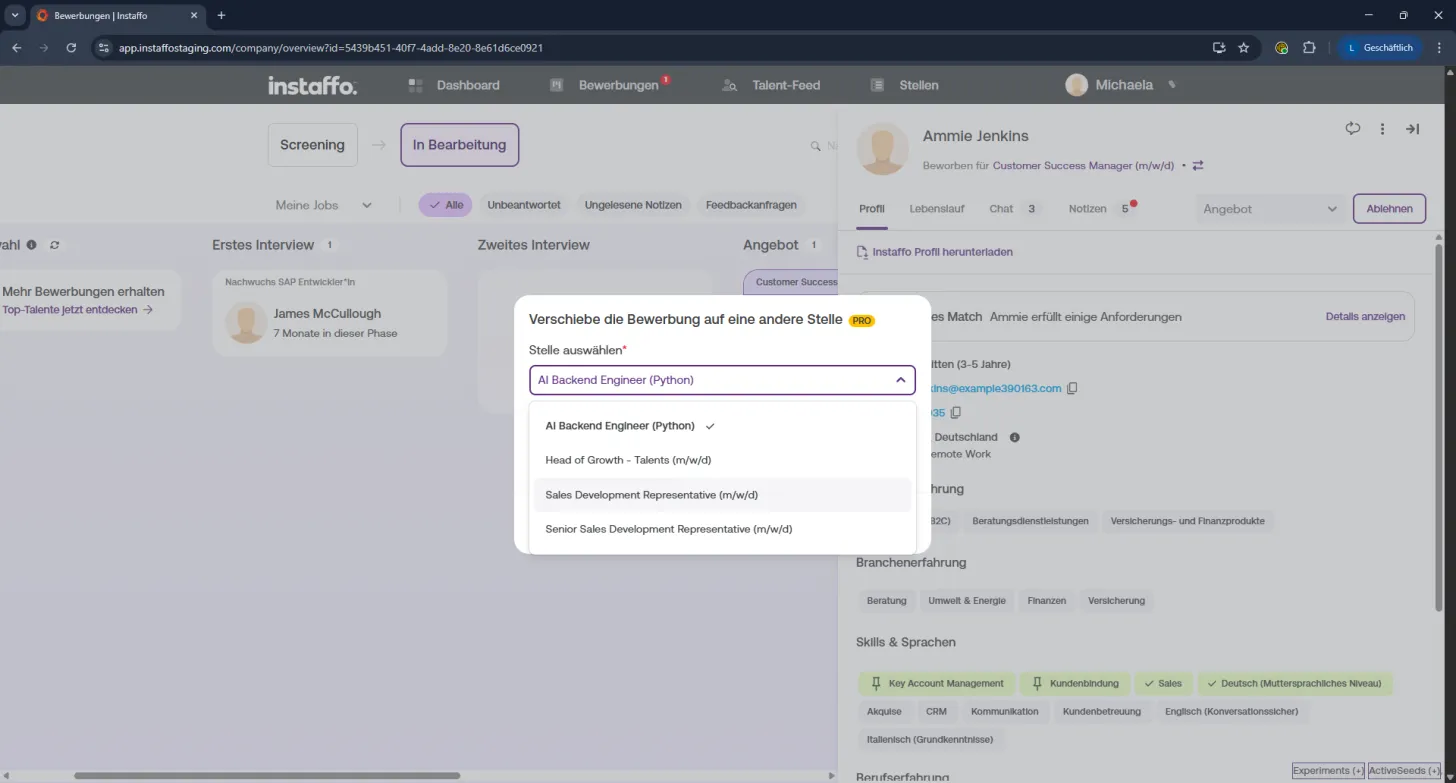
You'll see all currently open positions here. -
Select the new position
Click on the position that the talent is a better fit for.
It will then be automatically entered in the selection field. -
Confirm the move
Click "Move" to assign the talent to the new position.
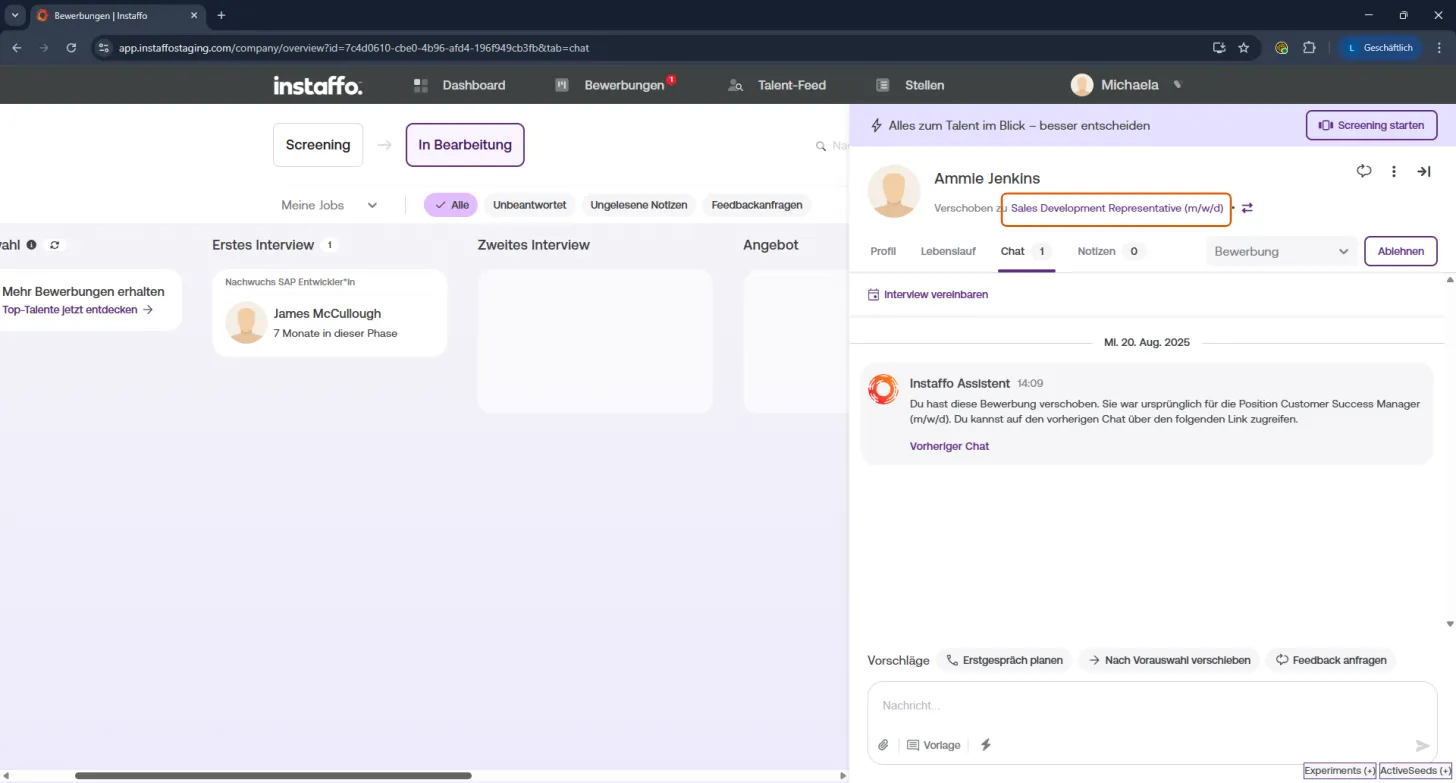
After the switch, a new chat automatically starts for the new position - your previous messages are of course saved.
💡 Curious about even more smart features?
Then reach out to your Account Manager and discover all the benefits of the Instaffo Professional package.
👇 Don't have a Professional package?
If you don't currently have a Professional package, you can't move applications yourself.
But no problem:
Just contact your Account Manager whenever a talent should be considered for a different position.
We'll make sure everything gets assigned and documented correctly.
 Powered by happysupport.ai