
How can I reject multiple applications at once?
Reject multiple candidates at once using checkboxes or deactivate a position to automatically reject all remaining applications with custom messages
There are two ways to do this: reject multiple candidates directly from the screening list, or reject all remaining applications at once when deactivating a position. In both cases, the candidates will be notified automatically.

Reject multiple candidates during screening
In the screening list, select up to 20 candidates using the checkboxes on the left. Once you’ve selected someone, a toolbar will appear above the table. Click Ablehnen there.
A notification window will open. Check Nachricht hinzufügen if you’d like to include a personal message for the candidates. Choose a template or write your own message, then click Ablehnen & senden. All selected candidates will receive the same message, with their names filled in automatically.
The candidates will be notified that their applications have been rejected and will disappear from your screening list. This action can’t be undone.
Deactivate a position
-
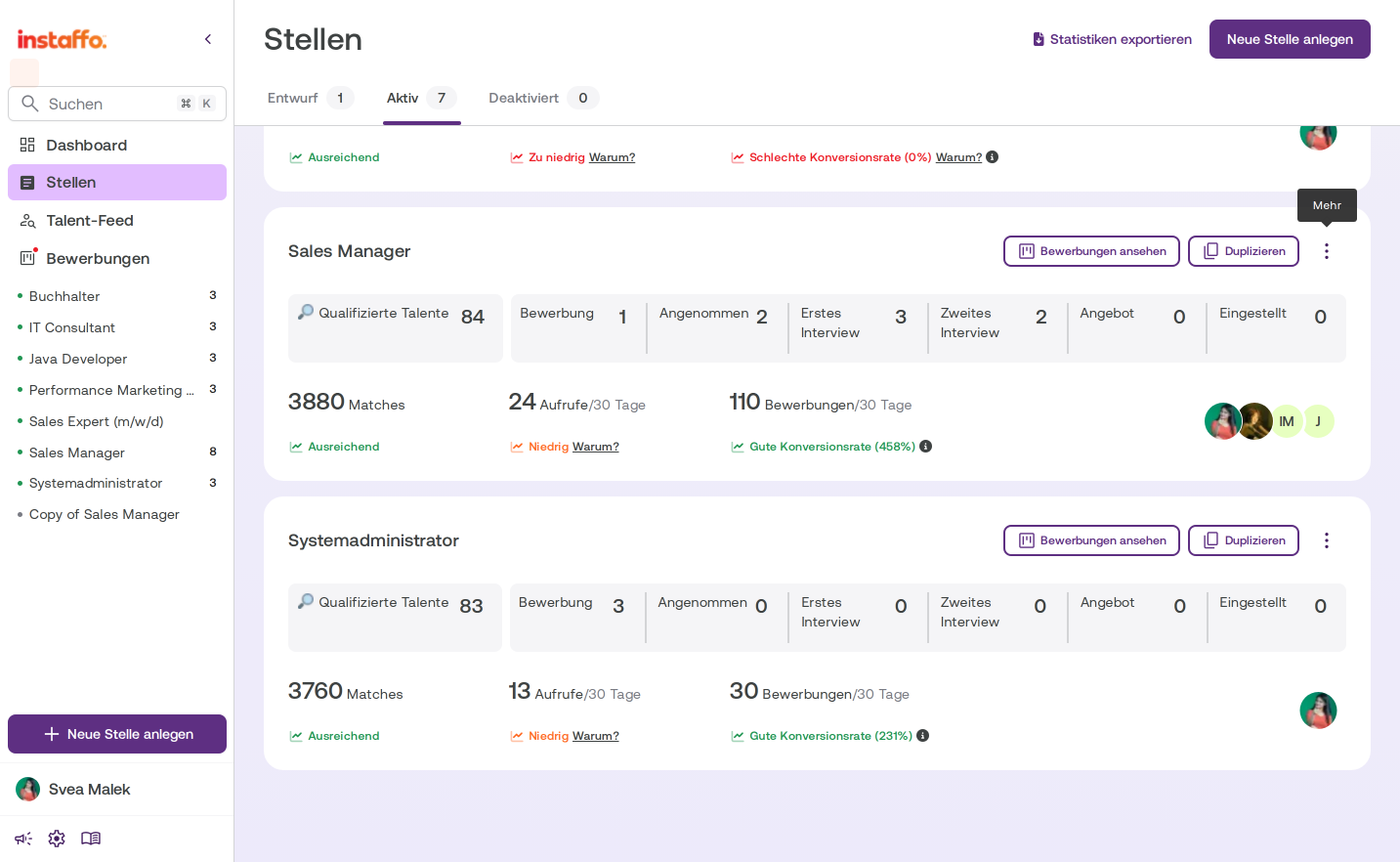
Open the three-dot menu
Go to the Stellen page and make sure the Aktiv tab is selected. Click the three-dot menu (Mehr-Optionen) on the right side of the position card you want to deactivate. -
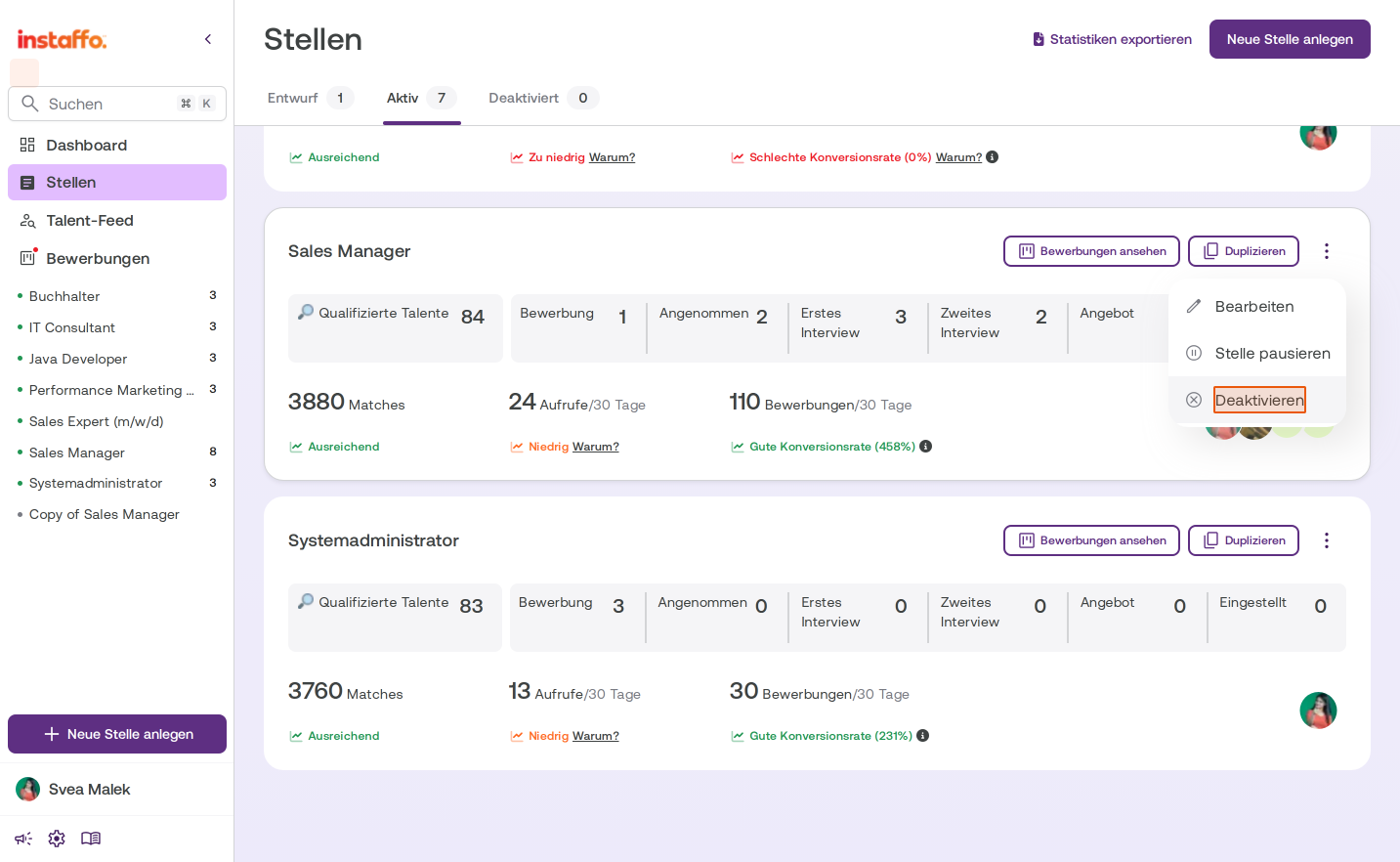
Select Deaktivieren
In the menu that opens, select Deaktivieren. -
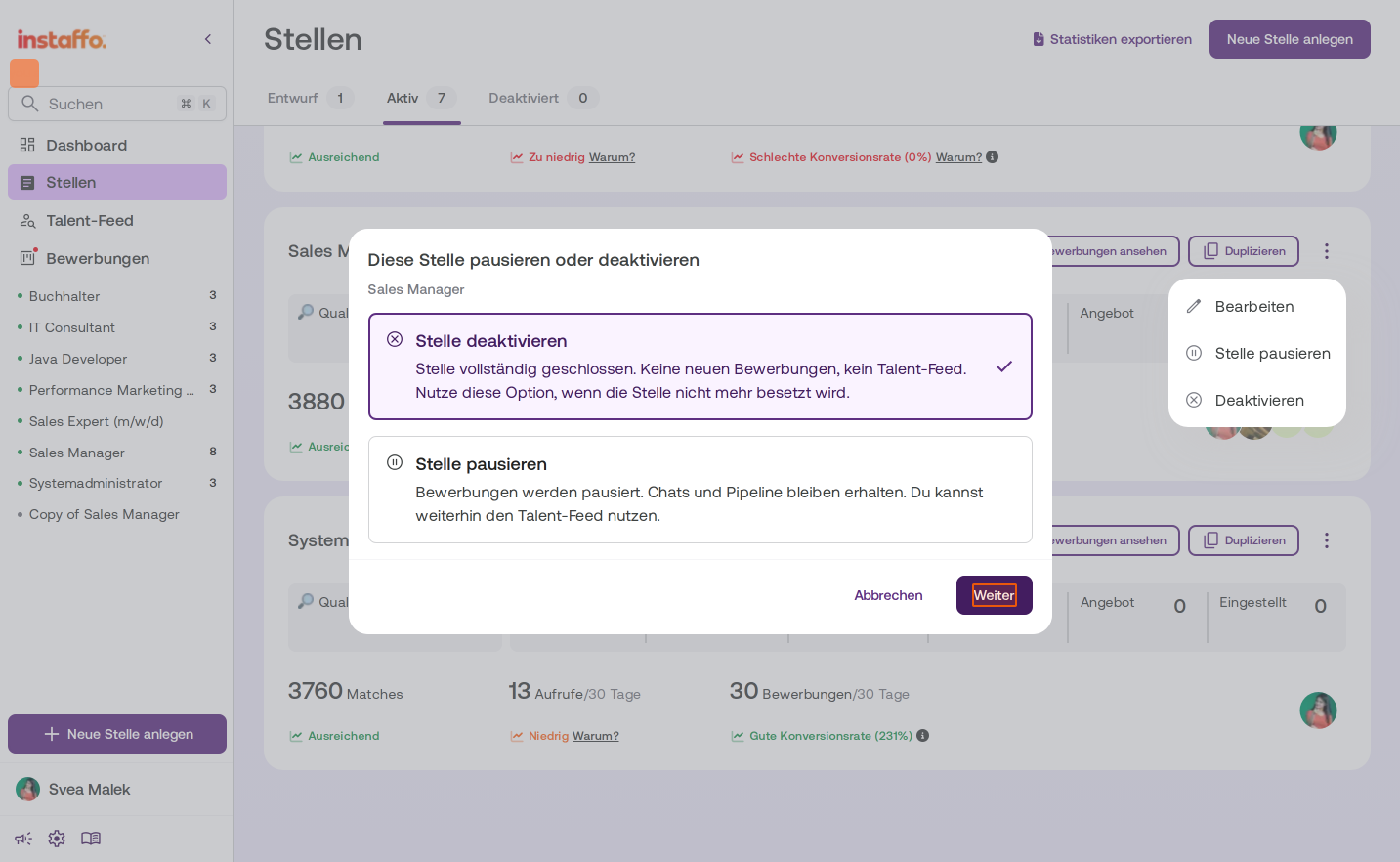
Confirm the deactivation option
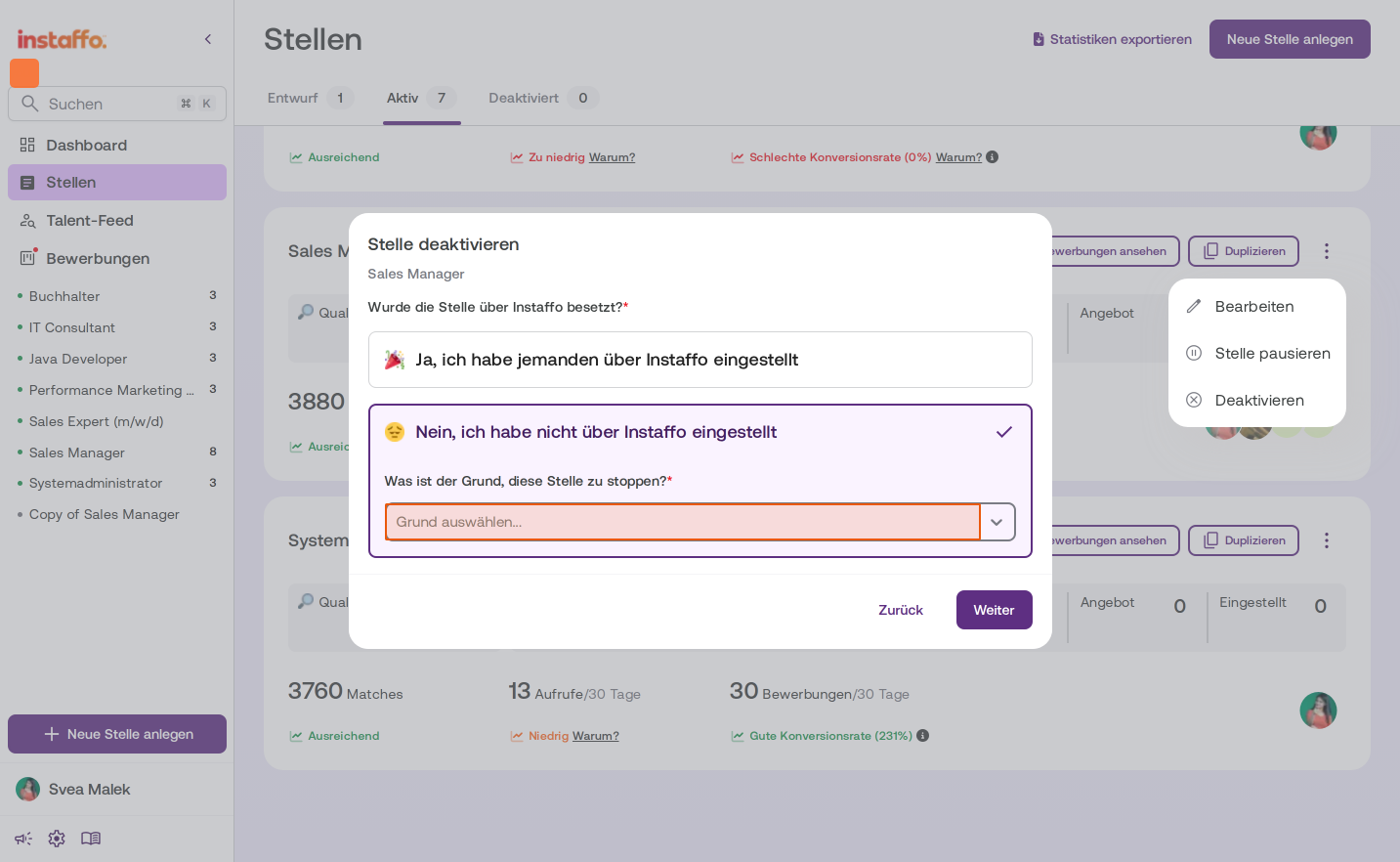
A dialog with two options will open. Select Stelle deaktivieren and click Weiter. -
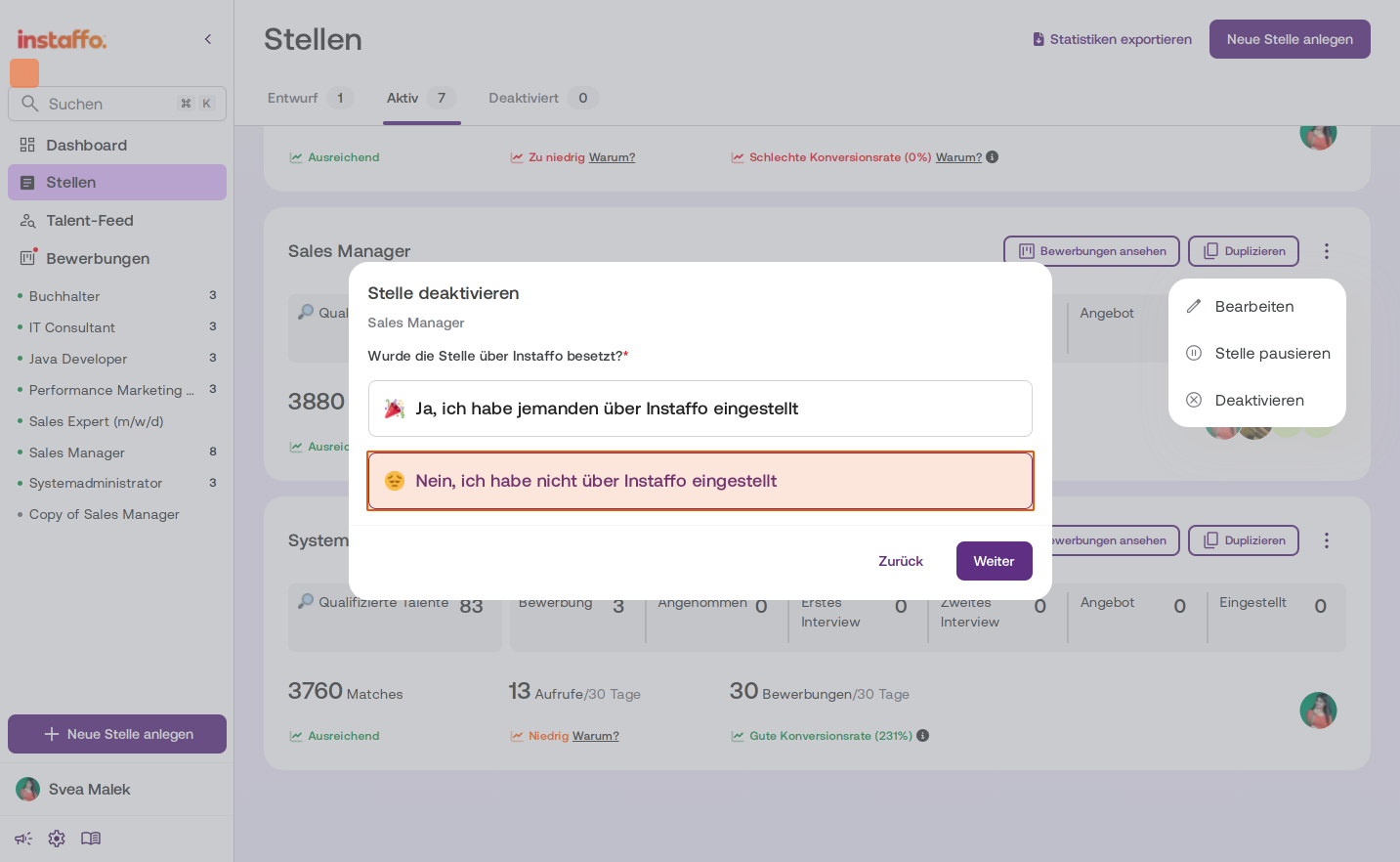
Specify the hiring status
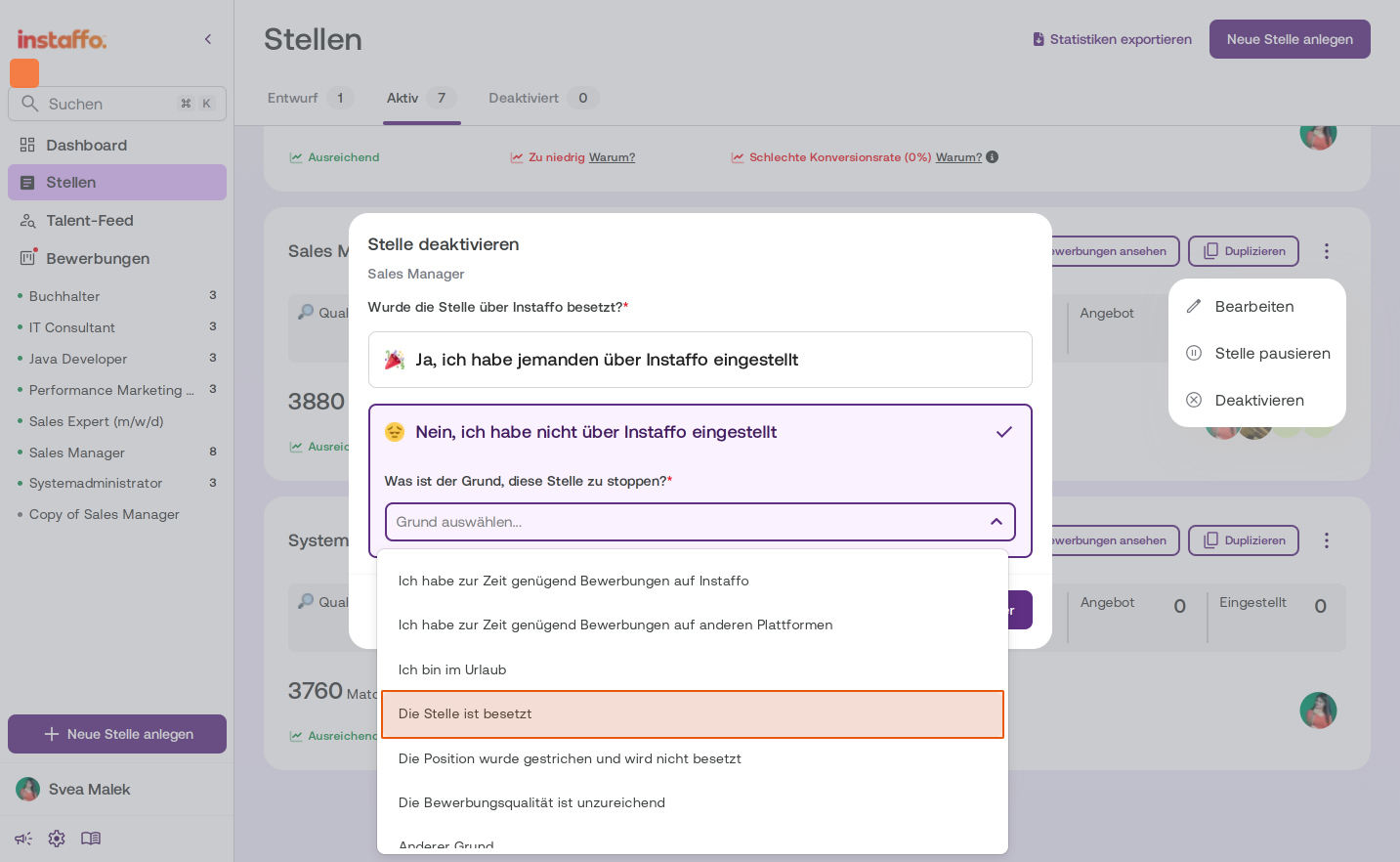
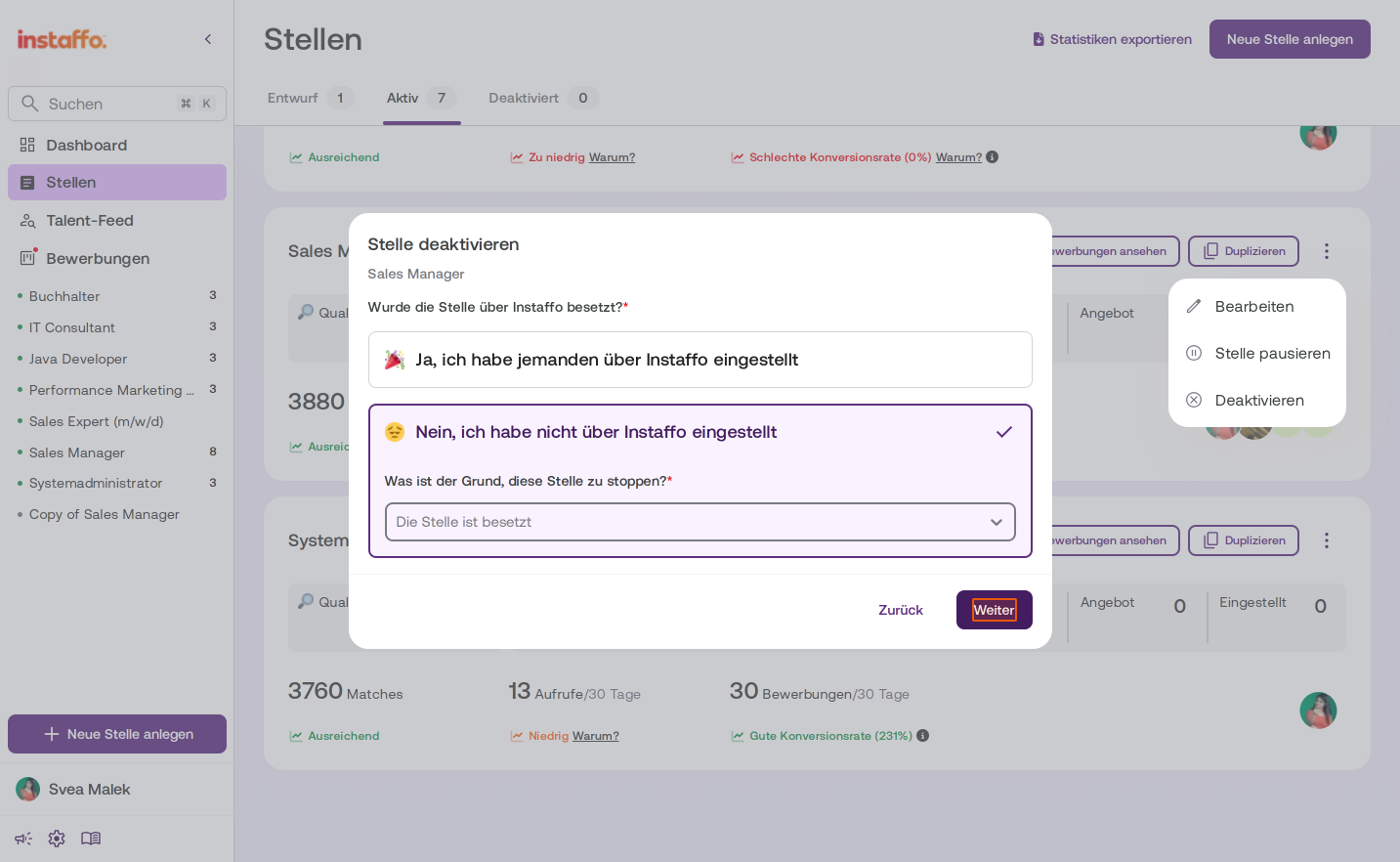
Answer whether the position was filled through Instaffo. -
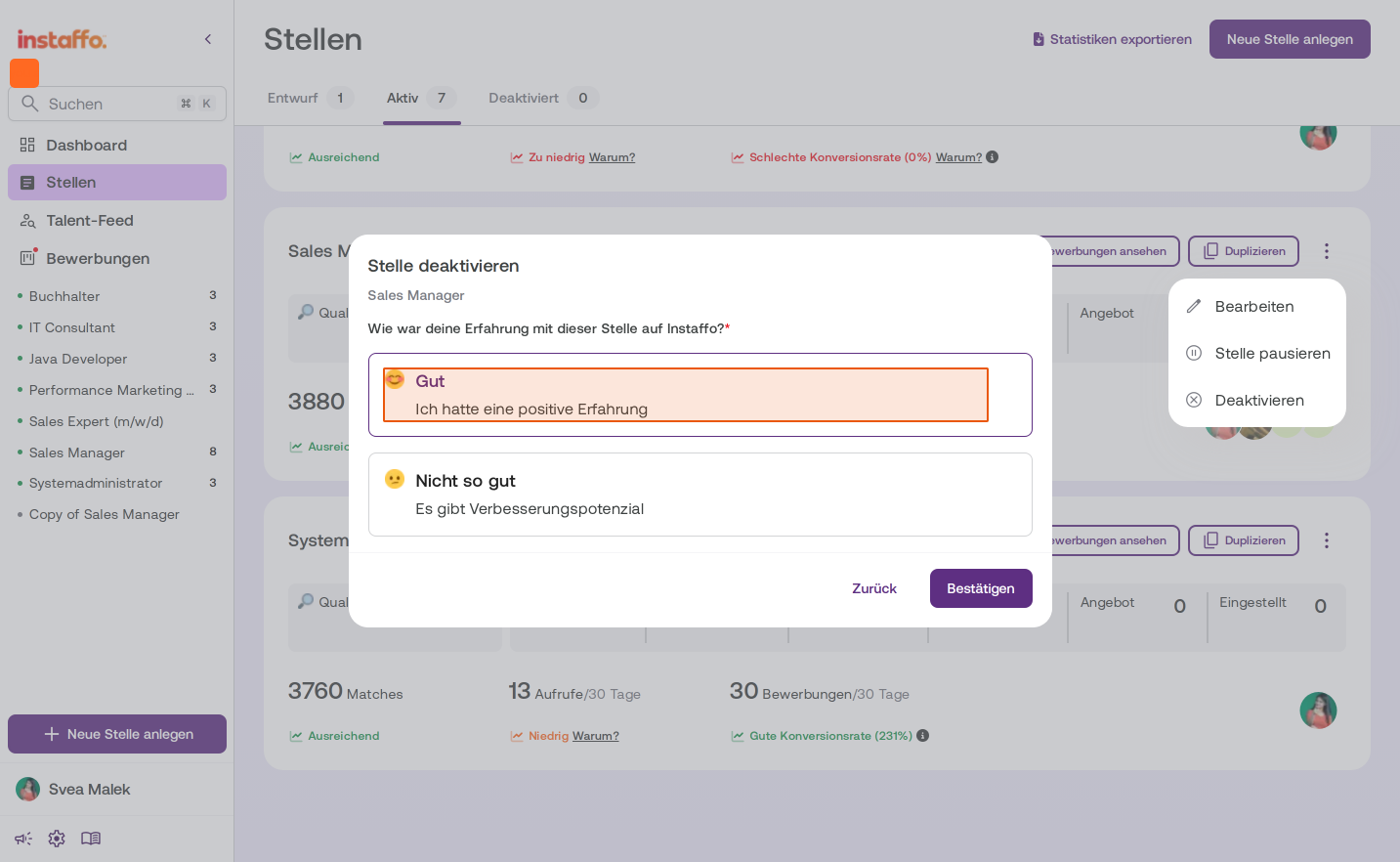
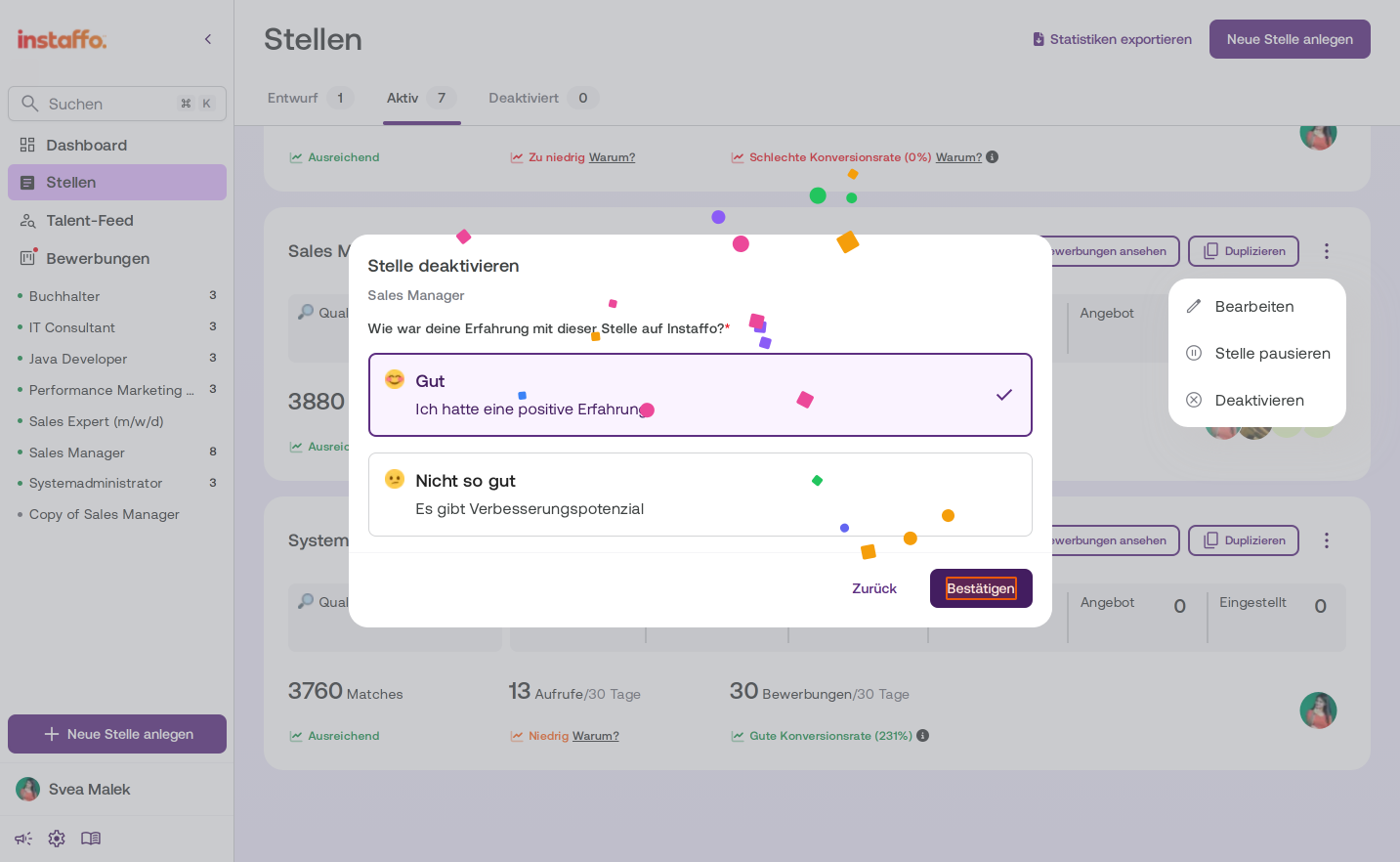
Share feedback about your experience
Select how your experience with this position on Instaffo was. Click Bestätigen to continue.
Reject applications
-
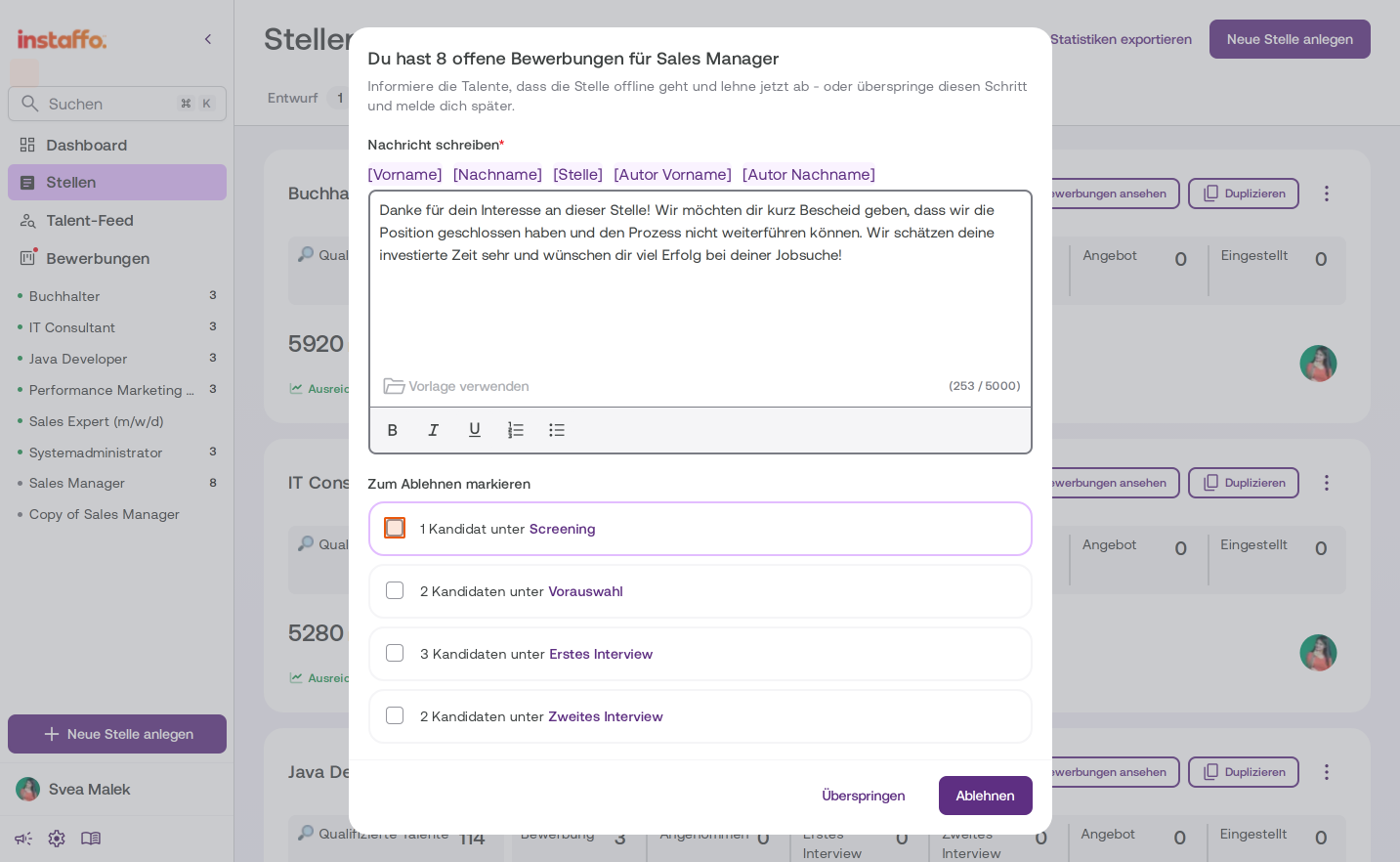
Select candidates to reject
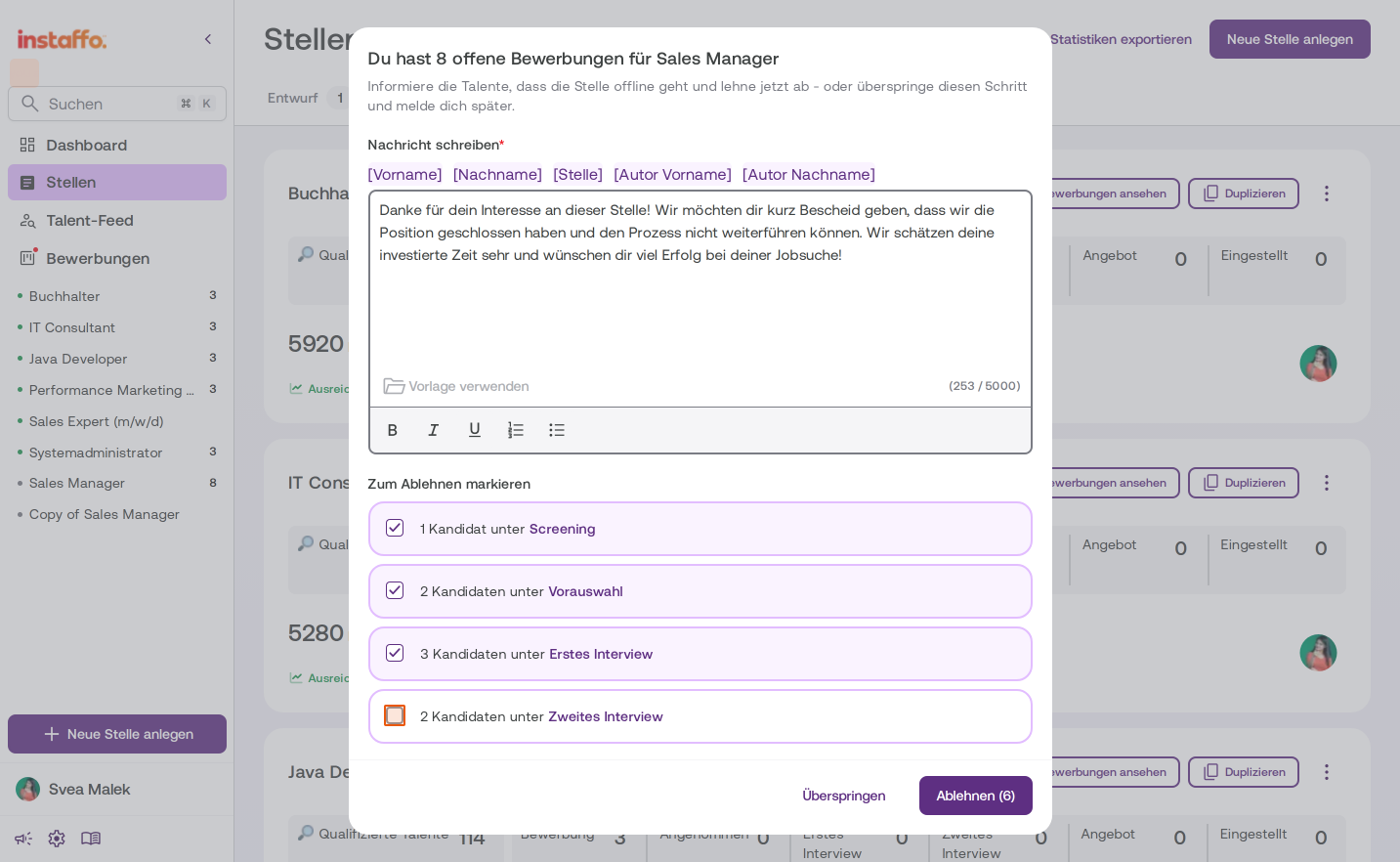
After you confirm, a dialog will appear with all open applications for this position. You’ll see a prewritten rejection message that will be sent to the candidates. It includes placeholders such as [Vorname], [Nachname] and [Stelle], which will be filled in automatically.
-
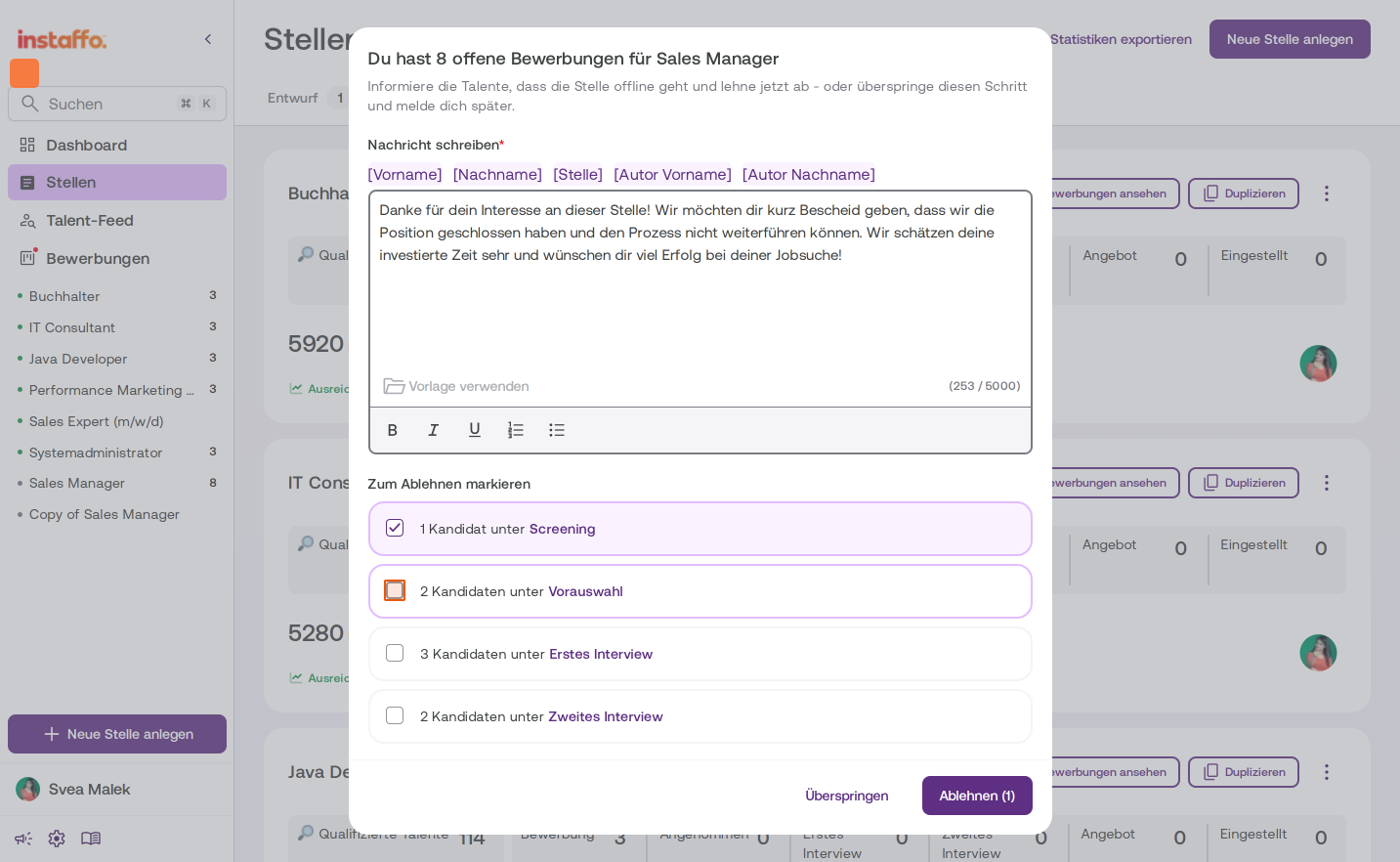
Select application stages
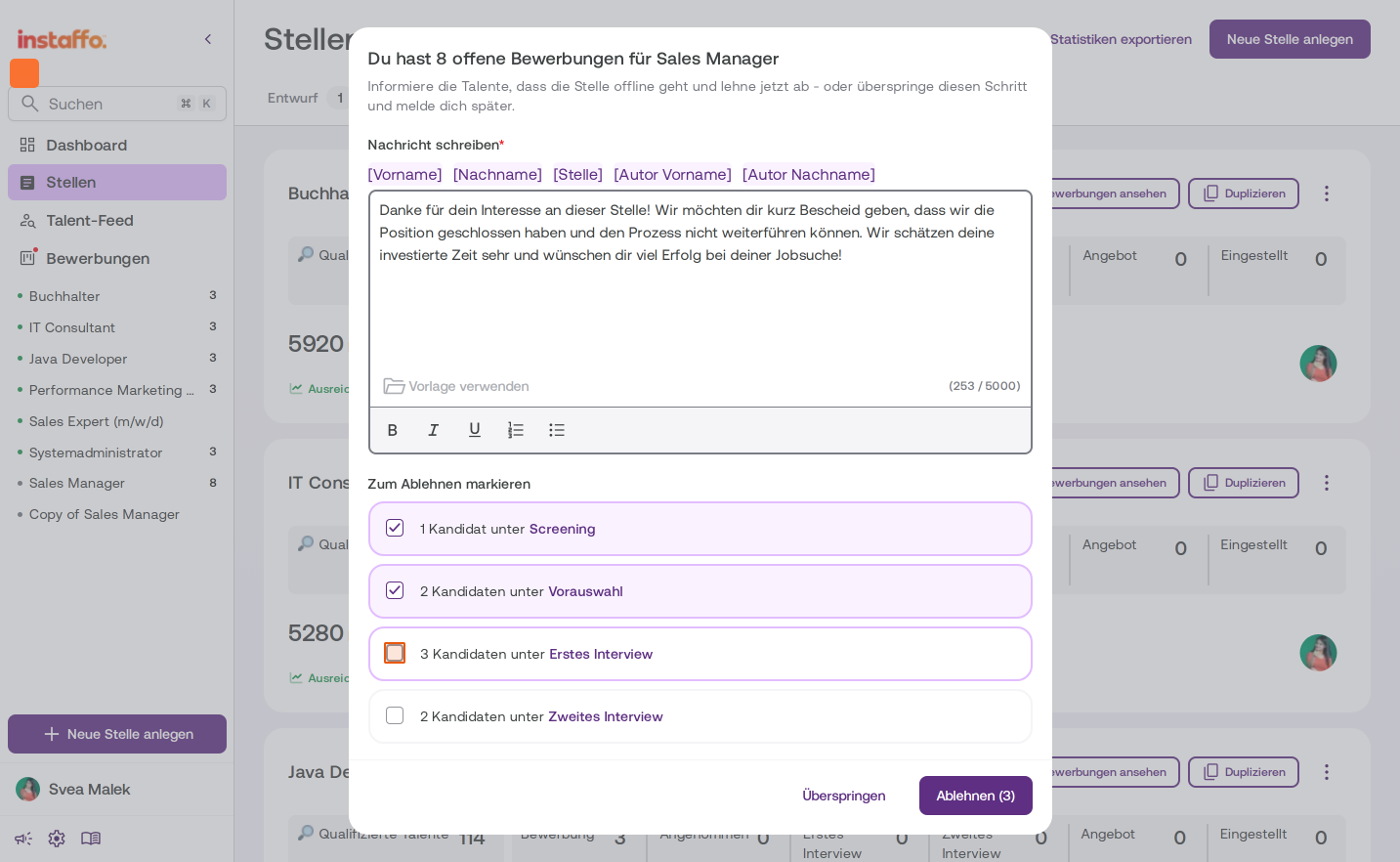
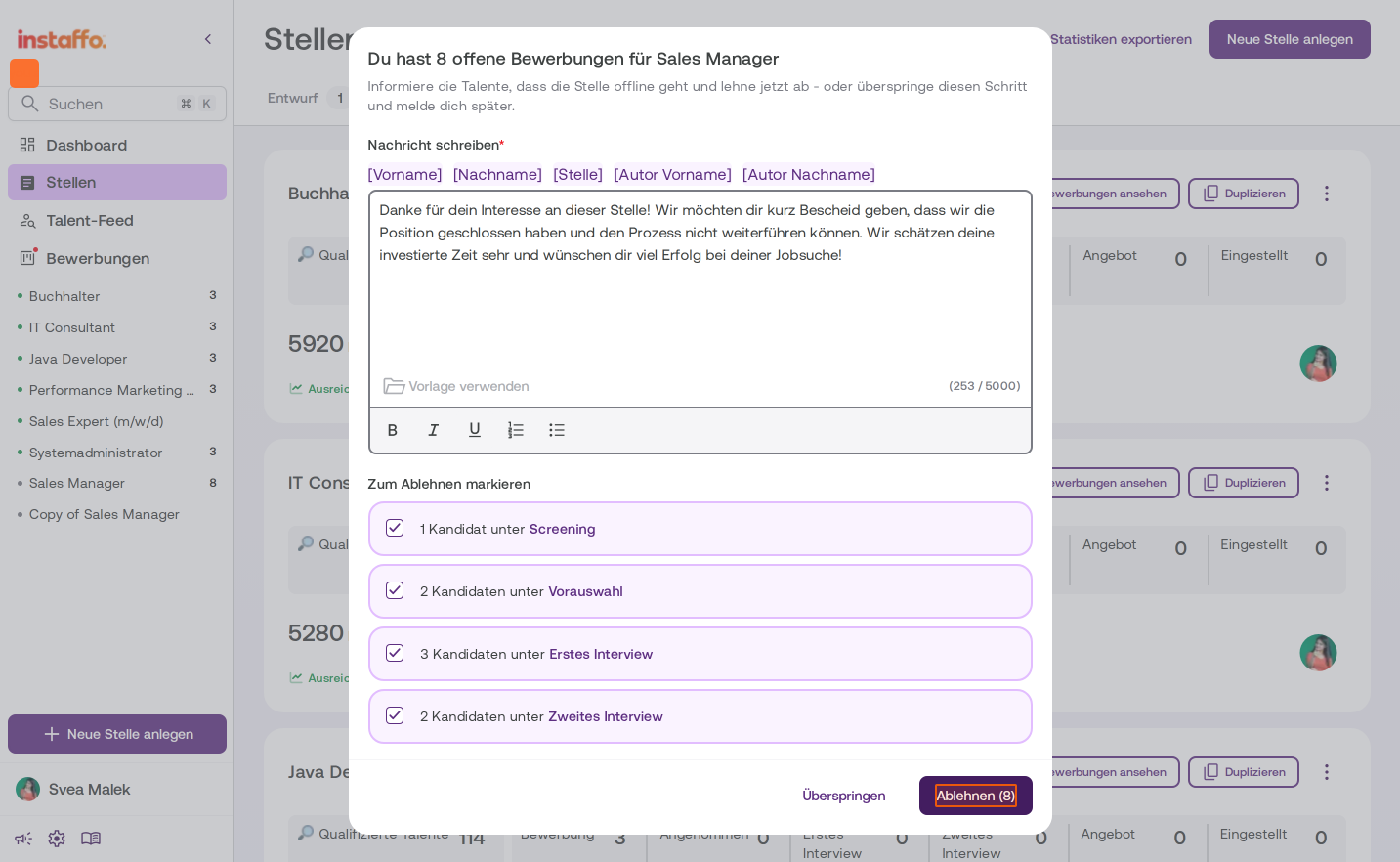
Under Zum Ablehnen markieren, candidates are grouped by their current stage, such as Screening, Vorauswahl, Erstes Interview and Zweites Interview. Check the boxes for all the stages with candidates you want to reject. -
Confirm the rejection
The number of selected candidates will appear on the Ablehnen button. Click Ablehnen to reject all selected applications at once. Alternatively, click Überspringen. No applications will be rejected, and you’ll need to reject them individually later.
After you click Ablehnen, all selected candidates will be notified and the position will be deactivated. You won’t have any open applications left once the position is closed on Instaffo.
 Powered by happysupport.ai