
How Do I Optimize My Job Posting?
Optimize your Instaffo job posting by analyzing metrics, expanding roles, displaying salary ranges, and using AI feedback to increase applications
Want to grab the attention of more qualified talent for your position? Then it's worth taking a closer look at your job posting!
Here we show you step by step how to optimize your job on Instaffo - for greater reach, better visibility, and a higher conversion rate.
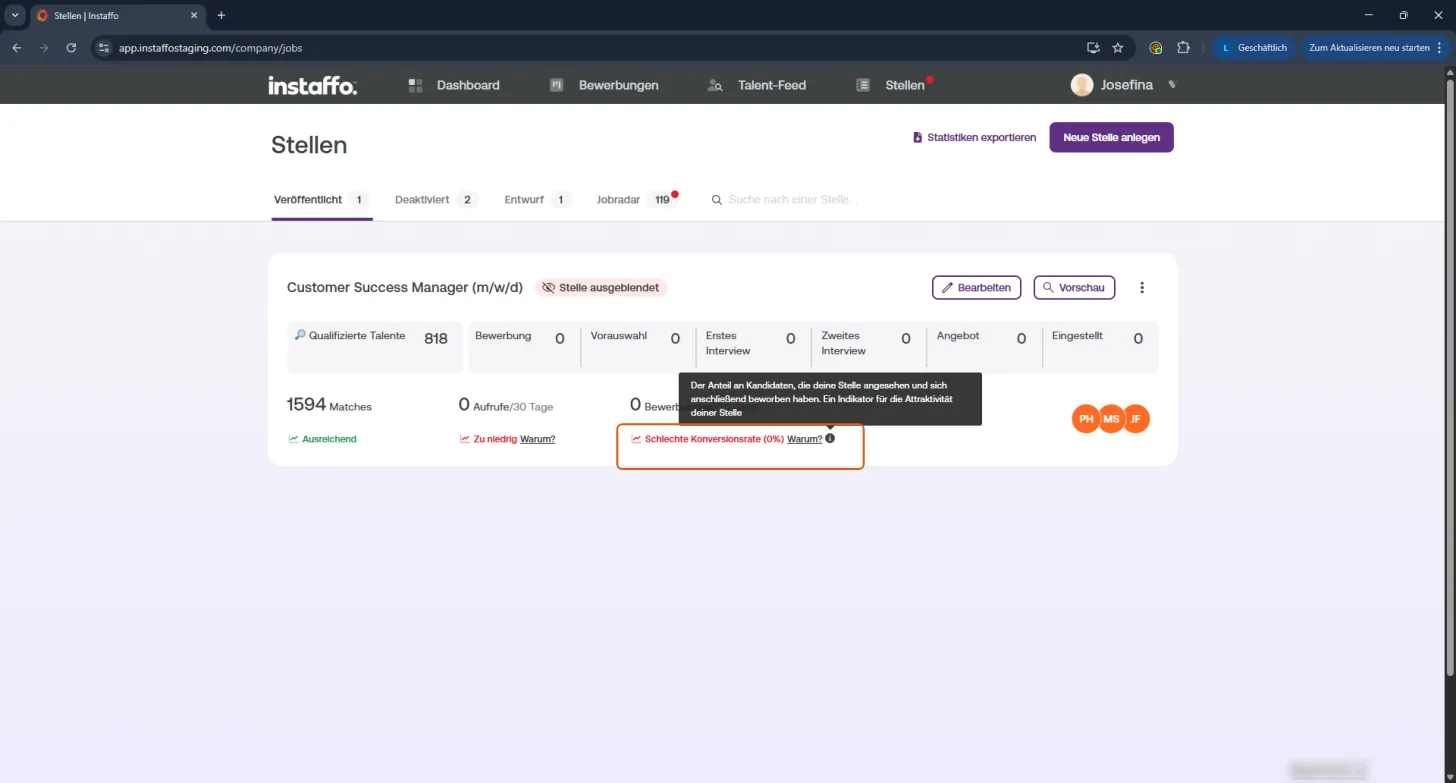
1️⃣ Analyze Optimization Opportunities
🔍 Spot weak metrics
Getting few views or a low conversion rate? Click the "Why?" link next to the respective metric. You'll find concrete tips for improvement there.
⚙️ Implement suggestions directly
You'll get personalized tips in the pop-up. With one click on "Adjust posting" you'll go straight to the settings.
2️⃣ More Reach: Expand Job Roles
🧩 Add related roles
Click "Edit" on your job posting.
Under "Job Categories" you can add related roles - for example,
Key Account Manager in addition to Customer Success Manager.
🔢 On the right, you'll see live how many additional talents you'll reach this way.
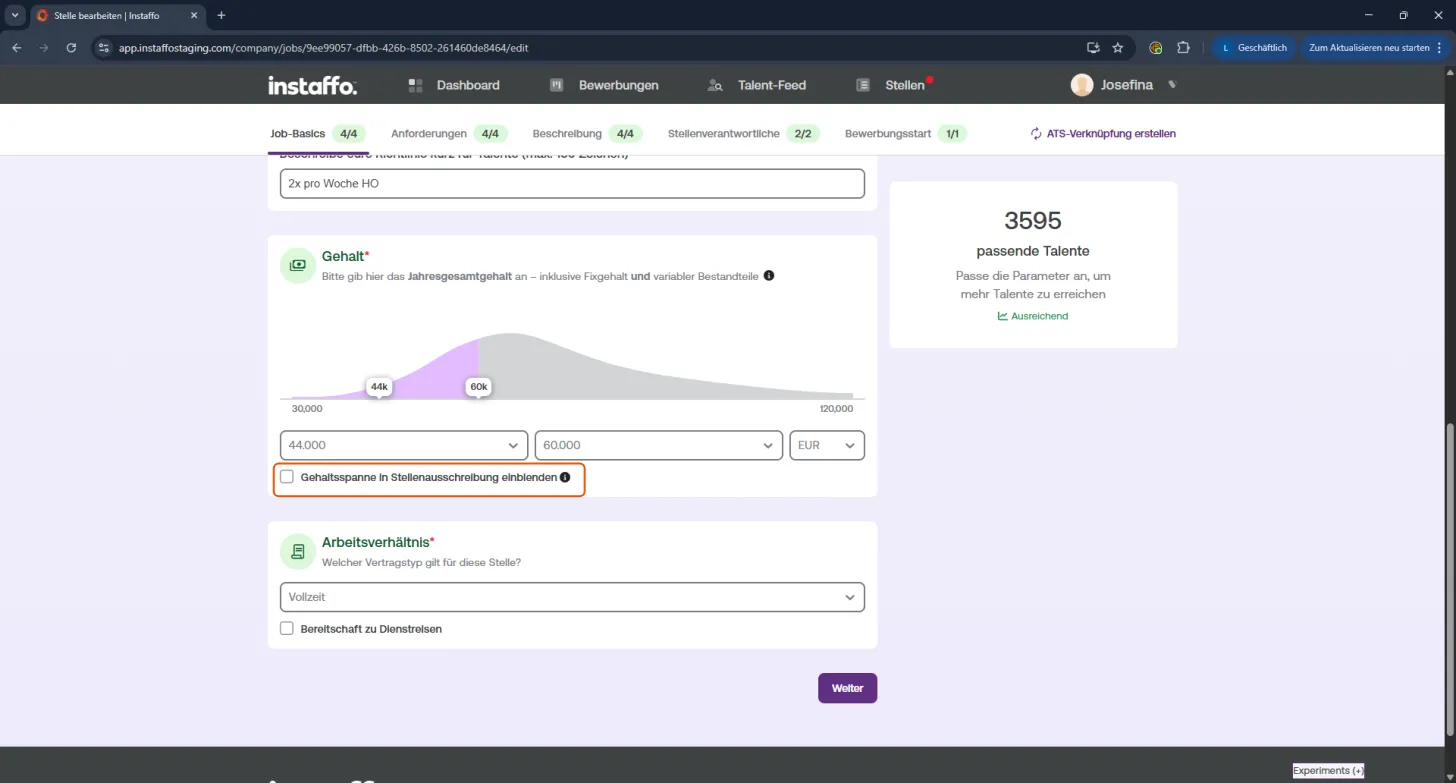
3️⃣ Higher Conversion Rate: Make Salary Visible
💸 Listing a salary = more applications
Job postings with salary information get up to 3.5x more applications!
Enable the checkbox "Show salary range in job posting".
In the salary form you can also see right away how competitive your offer is.
4️⃣ Create an Attractive Job Description
✍️ Clear. Transparent. Convincing.
-
Use AI feedback
Our AI analyzes your ad live and gives you tips on language, structure, and content.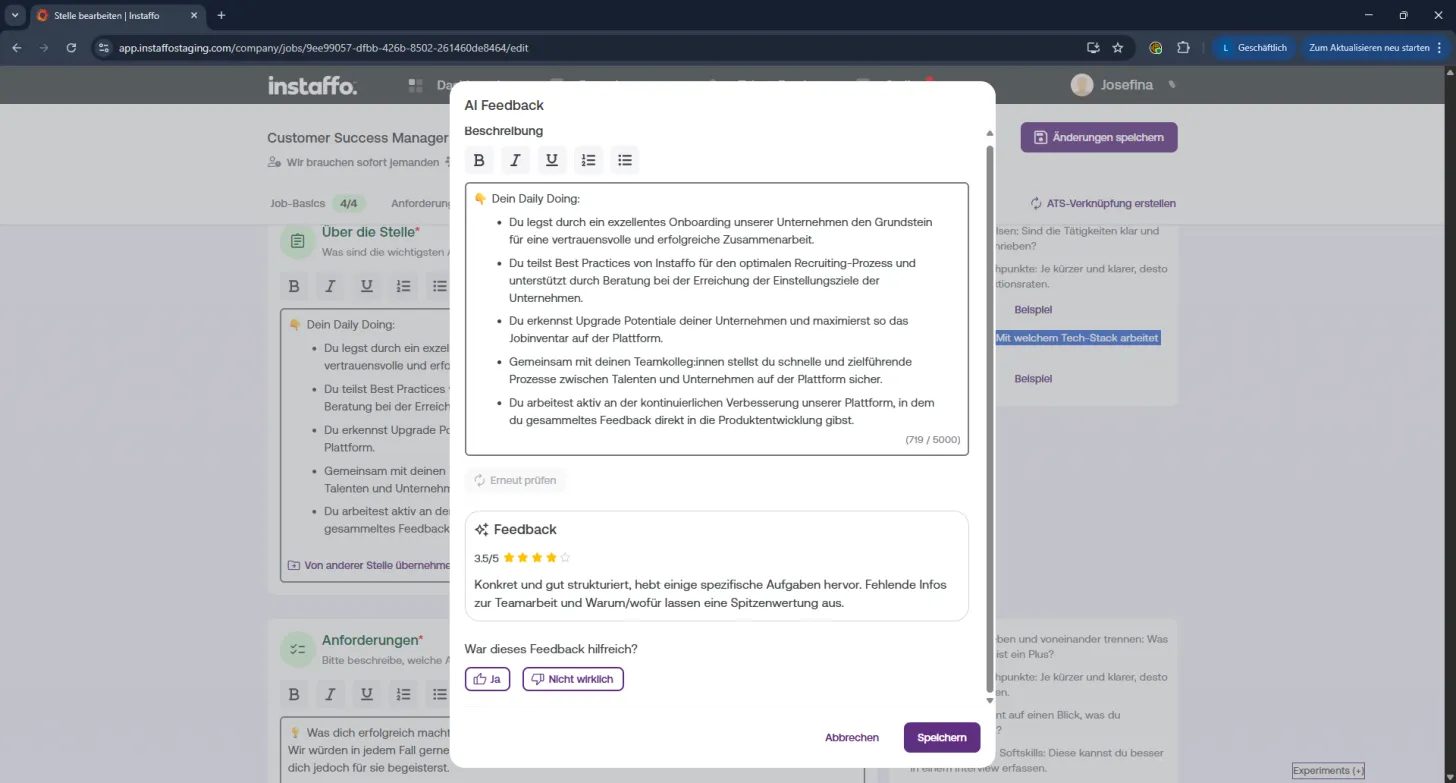
-
Highlight important info
- Use bullet points for better readability
- Emphasize key terms with bold text
- For tech roles: Show your tech stack
-
Use examples
In the editor you'll find suitable texts on the right.
Click on "Example" to adopt formulations or get inspired.
5️⃣ Structure Requirements Clearly
🧠 Must-have vs. Nice-to-have
This distinction helps talents assess themselves and you with matching.
The clearer and more transparent your requirements, the better your ad performs.
💡 You'll see live how your changes affect your target audience.
💡 Pro Tip
Even without a big brand, you can reach suitable talents directly with the Talent Feed. Perfect for getting the conversation started quickly - without waiting. 👋
 Powered by happysupport.ai