
How do I report a hire through Instaffo?
Report a hire in Instaffo by changing the application status to Hired, uploading your contract, and setting the start date and employment type.
You've picked a talent and the contract is signed? Awesome! 🙌
Then there's just one step left: confirm the hire through Instaffo. Here's how to do it nice and easy.

1️⃣ Change application status
Once the employment contract is signed by both parties, you need to report the hire through Instaffo within 6 business days.
Here's how:
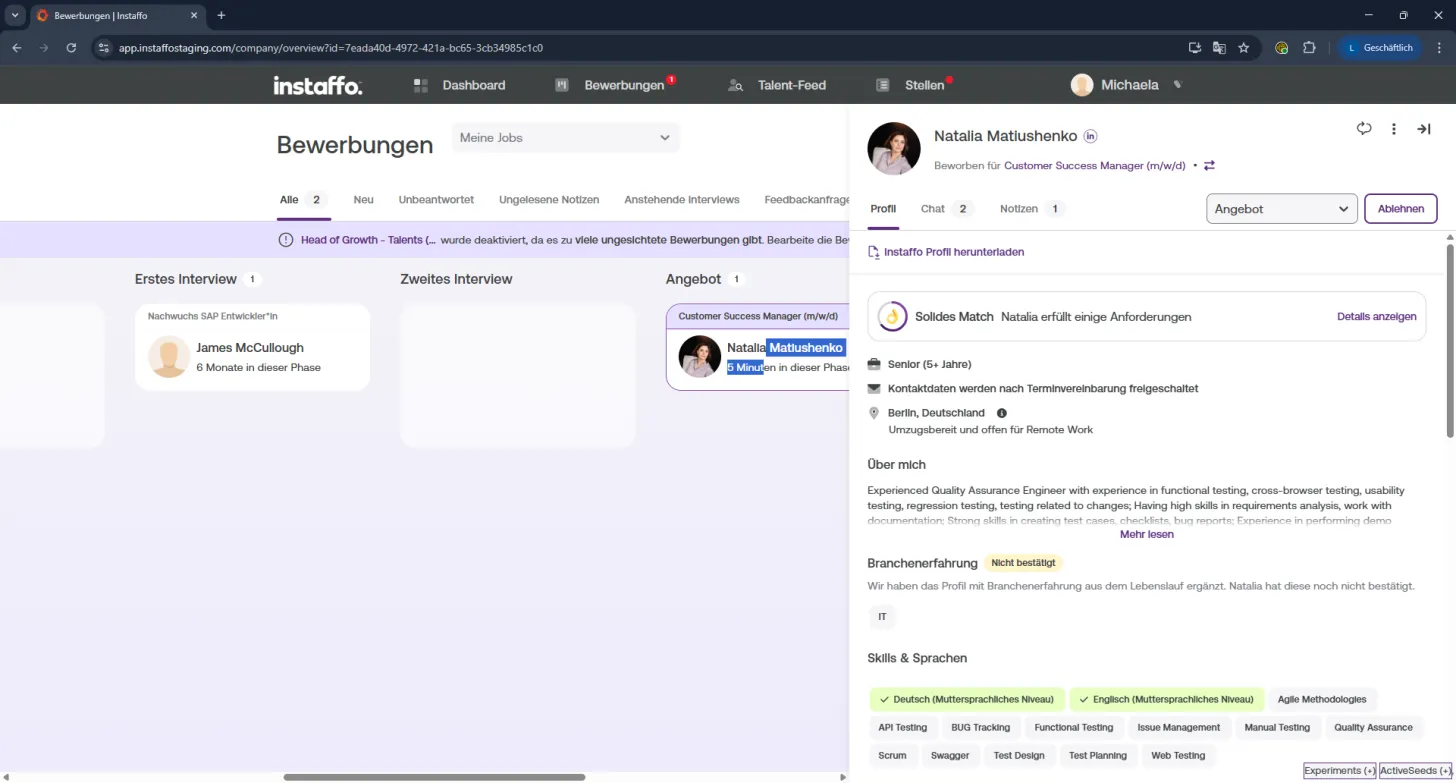
- Open the talent's profile
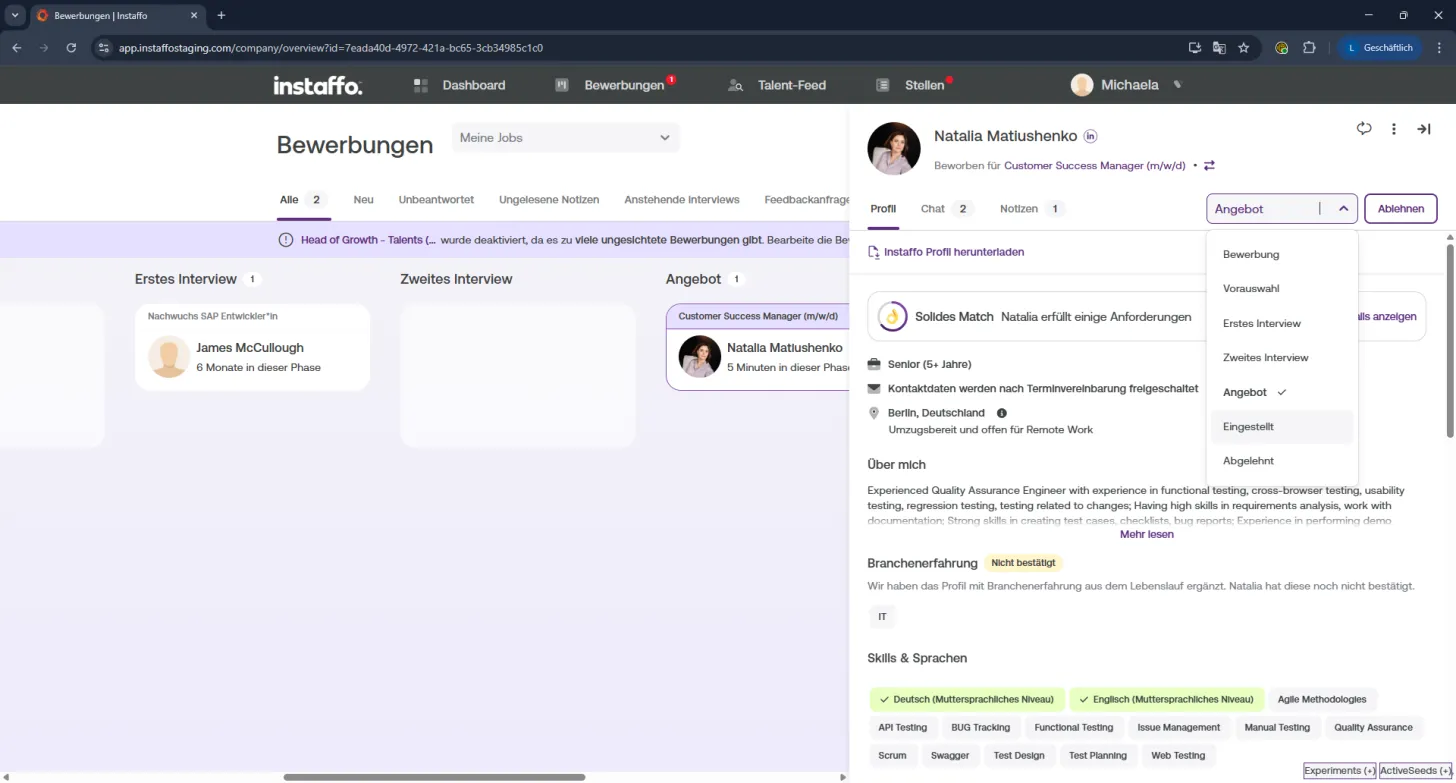
- Click on the "Offer" dropdown in the top right
- Select "Hired" – the hire popup will open automatically
2️⃣ Enter hire details
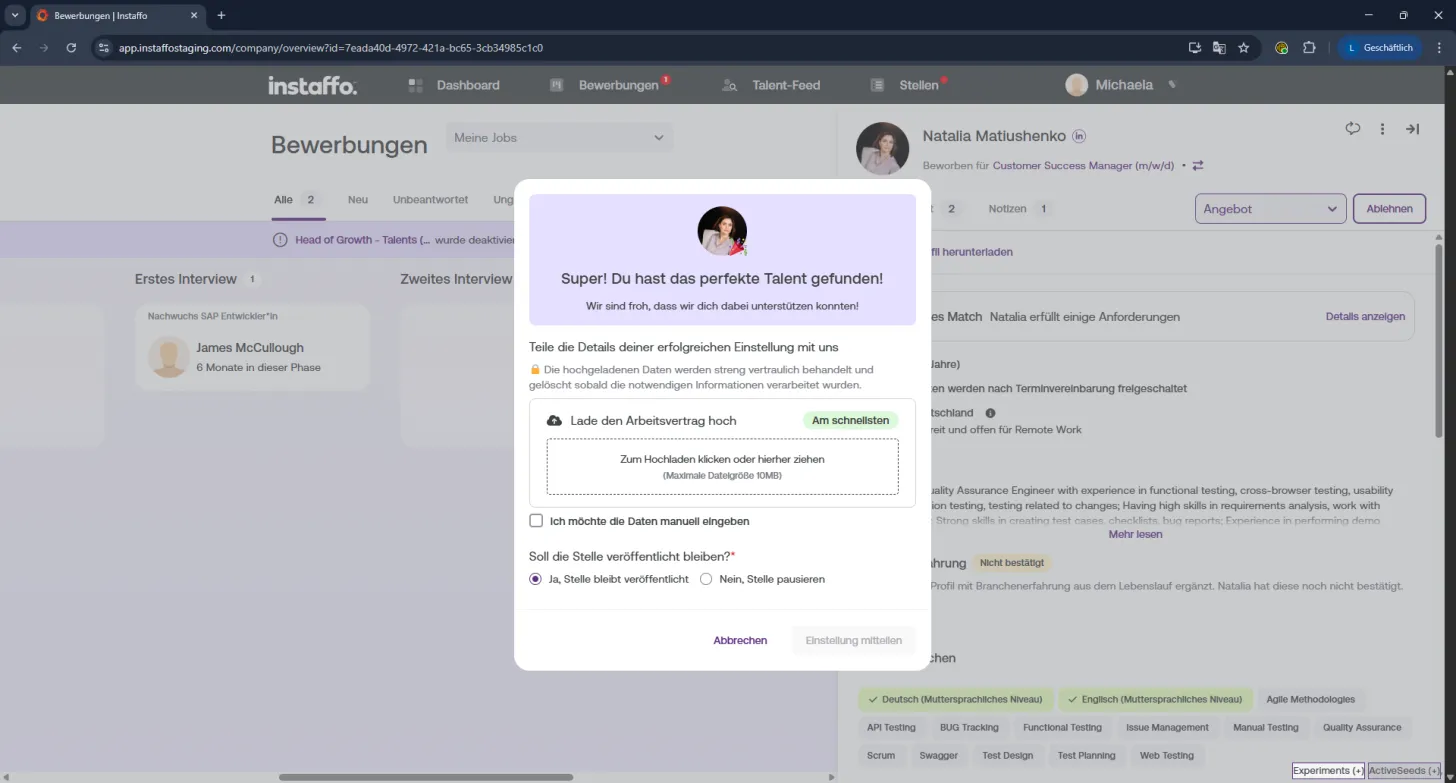
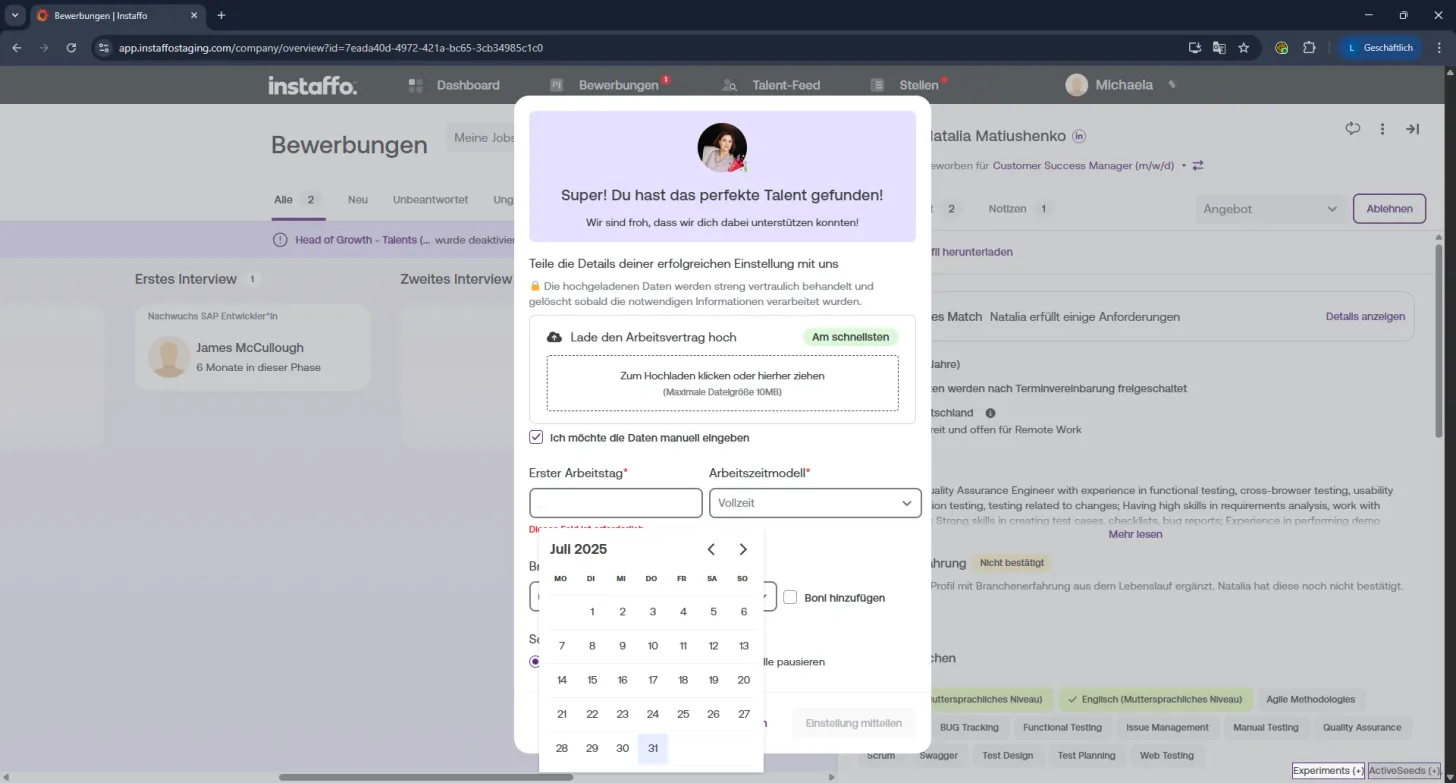
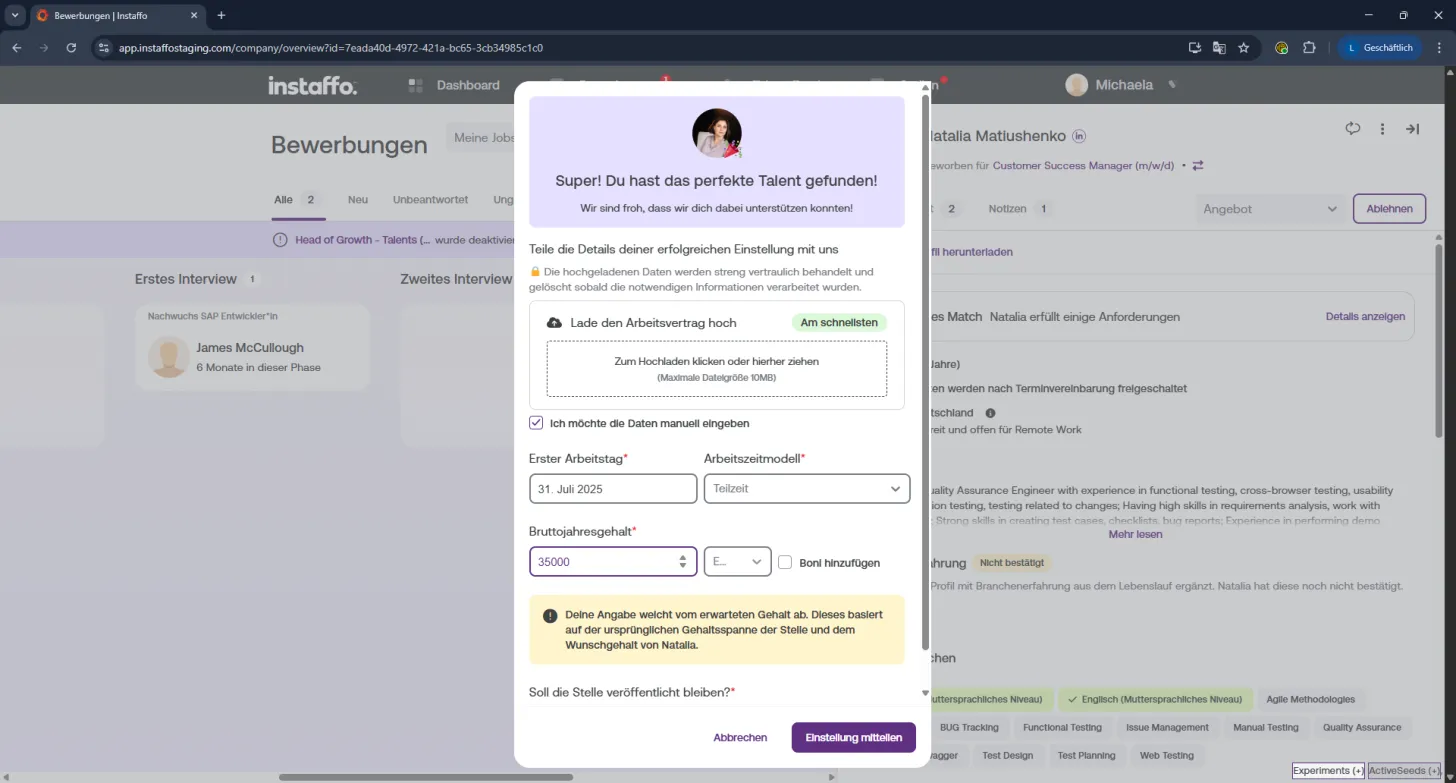
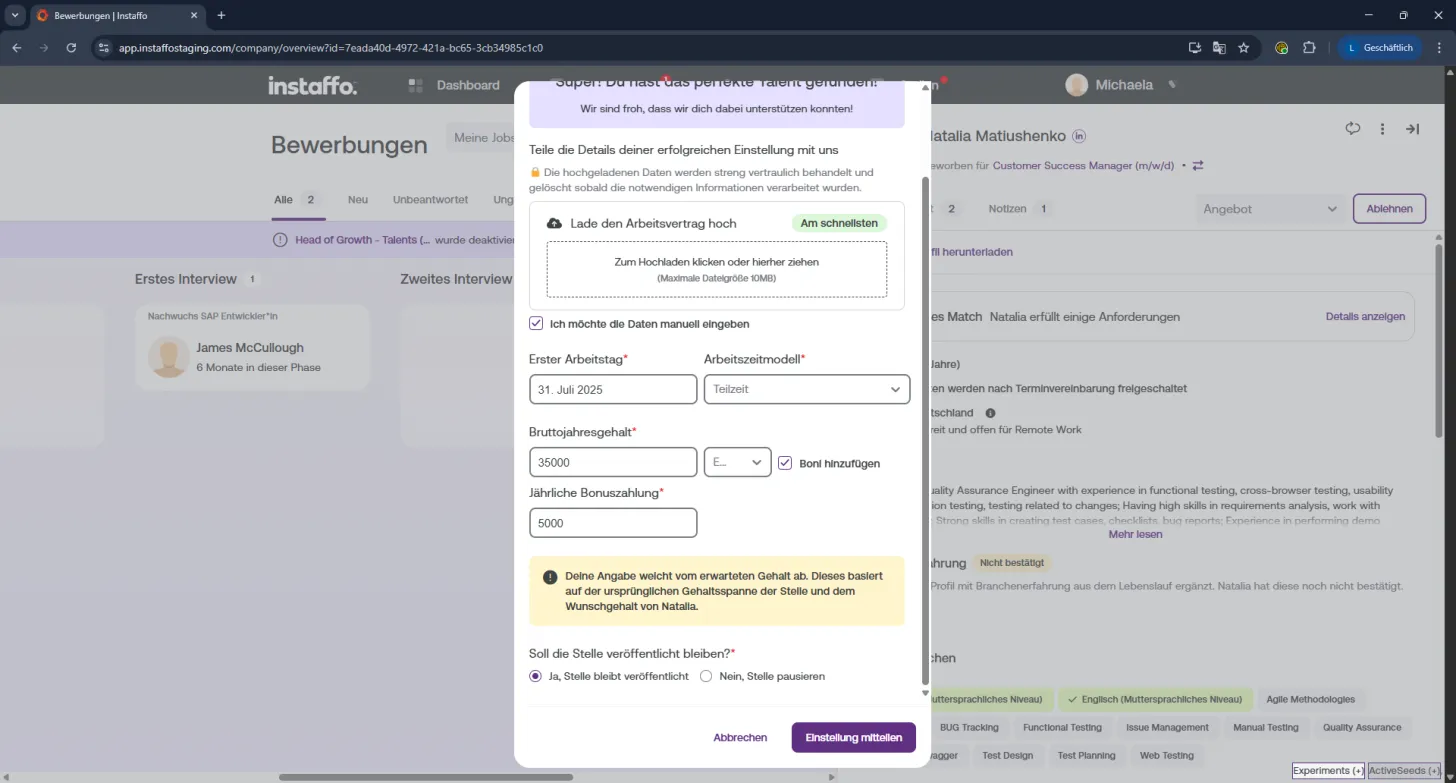
In the popup, you can choose how you'd like to share the hire information with us:
-
📄 Upload employment contract
Simply drag and drop the file or select it manually.
→ Quick and hassle-free! -
✍️ Manual entry
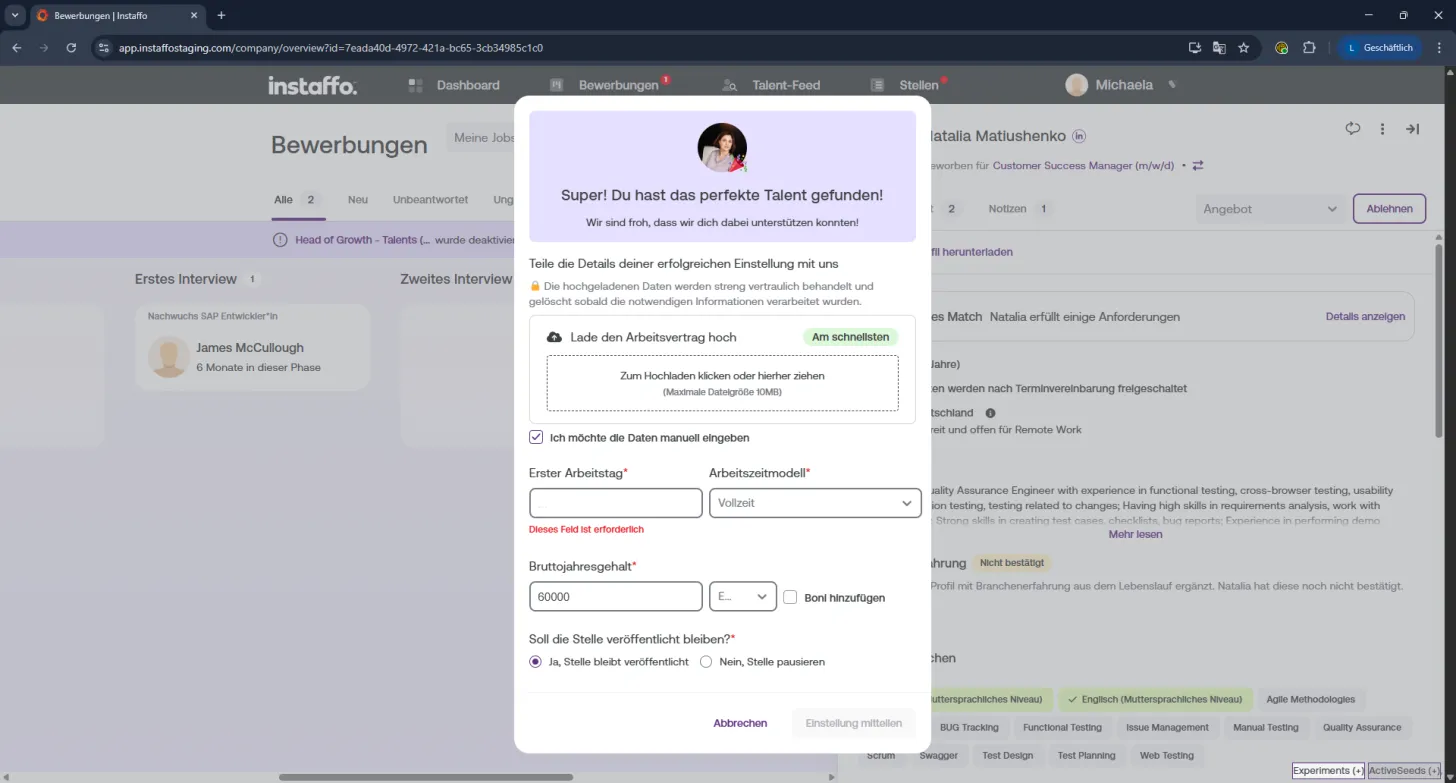
Check the box for "I want to enter the data manually" if you'd like to fill in all the information yourself.
3️⃣ Set employment details
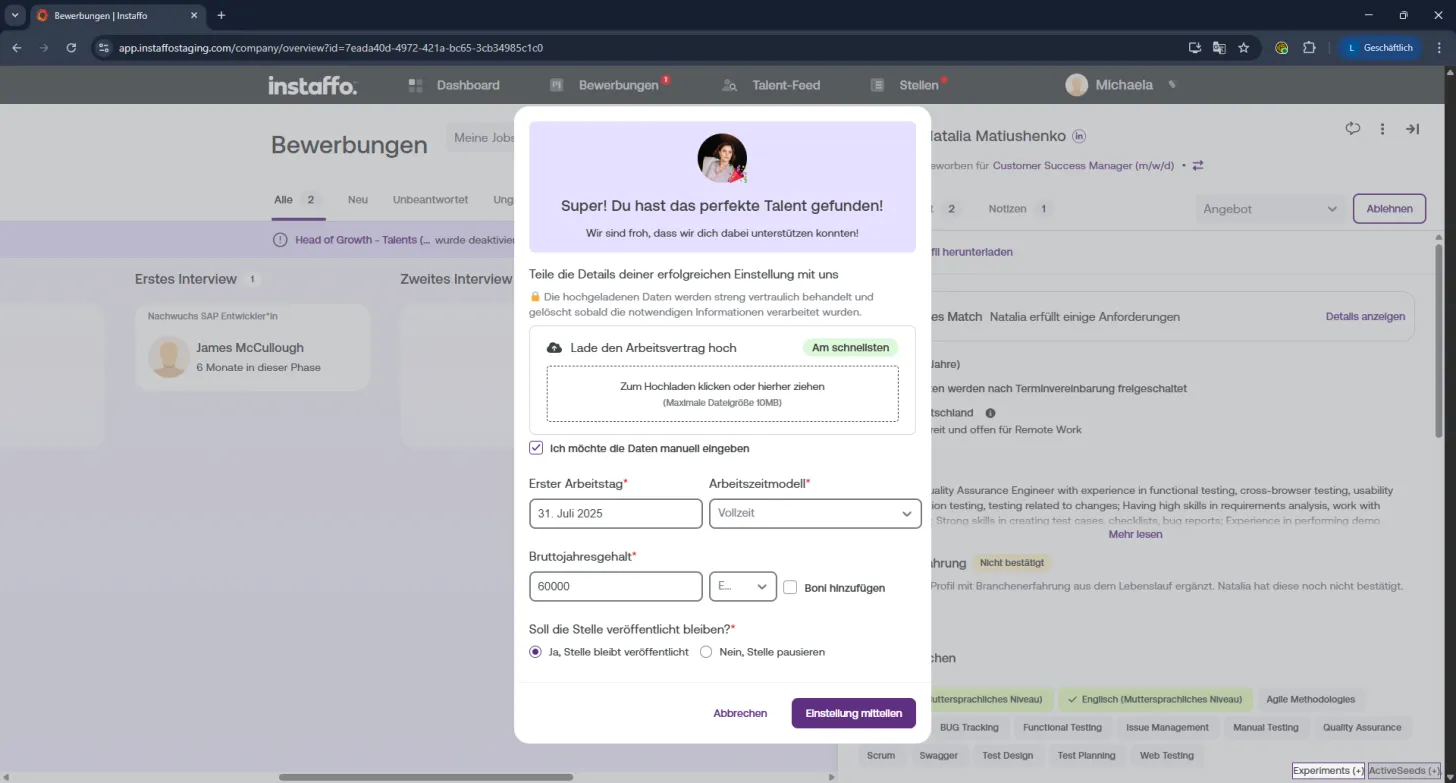
Now for the key facts of the employment:
- Start date → Select the first day of work in the calendar
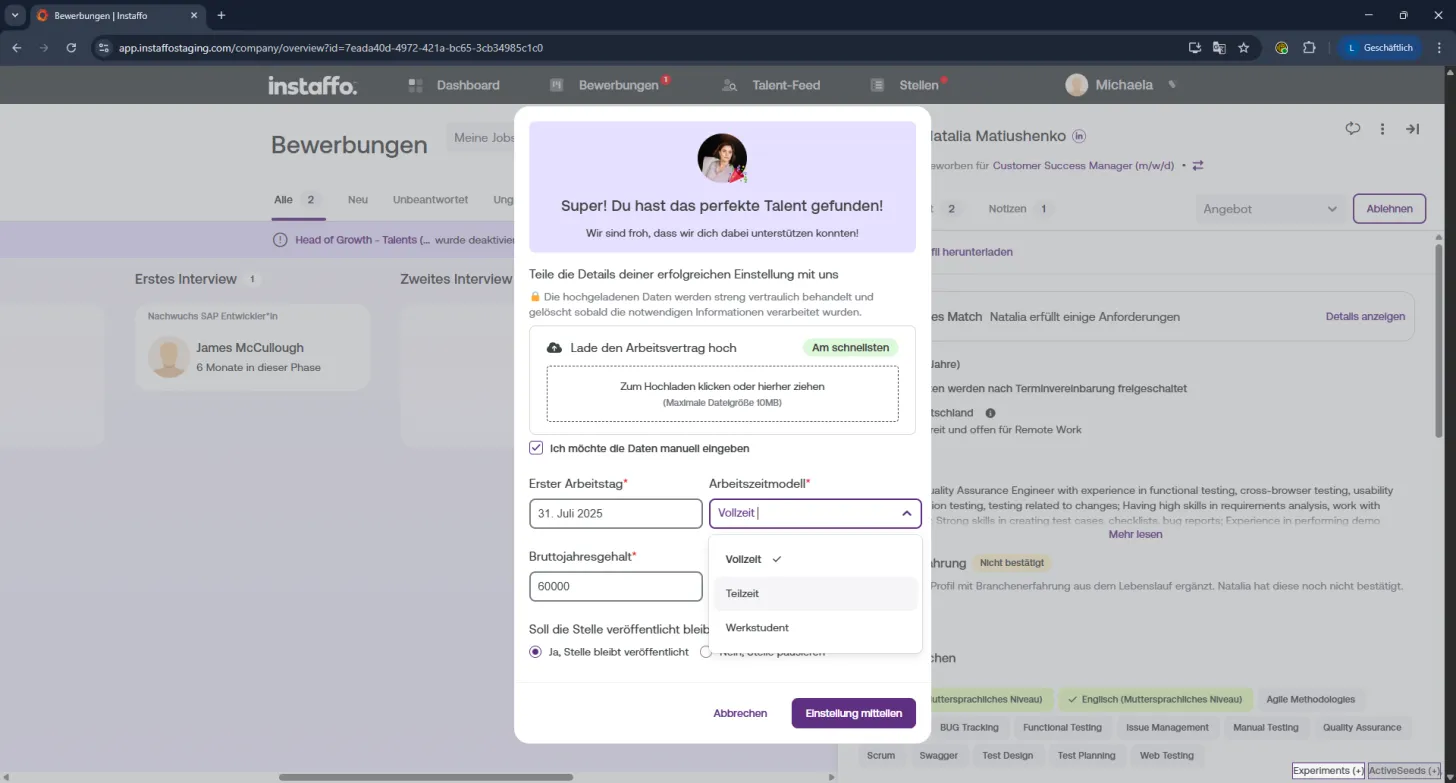
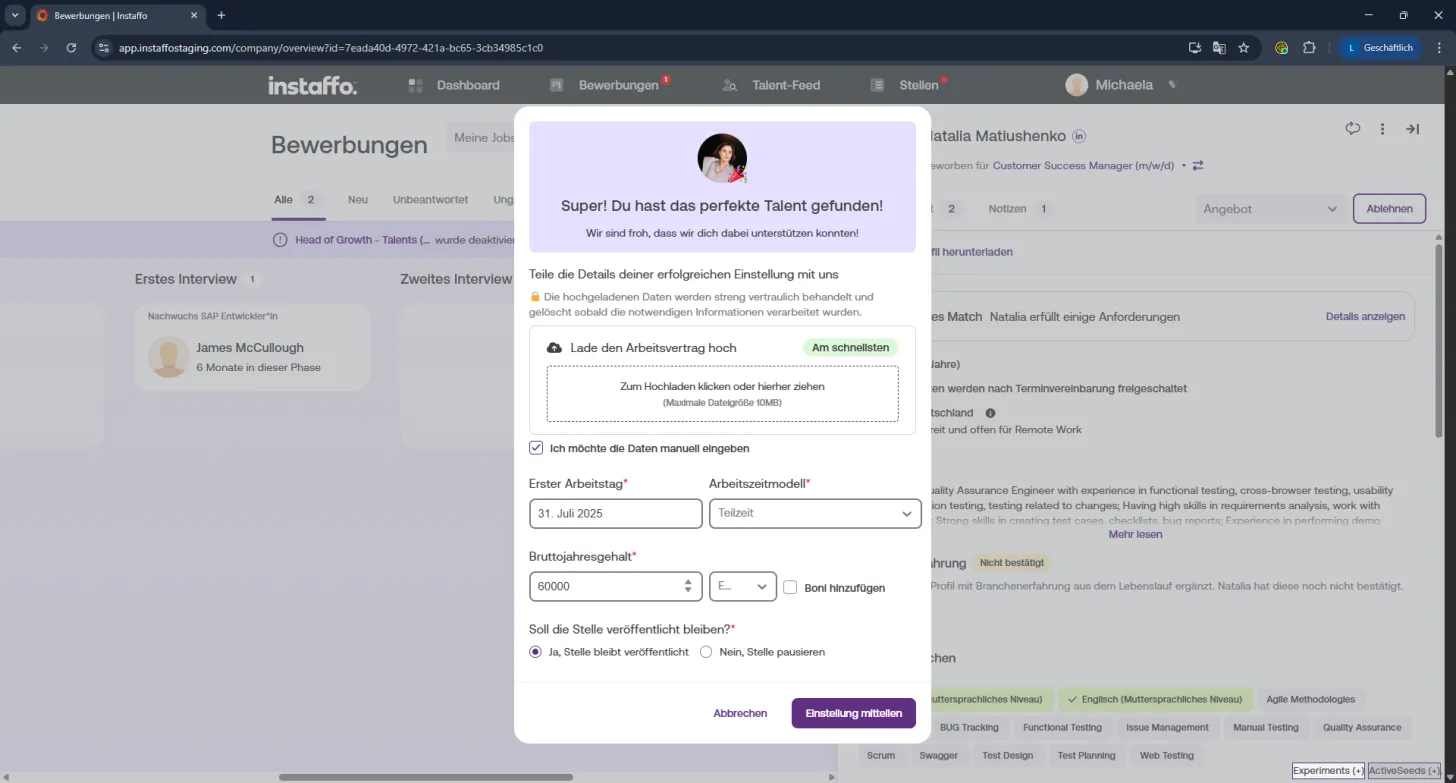
- Employment type → Full-time, part-time, or student employee position
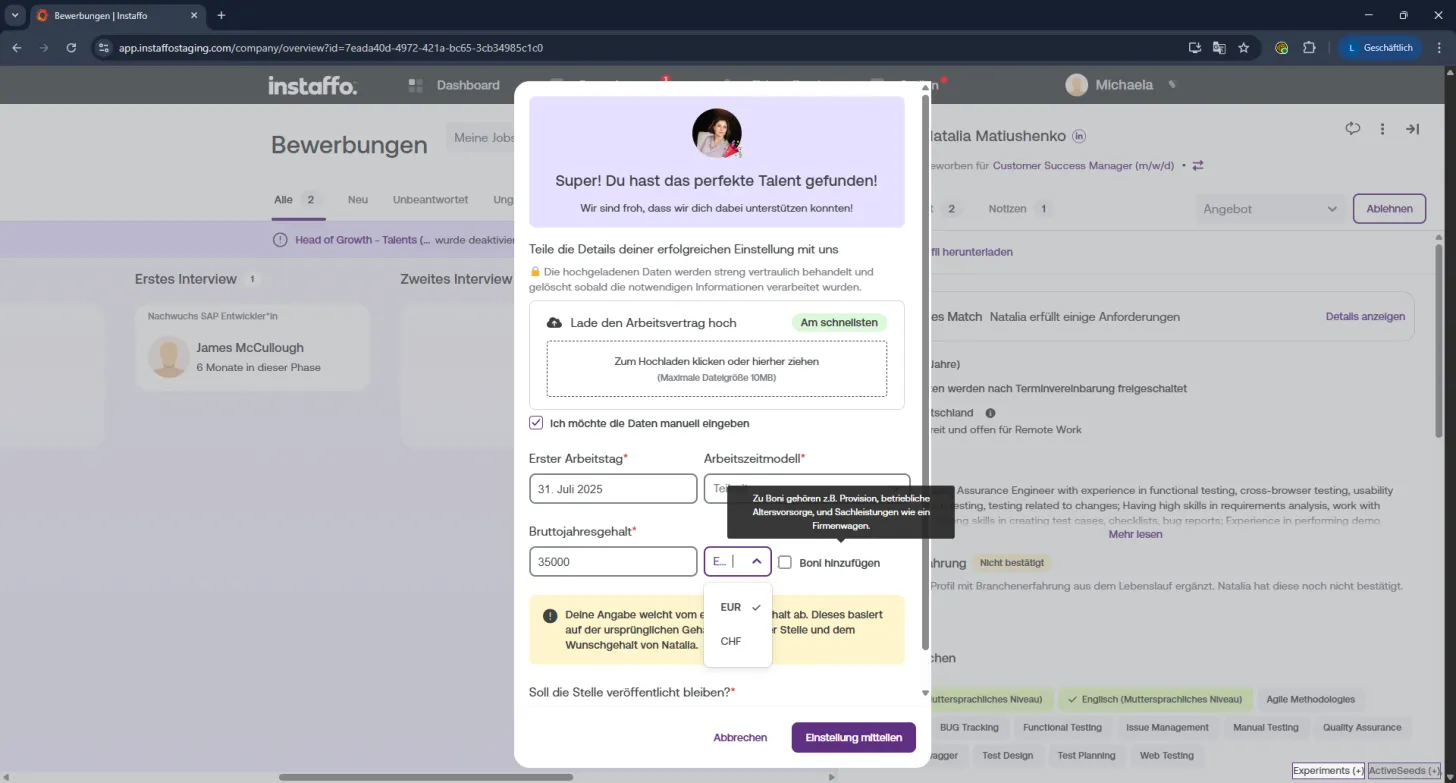
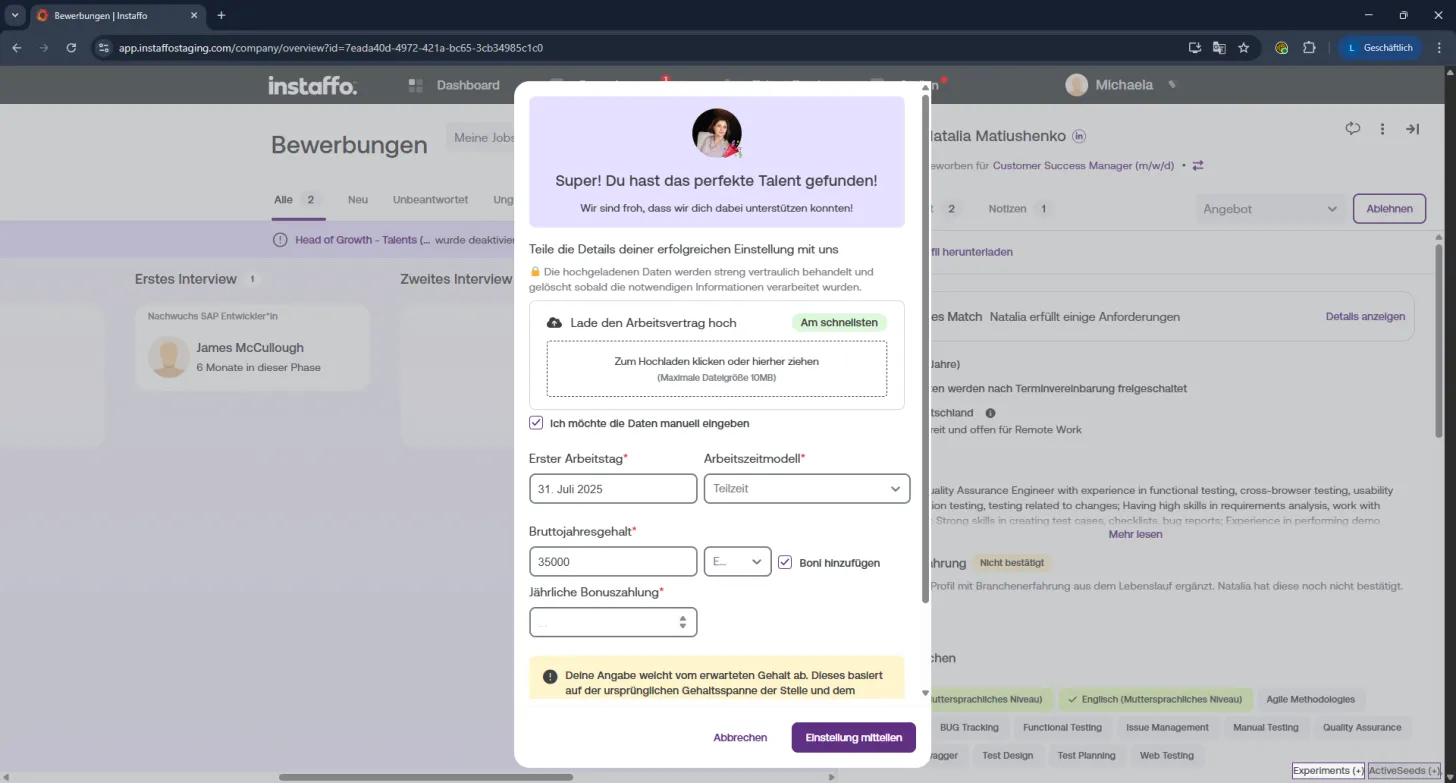
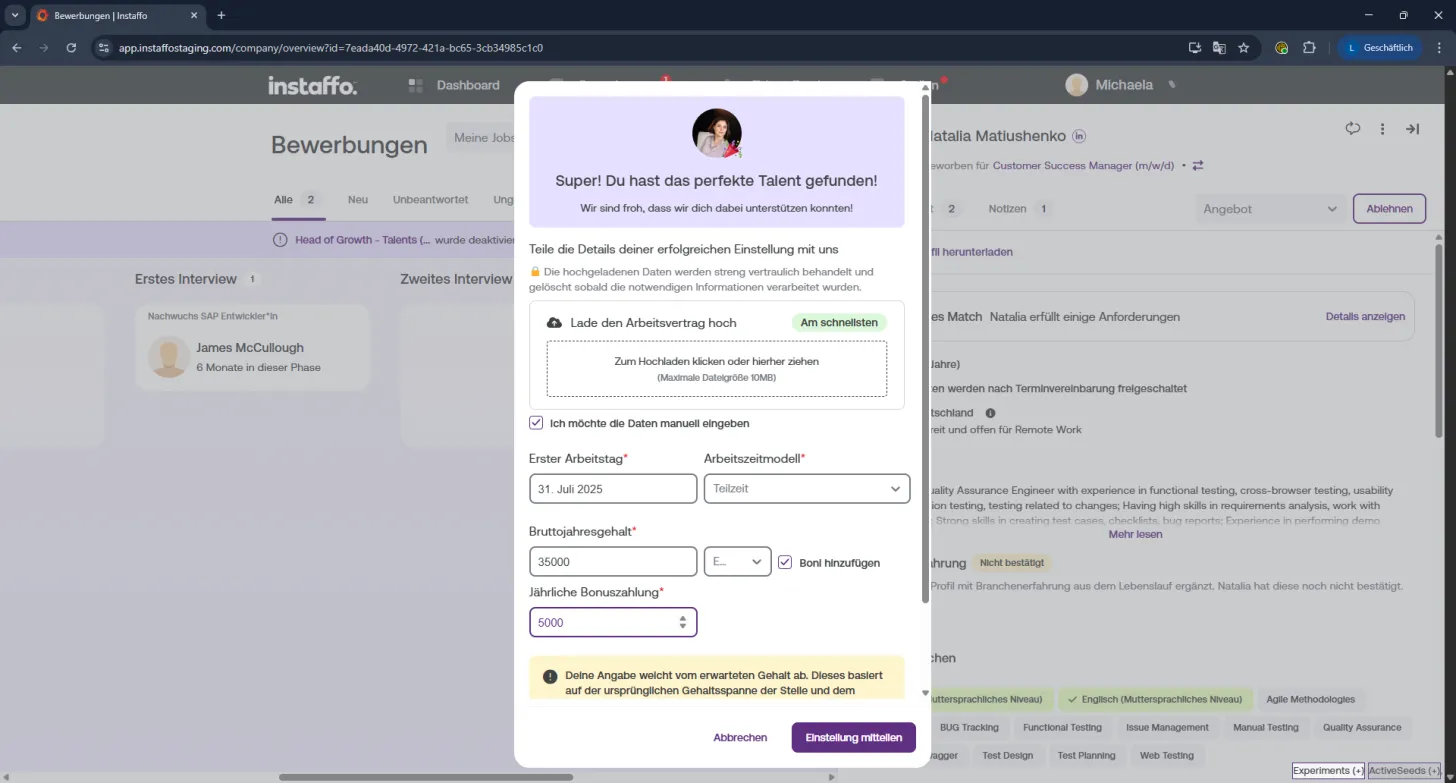
- Salary & bonuses → Enter the gross annual salary.
If there are bonuses, you can add them using the toggle (includes bonuses, commissions, employer contributions to occupational pensions, company car benefits, etc.).
ℹ️ Note:
If your salary offer differs significantly from what the talent stated, your account manager can review the information again.
4️⃣ Set position status
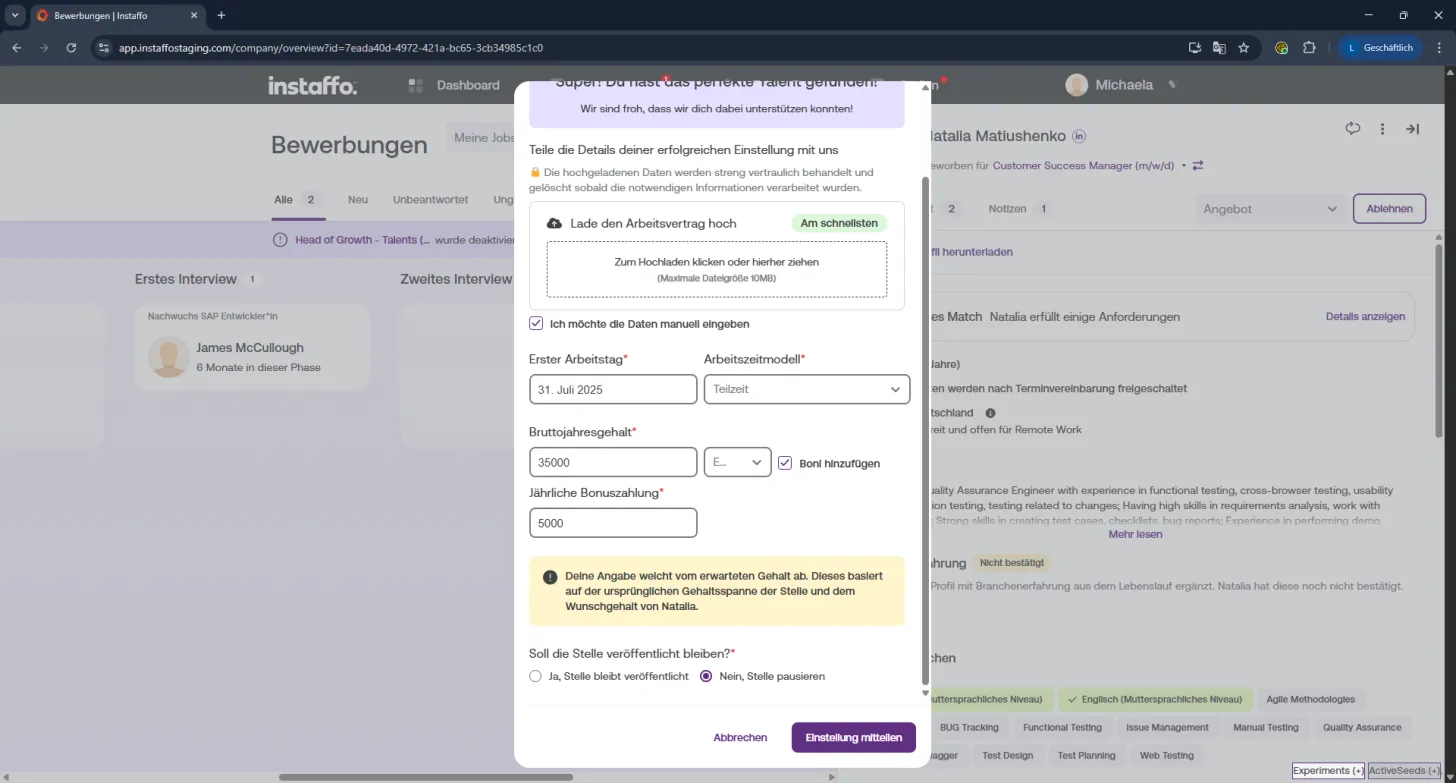
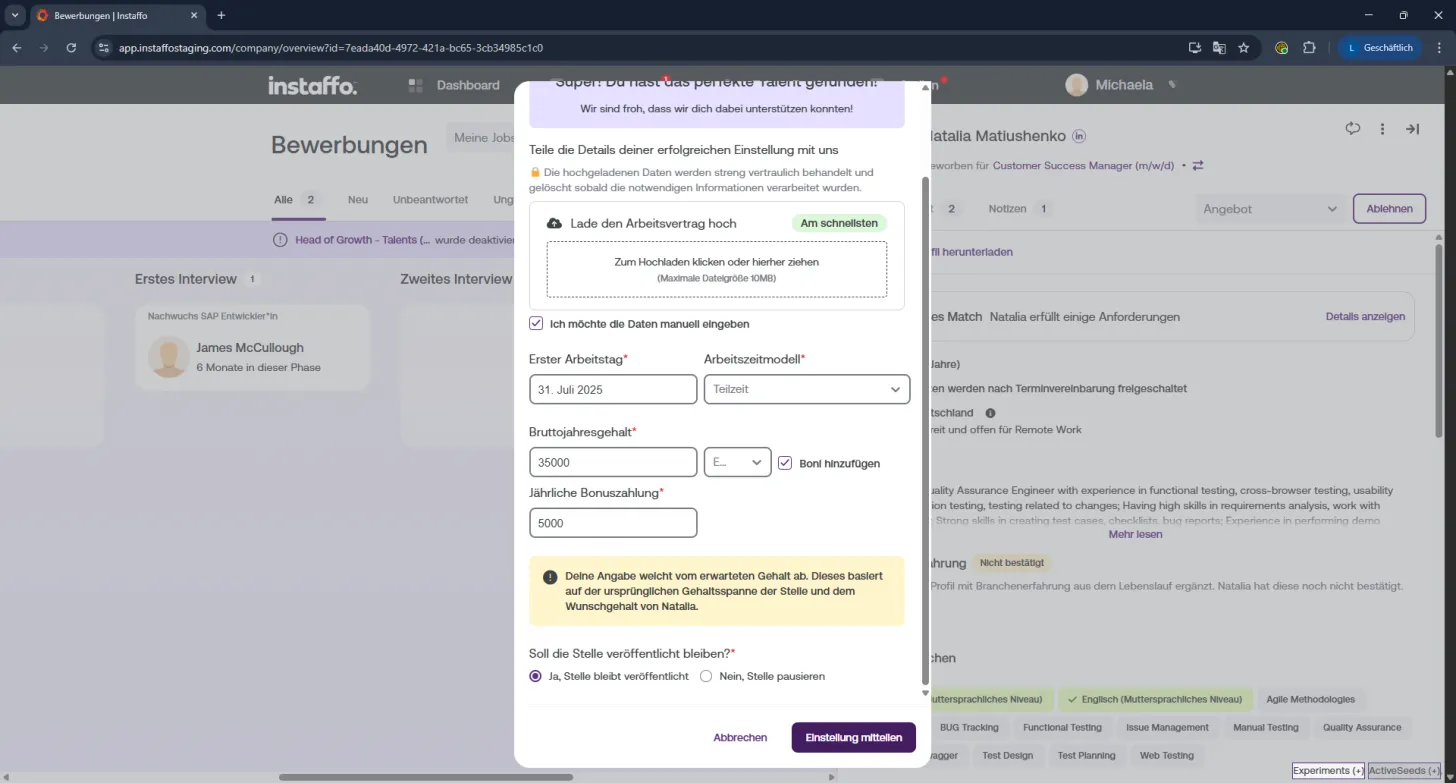
Decide what should happen to the position after the hire:
- ✅ Keep position published → You'll continue to receive applications
- ⏸️ Pause position → The position will be temporarily deactivated
5️⃣ Complete the hire
Everything filled in? Then click "Report hire"
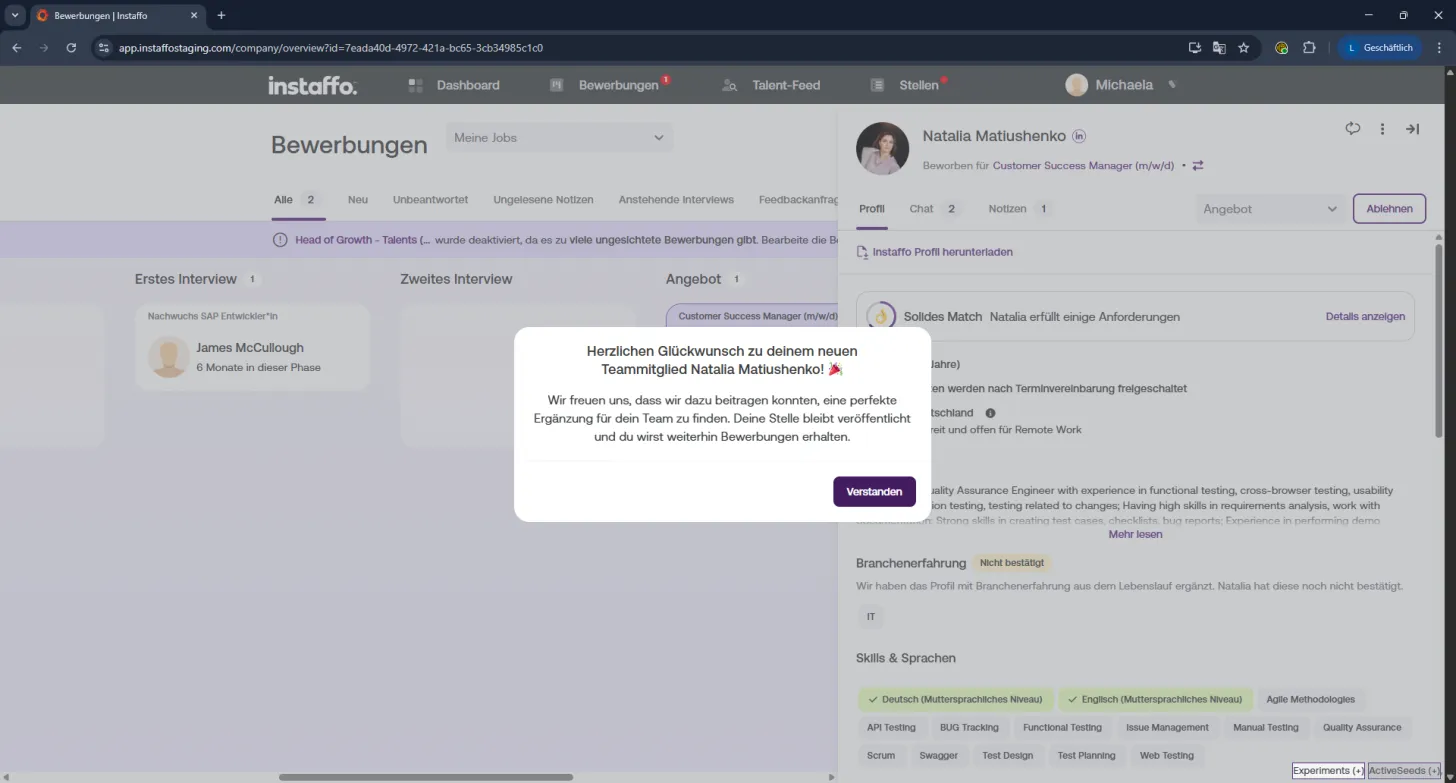
Then "Confirm" one more time – and you're done! 🎯
Now the hire is official and your new team member is recorded directly in Instaffo. If the position stays active, you can continue to receive new applications.
Let's grow your team! 🚀
 Powered by happysupport.ai