
What is the replacement option and how do I book it?
Book a replacement option after hiring talent to get free position refills within 12 months if your hire quits or backs out
You've successfully hired a talent? Congratulations! 🎉
To make sure you're covered just in case, you can book a replacement option right after. This way you'll stay financially protected if the talent backs out before or after their start date.
🤔 What is the replacement option?
With the replacement option, you're protected if:
- the talent quits before or after work begins
- you decide against the talent after hiring
In this case:
- You can refill the position for free - with no additional fees
- You have 12 months to refill the position
- Important: It must be the same position for which you booked the option

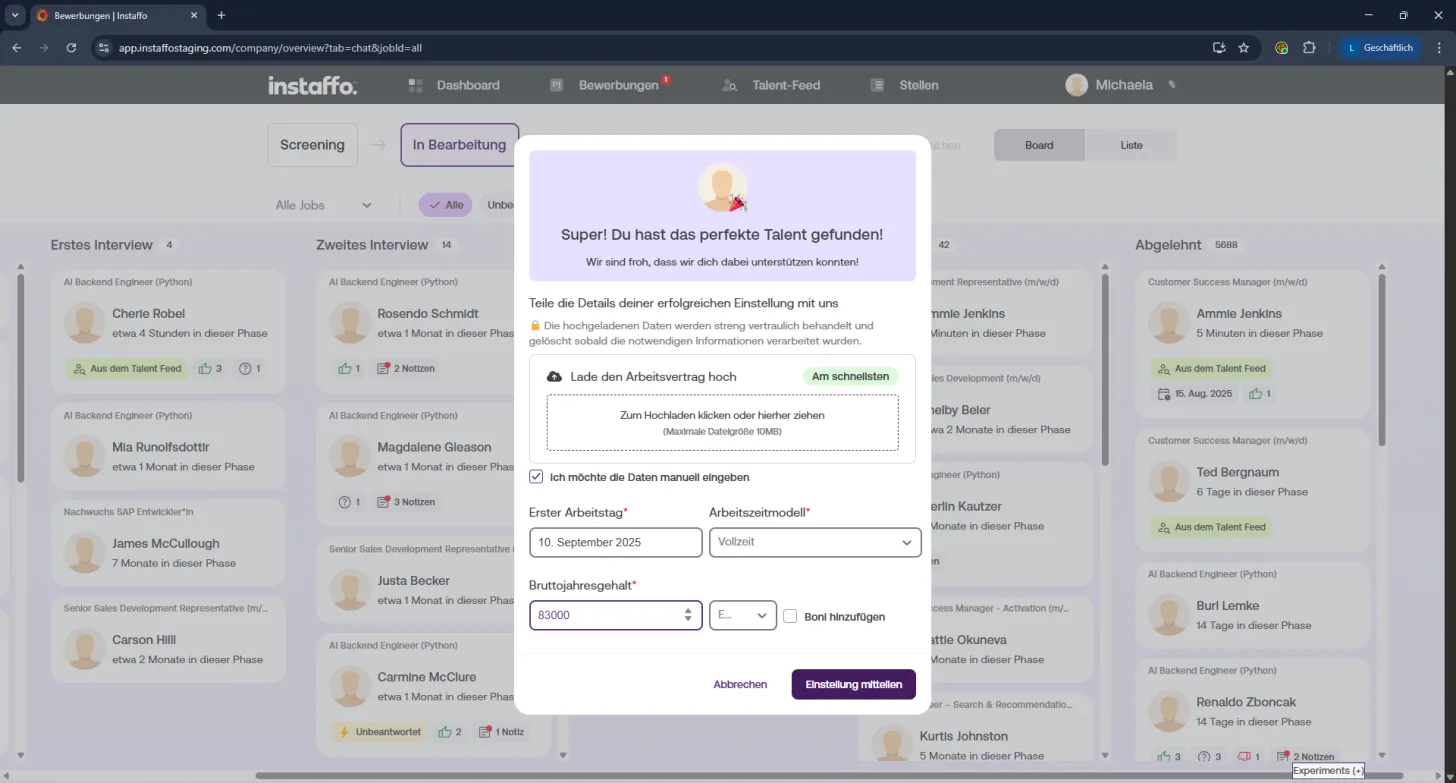
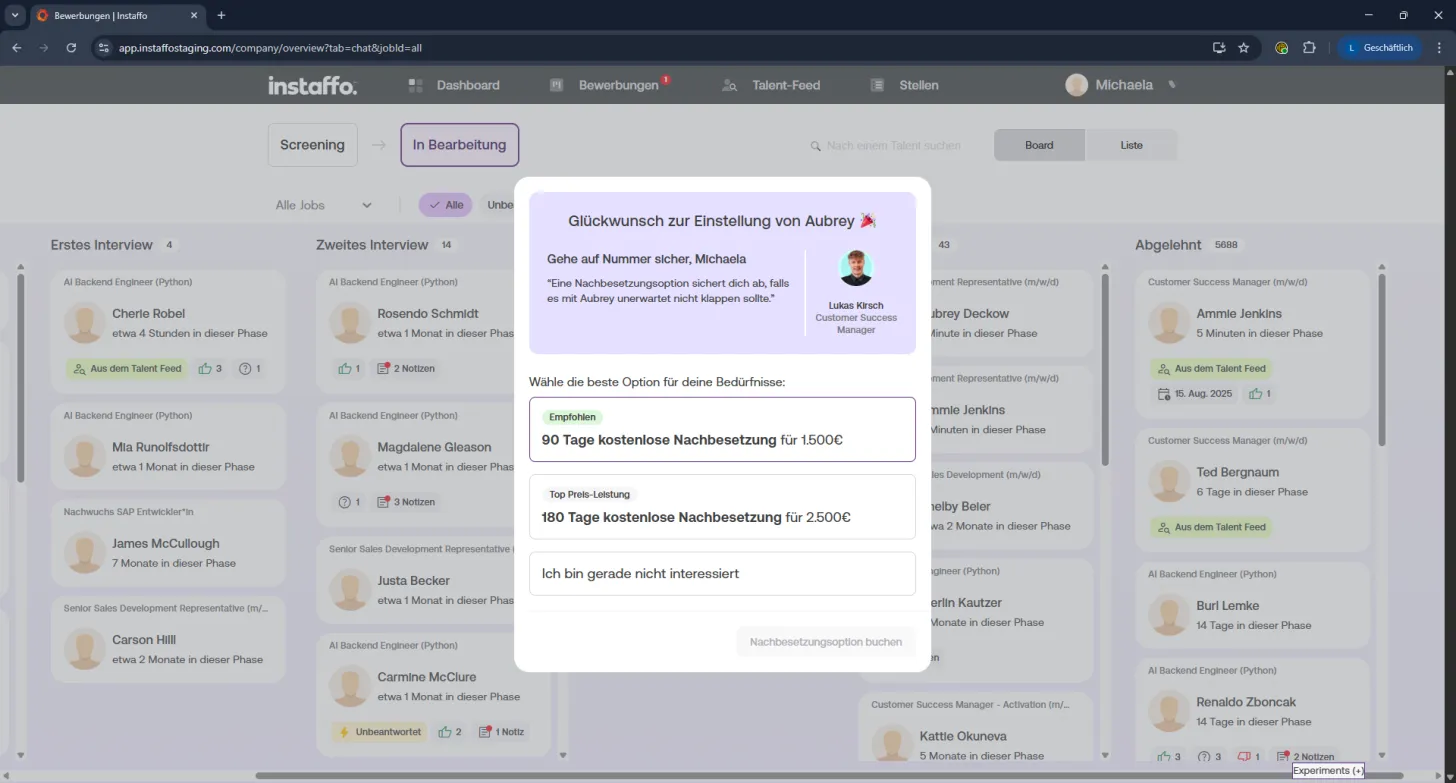
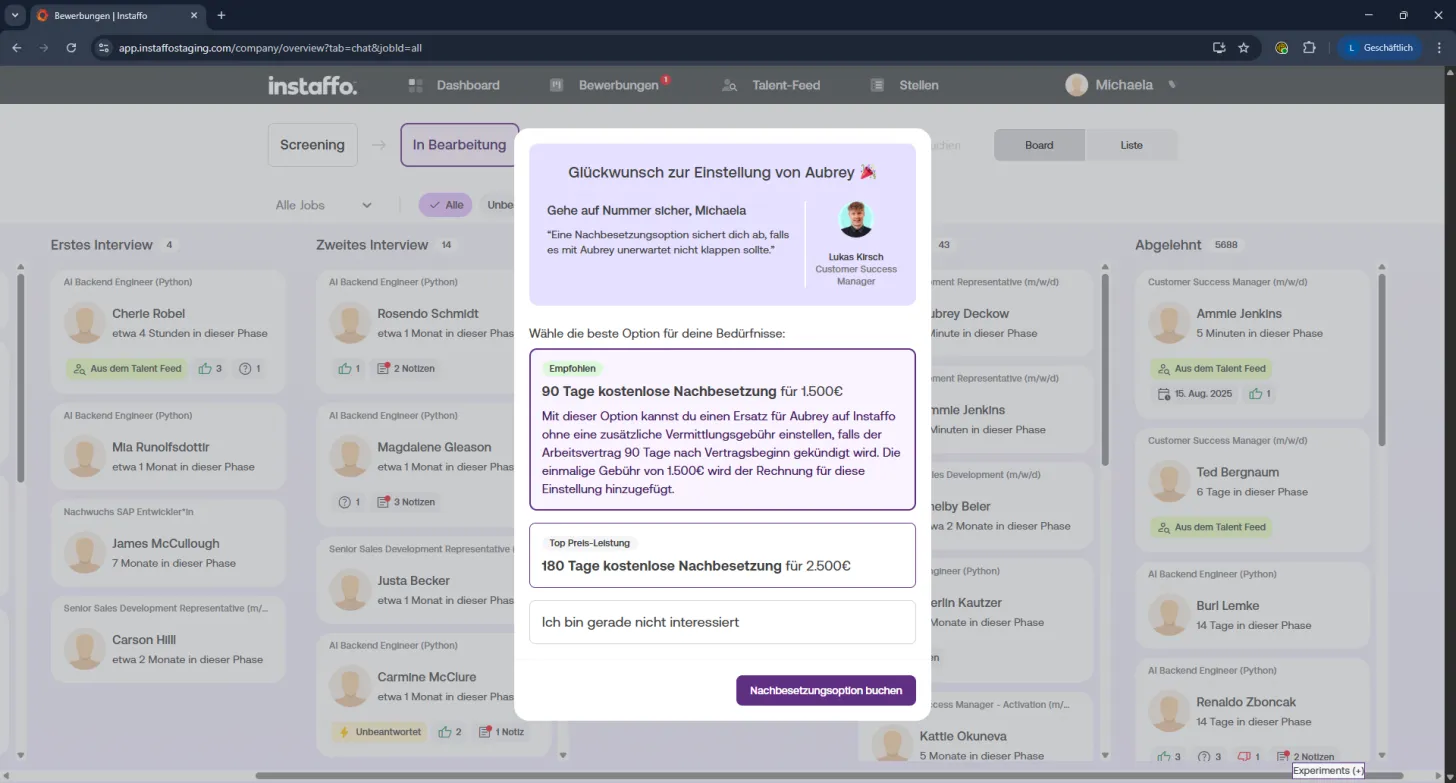
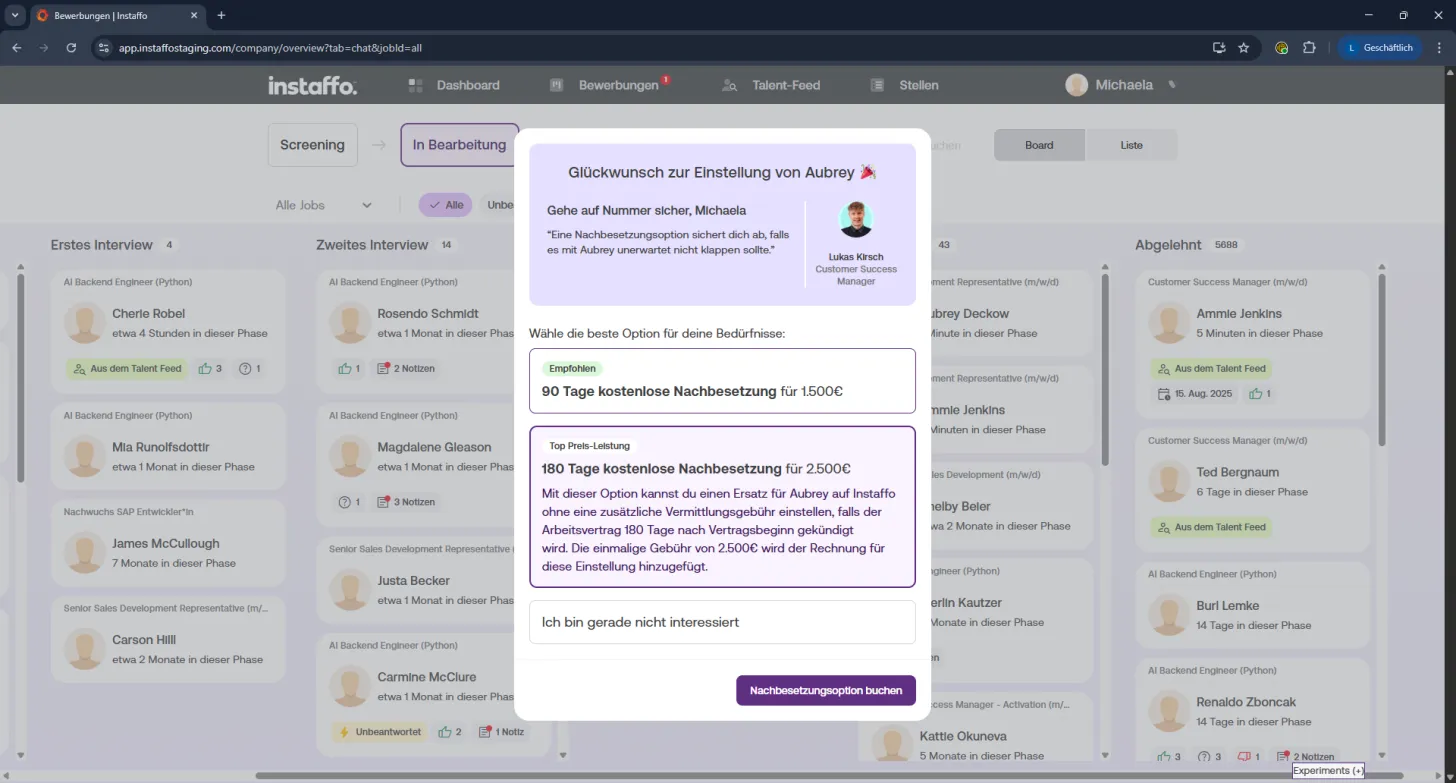
How to book the replacement option
-
Complete the hiring:
Once you hire a talent, click on "Create hiring".
You can either upload the employment contract or enter the information manually. -
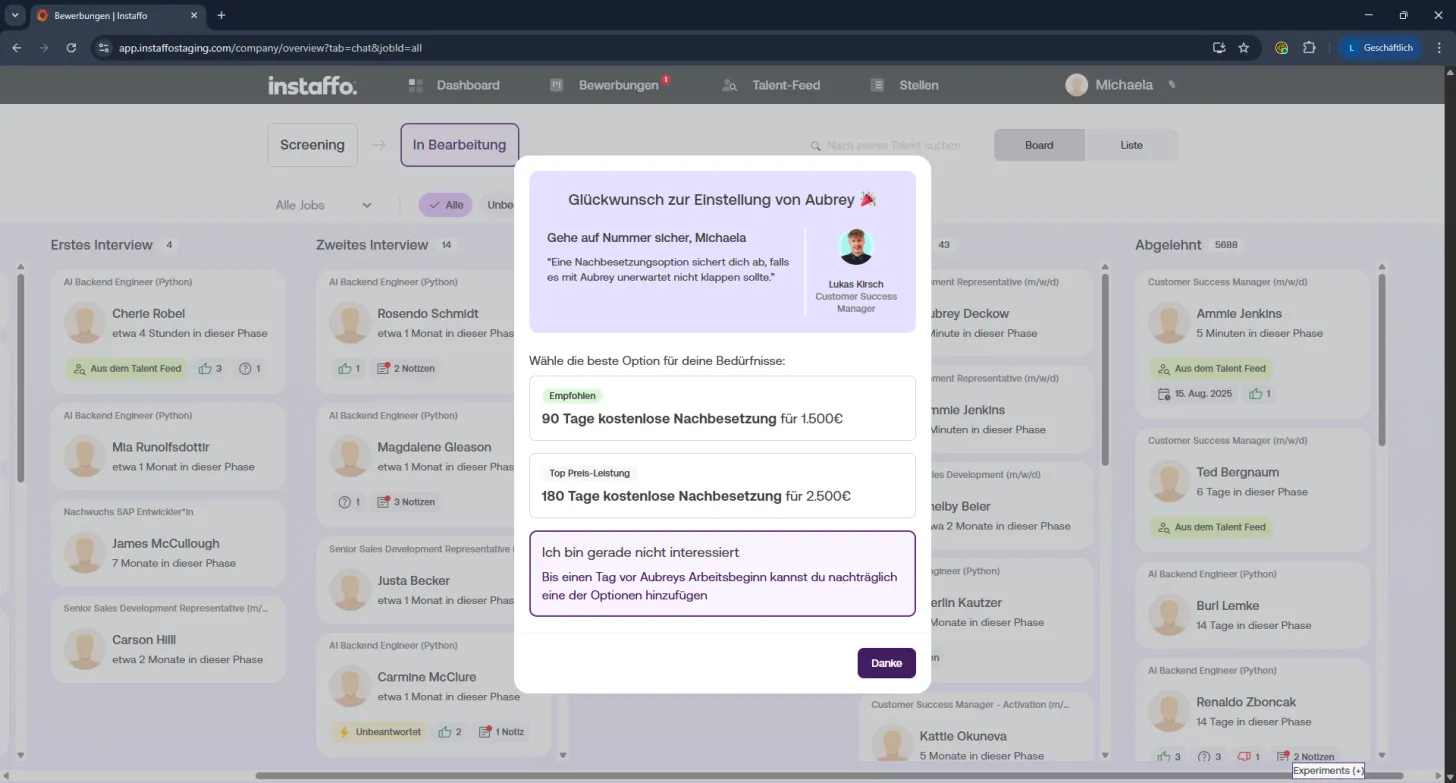
Options window opens automatically:
After submitting, the "Congratulations on your hire" window appears.
You'll see the replacement options right there. If the window doesn't appear, contact your account manager. -
Compare options:
You have two choices:
- 90 day coverage for 1,500 €
- 180 day coverage for 2,500 €
-
Select your option:
Click on the coverage option you want. It takes effect from the first day of work, so you're covered before the start and for up to 90 or 180 days after. -
Confirm your booking:
Click on "Book replacement option" and you're all set. 🙌
⏳ What you need to know about the deadline
You can only book this option until the start date.
👉 At the latest one day before the start, you should make your decision.
If you first select "I'm not interested right now", you can still change your mind later. Just contact your account manager, but please do it in time! Once work has started, booking is no longer possible.
Once you've booked, you can relax knowing you're protected if something doesn't go according to plan.
 Powered by happysupport.ai