
Everything you need to know about the Instaffo chat with talent
Use the Instaffo chat to message candidates, track read receipts, send follow-ups, and schedule interviews without leaving the conversation window
What should I do if a candidate doesn’t reply to my message?
You’ve messaged a candidate in the Instaffo chat, but haven’t heard back?
No need to worry. Sometimes all it takes is the right nudge.
Here’s how you can follow up effectively.
🧩 Your options
1. Has the message been read?
In the chat, the check marks show whether the candidate has seen your message:
- Two gray check marks → not read yet
- Two green check marks → read
This gives you a good idea of what to do next.
2. Send a quick follow-up
Sometimes a message gets lost in the hustle and bustle of everyday life. That’s completely normal.
Just send a brief, friendly follow-up.
Often, a little reminder is all it takes to get the conversation going again. 😊
3. Get in touch outside Instaffo
If the candidate has added contact details such as an email address, phone number, or LinkedIn profile, you can contact them directly too.
That extra step is especially worthwhile for promising profiles! 🚀
👻 How to avoid ghosting from the start
A few simple tips can help keep candidates from dropping out:
-
⏱️ Respond quickly. Ideally, reply the same day.
The most successful teams respond within 3 days. -
🙋 Make it personal. Refer to their background and explain why you find them interesting.
-
🔍 Be specific. Clearly and transparently explain what happens next.
💡 Tip: The more personal and clear your message is, the more likely candidates are to stay engaged. And if it doesn’t work out the first time, it’s worth following up! 💪
📅 Schedule an interview right in the chat
Click the calendar icon in the chat bar next to „Vorlagen“. In the „Interview vereinbaren“ window, you can send the candidate some suggested times or schedule an interview directly.
Can you see who’s writing in the chat?
Yes. Candidates always see the name of the person whose profile was used to send the message. So the sender’s name matches the account you’re logged in with.
Can you send messages on behalf of someone else?
No. You can’t send messages from your own account on behalf of someone else.
So, for example, if a rejection is supposed to come officially from a colleague, they need to send it from their own Instaffo profile.
💡 Tip: To keep communication clear and transparent, it’s a good idea to coordinate internally on who will take over the conversation, or invite colleagues directly into it.
✏️ Can you edit messages after sending them?
Yes. Both candidates and companies can edit chat messages they’ve already sent.
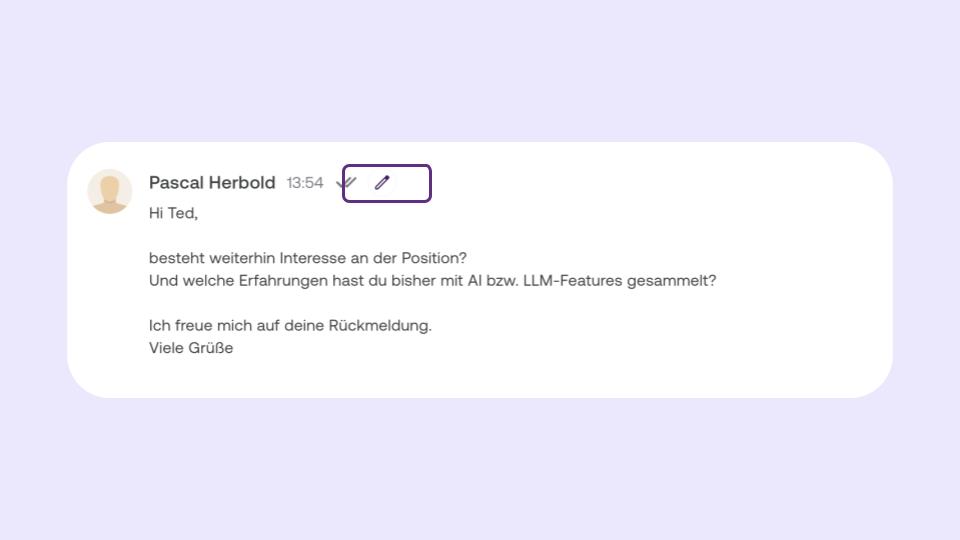
When you hover over your message, a small pencil icon appears next to the two check marks.
Just click it to open a window where you can edit the message.
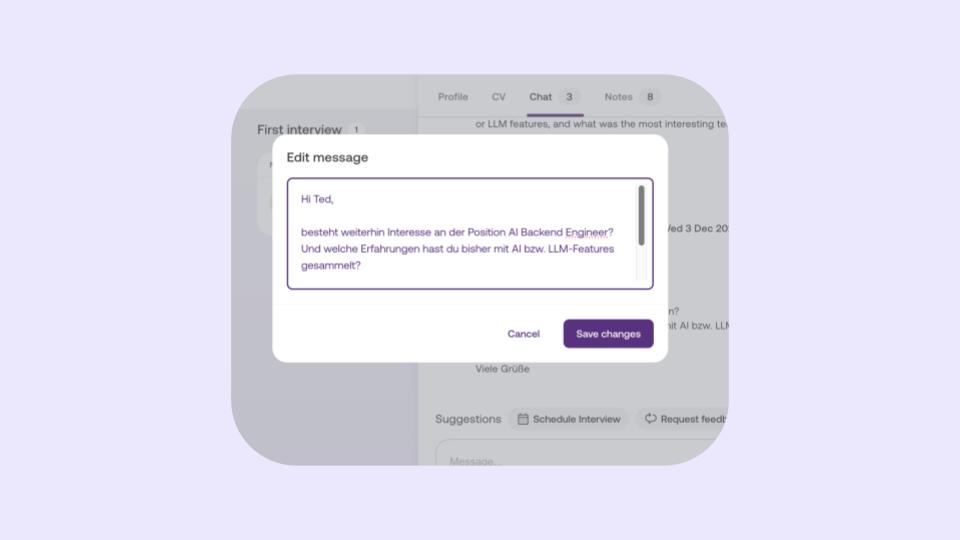
The chat will then indicate that the message has been edited.
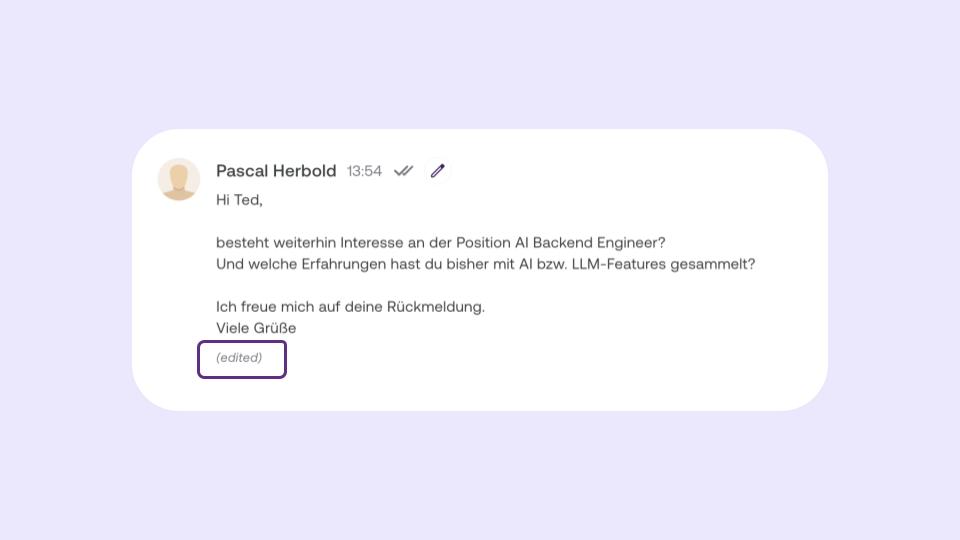
This is super helpful if you spot a typo or want to phrase something more clearly. 🙌 It helps keep your communication clear, easy to understand, and professional.
 Powered by happysupport.ai