
Confirm Talent Hire with ATS Integration
Confirm talent hires from your ATS by reviewing and submitting hire details in Instaffo to sync employment information across both platforms.
If you have an active ATS integration between Instaffo and your ATS, there are two ways to report a talent as hired:
- Set the talent as hired in your ATS → The information will be passed from your ATS to Instaffo. You can find more details about the process below 👇
- Set the talent as hired in Instaffo → This is only necessary if you report the hire in Instaffo first or if the automatic transfer from your ATS didn't work. You can find more information about this in the article How do I report a hire through Instaffo?
If you have an active ATS integration and you report a hire in your ATS for an Instaffo talent, this information will be passed from your ATS to Instaffo, but it won't be automatically completed in Instaffo. Instead, you need to confirm the hire details before the process is considered successful and can be billed.
Identifying Pending ATS Hires
- Check your email notification
Instaffo sends an email to the primary contact for the position as soon as an ATS hire is detected. This email informs you that confirmation is required.
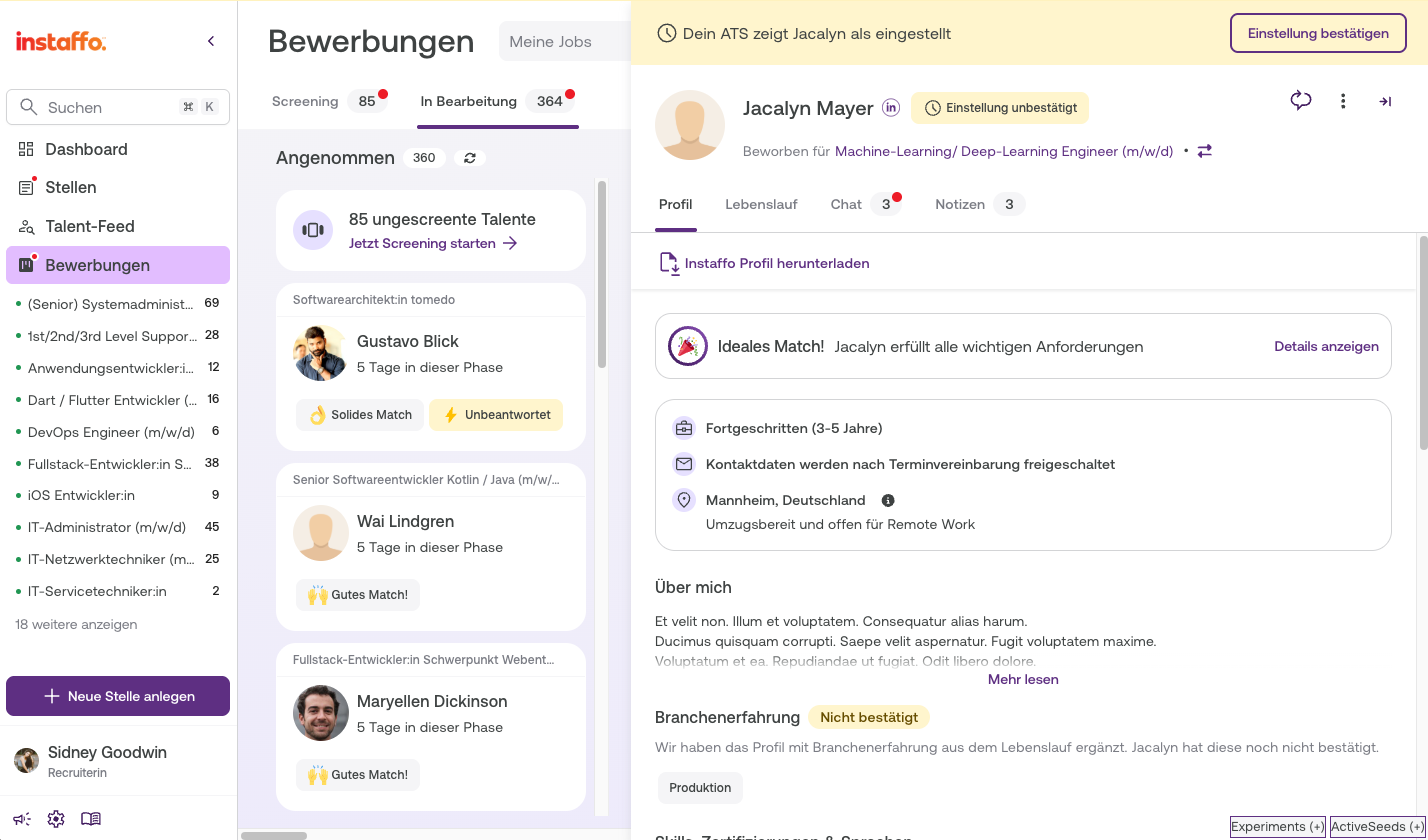
- Find "hire pending" notices on the platform
In the overview sidebar and in the talent highlights, you'll see a "Hire Pending" warning as a tag and banner. This label indicates that the ATS hire is waiting for your confirmation.
Confirm Hire Details
- Open the hire modal
Open the hire modal for the pending ATS hire. There you can view the reported hire details and correct them if needed.
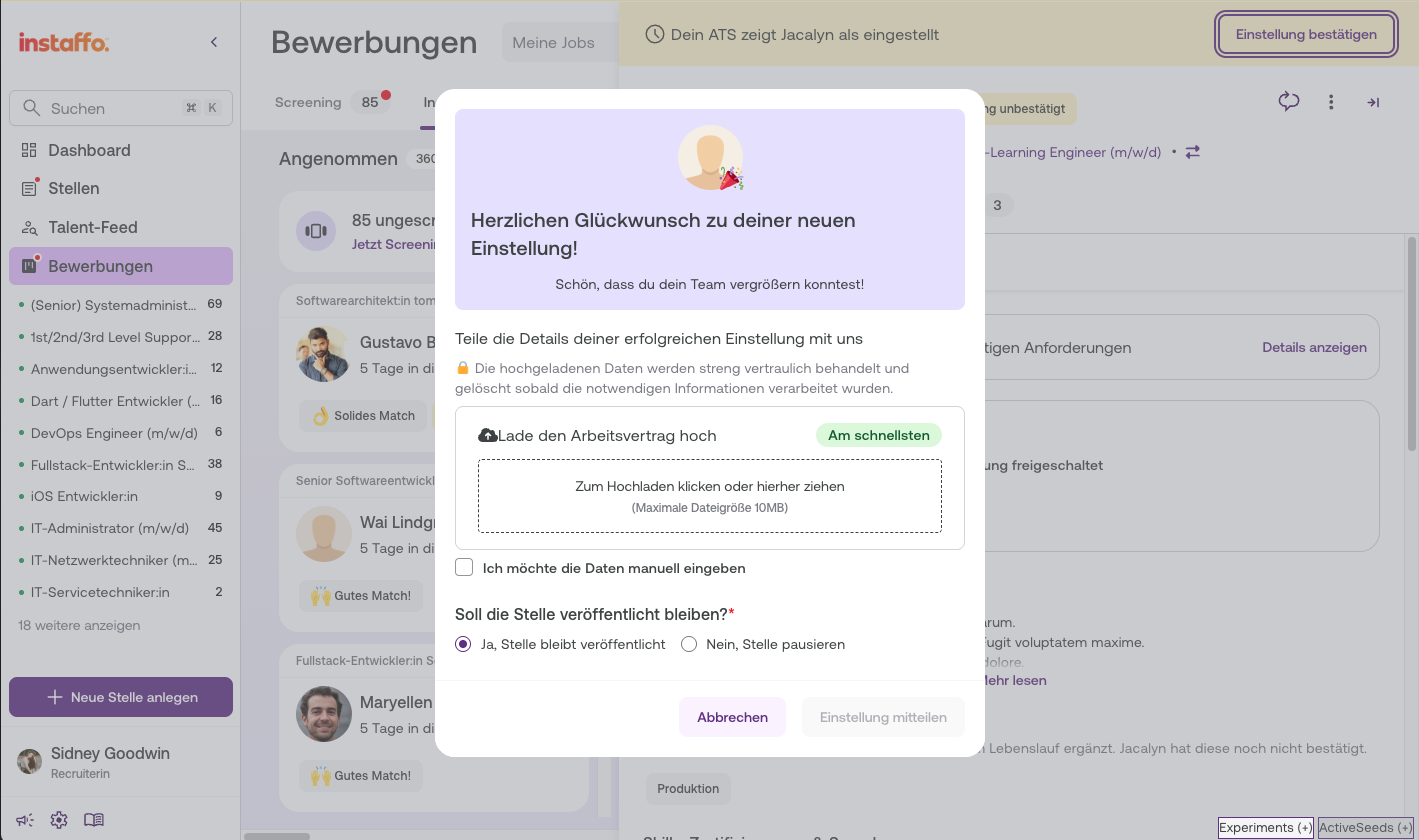
-
Enter or correct hire details
Review the displayed information and add or correct it as needed:- Contract information
- Manual employment information
-
Submit the hire
Submit the hire details. After successful submission, an updated confirmation message will be displayed and the hire will be marked as confirmed.
Troubleshooting
-
Cannot reject the process
As long as a hire is marked as "Pending", rejecting the process is blocked. You must first confirm or correct the hire details before you can perform other actions. -
Pending hire not found
Look for the "hire pending" tag in the overview sidebar or in the talent highlights of the relevant talent. This label will show you which process is waiting for confirmation.
ATS hire events are not displayed in the talent's chat feed. If you want to manually report a hire without an ATS connection, you can find the instructions in the article about manual hire reporting.
If you don't confirm the hire within 5 days, your account manager will get in touch with you.
 Powered by happysupport.ai